
P67 $190 Part 2: MSI P67A-GD65, ASRock P67 Extreme6 and ECS P67H2-A2
ASRock P67 Extreme6: Overview
I’m writing this after I’ve tested this board, and my overall impression is that ASRock are hitting the nail on the head with regards to ease of use and options on their products. ASUS are ASRock’s parent company, and we can definitely see the essence of one transferring into the other—a stark change from ASRock’s initial prerogative as a contender in the commodity OEM market. The P67 Extreme6, which is currently retailing at $210 (above the original $190 RRP) offered a great overclock as well as the ASRock plethora of extras that come with the board, including that USB 3.0 bracket which doubles as an SSD holder. The main criticism with ASRock boards, as it always usually is, comes with the one year warranty, and also whether this board is worth the $50 more than the P67 Extreme4, which we reviewed in our first look at P67.
ASRock P67 Extreme6: Visual Inspection
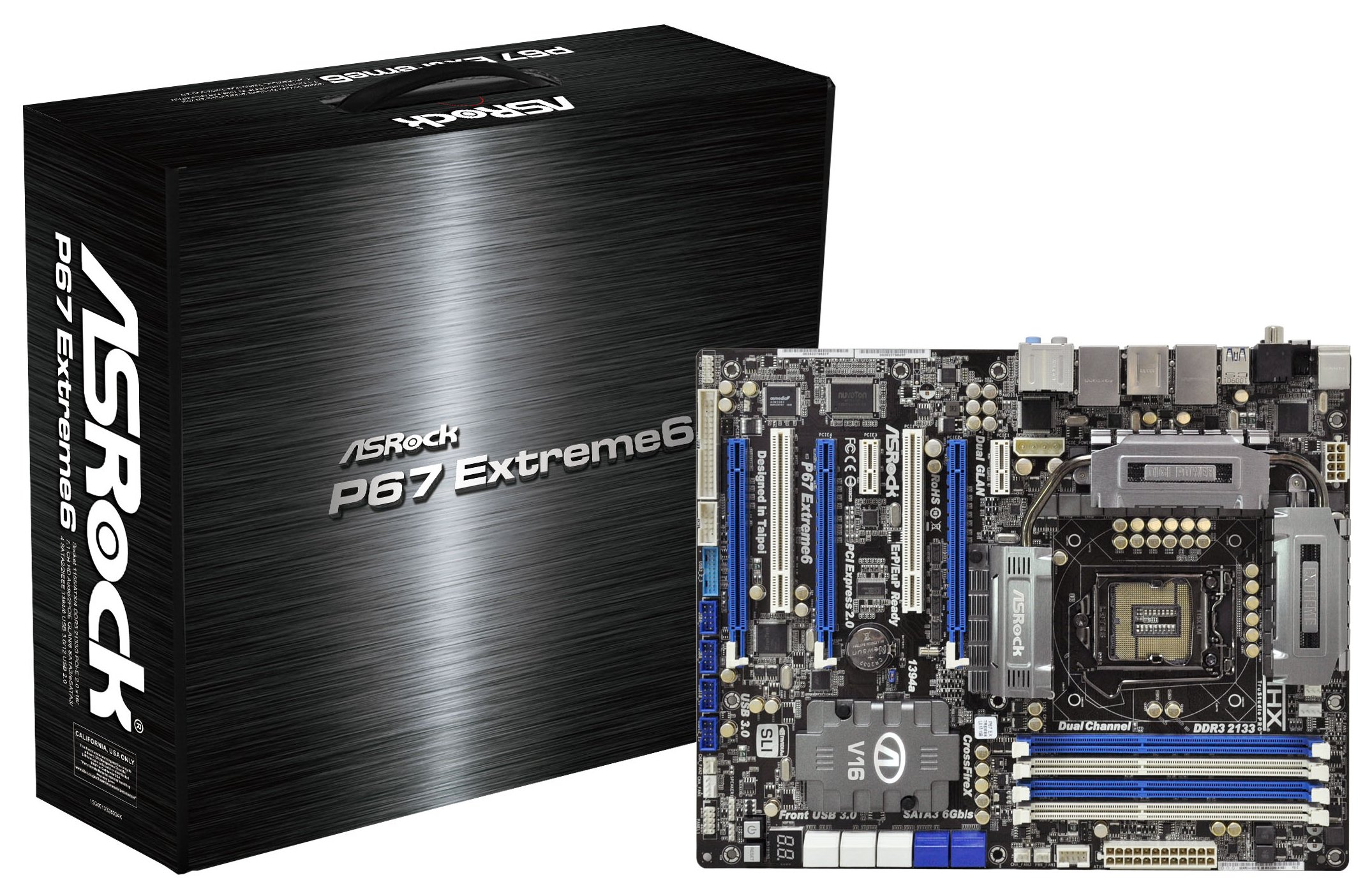
A few things glare out the minute you look at the board and the CPU socket area—to start, we have a large combined heatsink setup, designed to conduct heat around the 16+2 phase VRM power solution as well as the PCH contained underneath the bottom heatsink. In the CPU socket, we find ASRock’s Combo Cooler Option, allowing users to utilize their old socket 775 cooling, as well as a series of gold based capacitors. Previous ASRock chipset boards (think the X58 Extreme3) required fan support on the VRM heatsink, but this one does its job without one.
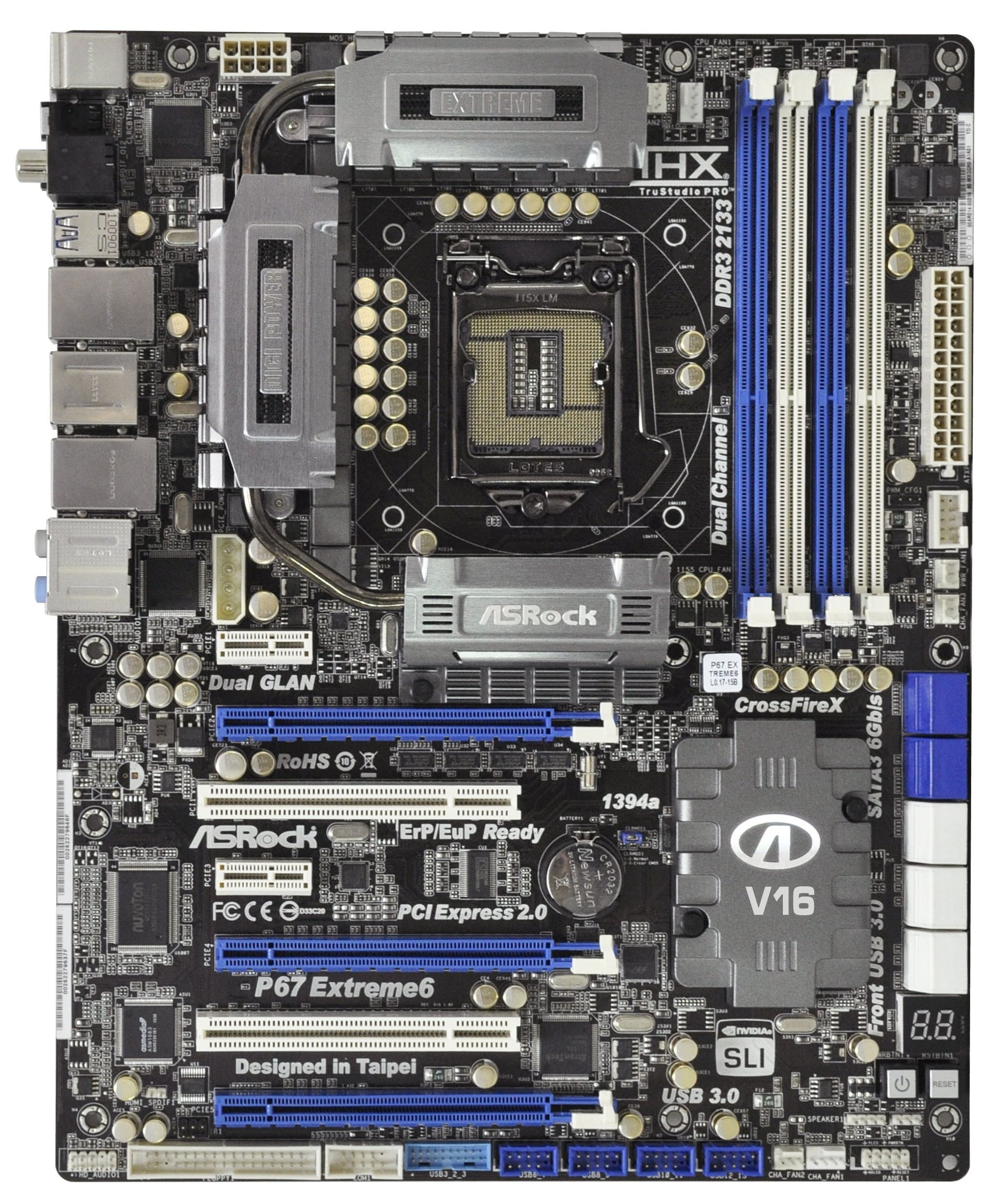
There is an abundance of fan headers on this motherboard—above the CPU socket there are two CPU fan headers, one 4-pin and one 3-pin; below the 24-pin ATX power connector there is another couple labeled CHA and PWR, and finally another two are found at the bottom right, both chassis fans. In the BIOS there are fan controls for all of these except the PWR header.
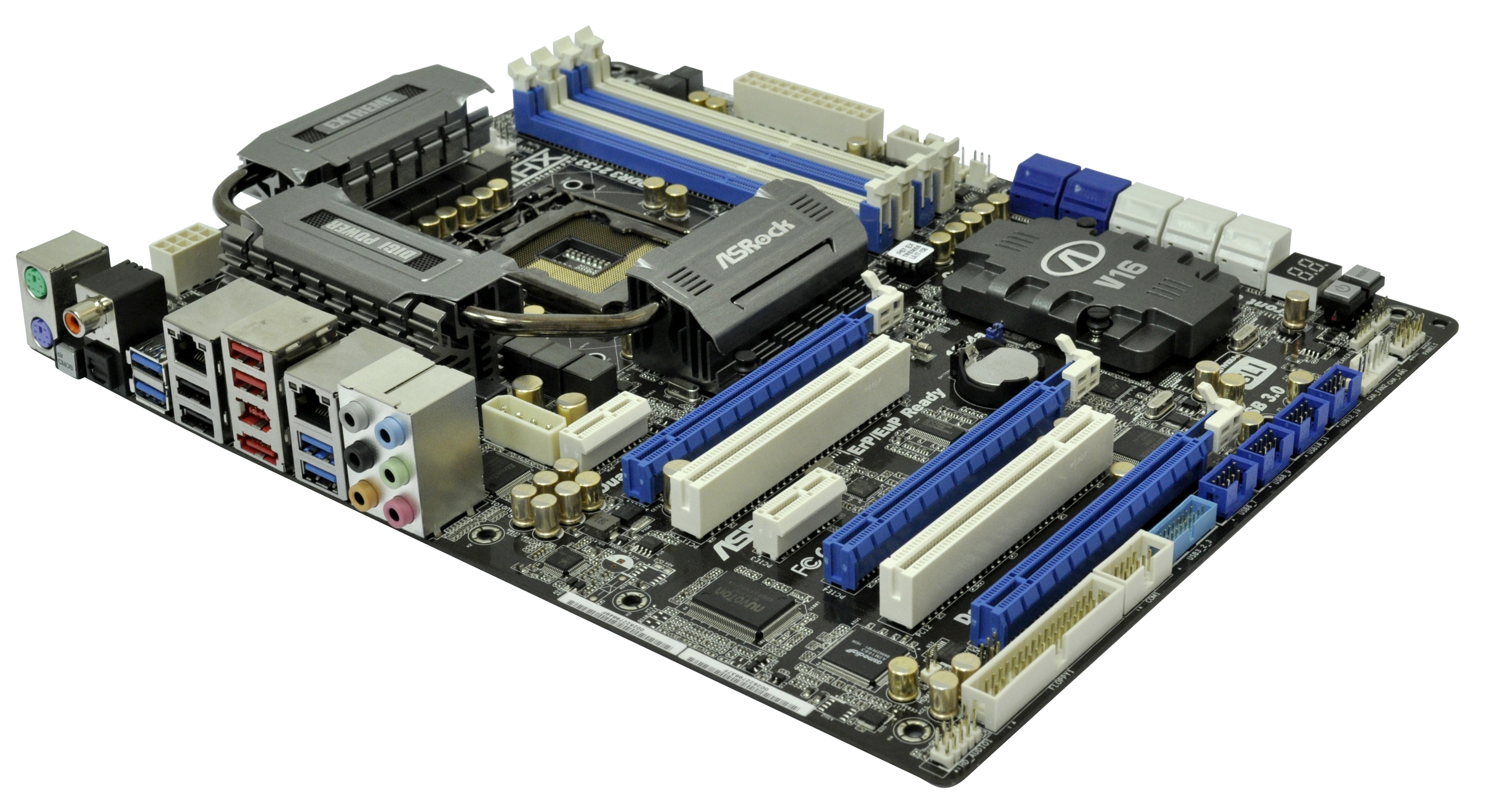
Continuing down the right hand side of the board is a FireWire connector for a front panel Firewire connector, and 10(!) SATA ports. The four blue are SATA 3 Gbps ports from the PCH, and six white SATA 6 Gbps ports—two from the PCH, and two sets of two powered by Marvell SE9120 controllers. One of these Marvell controllers also controls the eSATA 6 Gbps port, so both cannot be used at the same time. Unfortunately, only the SATA 3 Gbps support RAID.
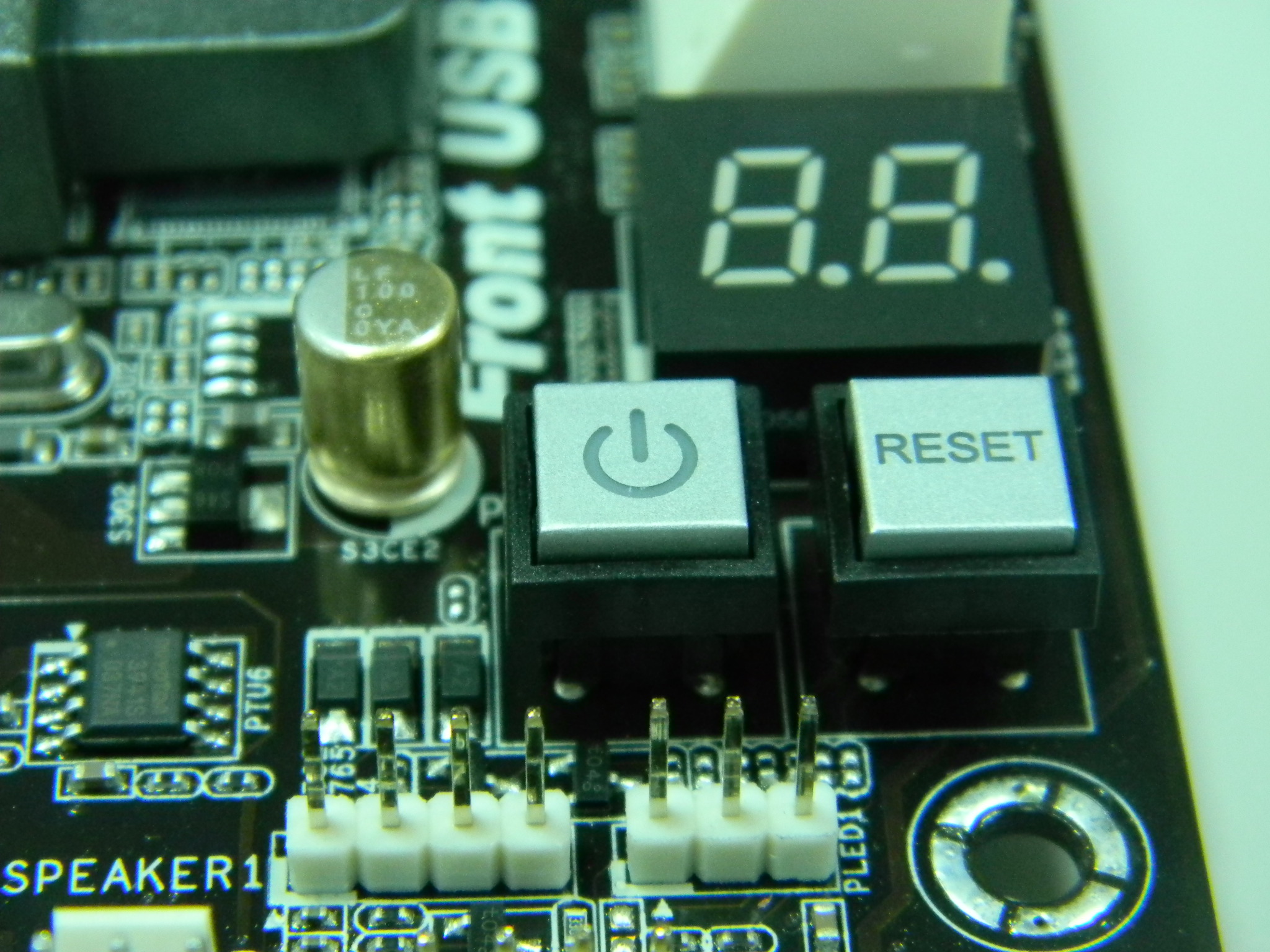
Thankfully we see the power/reset/debug LED we’d expect with a board at this price, and above this is a heatsink labeled ‘V16’ housing a PLX PEX8608 chip to supply extra PCI-E lanes for 3+ GPU setups at the expense of board power consumption. The PCIe layout gives a PCIe 1x limited in width by the PCH heatsink, and the standard array of PCIe x16, PCIe x1 and PCI slots. By giving enough space for a triple slot cooler to the first PCIe x16, this offers space between a dual two-slot cooler PCIe setup, but in here is also a PCIe x1 without width restrictions. If all PCIe slots are populated with dual slot GPUs, apart from running at x8/x8/x4, a lot of the connectors at the bottom of the board are compromised, such as the legacy floppy port. More importantly though, the Front Panel connector would easily be obscured by anything bigger than a 4850, thus limiting tri-GPU setups to single slot cards or people using this board for overclocking on an open test bed.
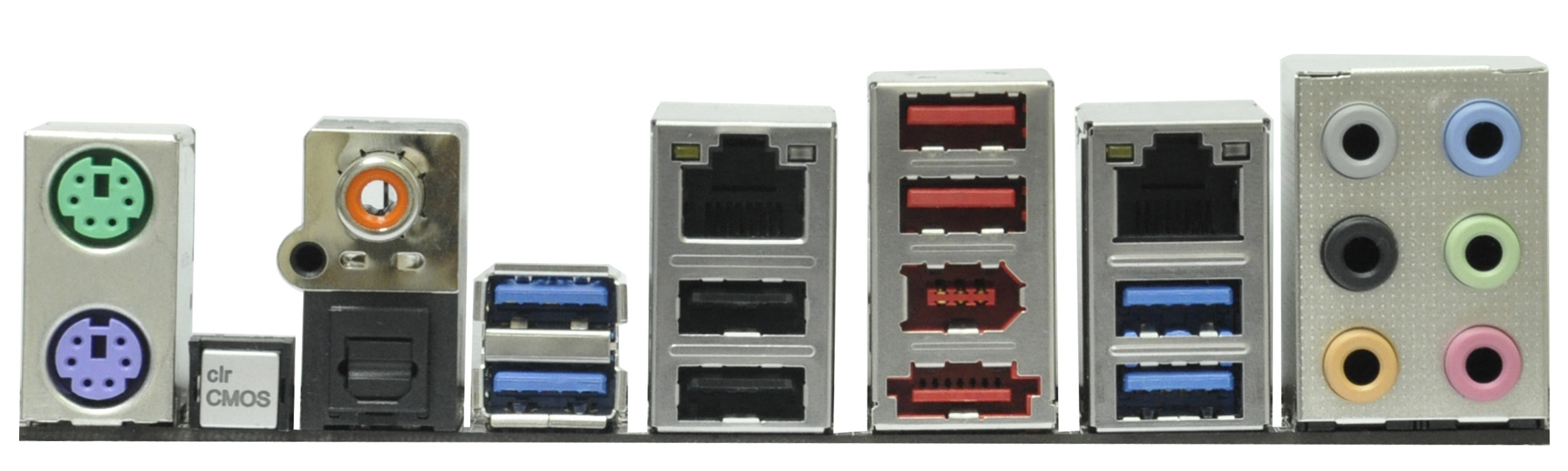
The I/O panel offer dual PS/2 connectors, the ubiquitous clear CMOS button we like to see, optical and coaxial S/PDIF outputs, dual gigabit Ethernet ports powered by Realtek NICs, a Firewire port, that eSATA 6 Gbps port, four USB 2.0 ports, four USB 3.0 ports powered by an Etron controllers, and the standard Realtek audio setup supporting THX TruStudio Pro.
Originally published at https://www.anandtech.com/show/4323/p67-190-part-2-msi-asrock-and-ecs (Wayback Machine).