
Dell XPS 15 L502x: Now with Sandy Bridge
Still Lovin’ the 1080p Upgrade
The XPS 15 L501x garnered our Gold Editors’ Choice award largely on the merits of the upgraded 1080p LCD. Without a beautiful display, it would probably rate as a Bronze award at best. Six months later, at least on the LCD side nothing noteworthy has changed. Dell is still using an AU Optronics B156HW1 panel, and performance is roughly the same as before. There’s a certain amount of variance among LCD panels, and the L501x actually comes out slightly ahead in the tests, but you’re not liable to see the difference with the naked eye.
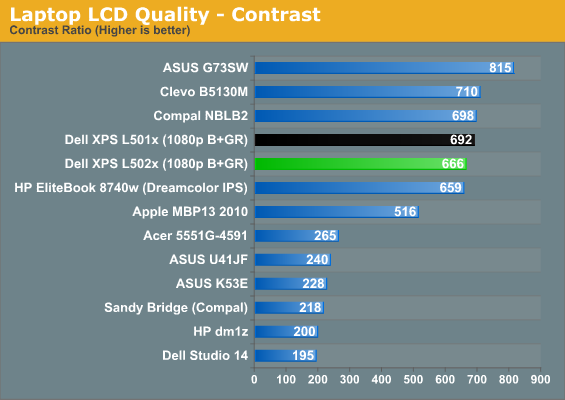
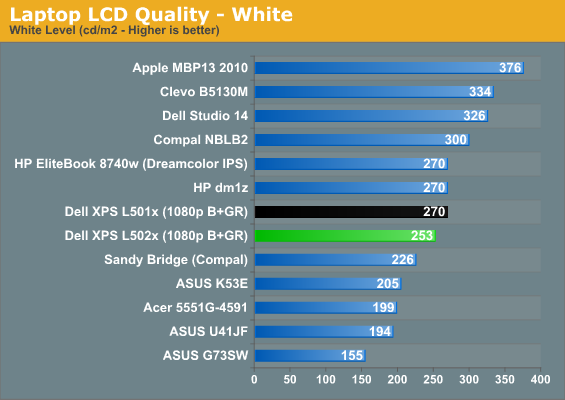
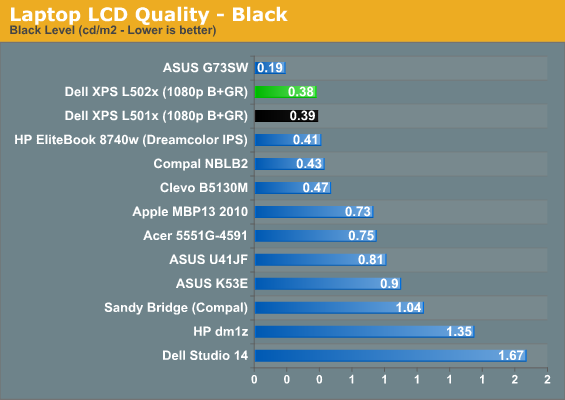
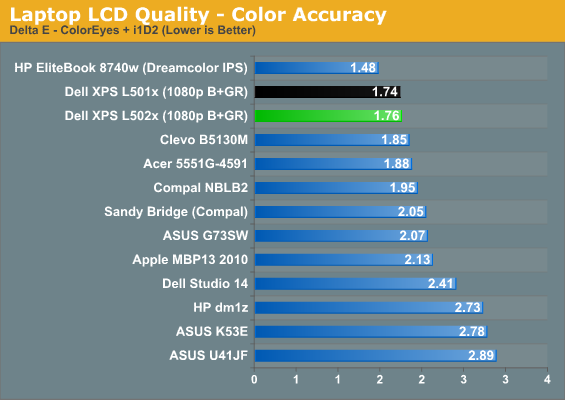
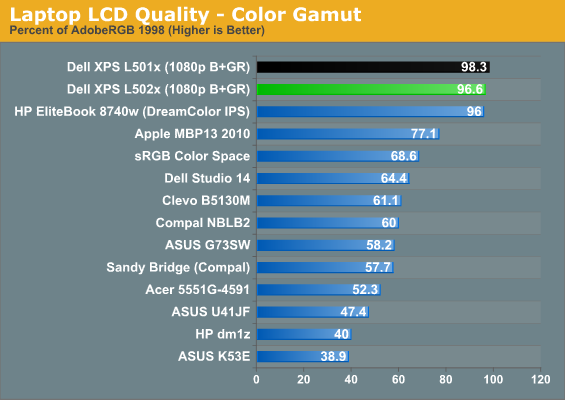
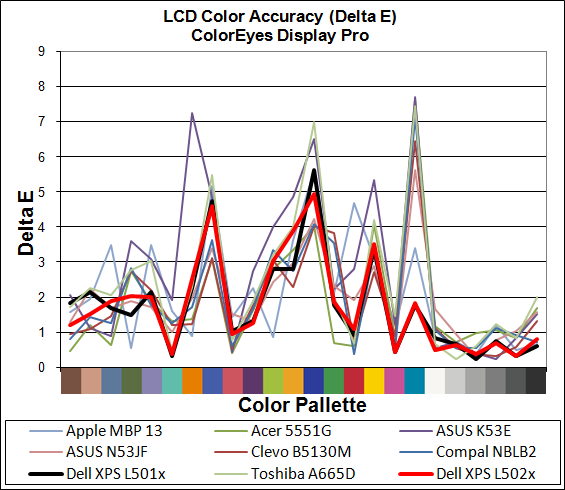
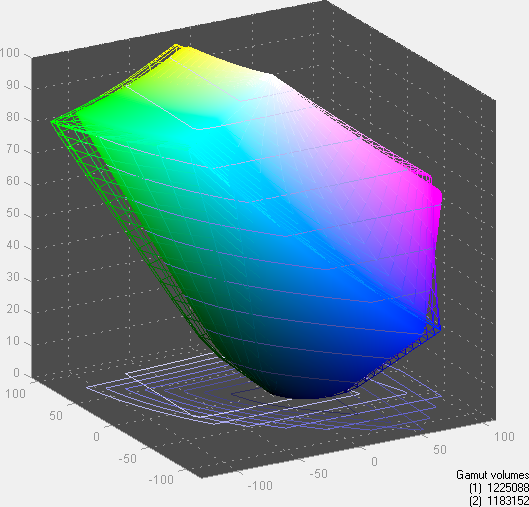
Good contrast, reasonable brightness range, and a great color gamut continue to make this one of the top 15.6” LCDs. We’ve seen the same panel in a few other laptops (including the Compal NBLB2), but there’s still a range of backlight intensity and we’d like to see Dell allow up to 300nits if possible. Actually, what we’d really like to see is an option for a matte coating on the LCD similar to what we’ve seen on the Clevo P150HM. What’s interesting is that the P150HM we tested had a lower color gamut to go with the matte coating, but it also happens to be the same AUO B156HW01 panel. The P150HM was revision v1 and Dell doesn’t indicate which version they’re using, but it’s probably v4. Personally, I’d still be more than willing to give up color gamut for a matte surface.


Heat and Noise Levels

Under sustained loads, the L502x does seem to run hotter than the L501x, but that’s expected. The CPU core temperatures hit 85-91C after several hours of constant 100% load, while the GPU hit a maximum of 80C. Idle noise levels are the same 31dB we measured before, but load noise is also up relative to the L501x. Our SPL showed a noise output of 43.8dB from a distance of 18”, which is audibly louder than the 42dB we hit with the L501x.
Originally published at https://www.anandtech.com/show/4274/dell-xps-15-l502x-now-with-sandy-bridge (Wayback Machine).