
H67 – A Triumvirate of Tantalizing Technology
- Posted in
- Motherboards
- Sandy Bridge
- H67
Board Features
| Market Segment | Mainstream H67 |
| CPU Interface | LGA 1155 |
| CPU Support | I3/i5/i7 Sandy Bridge |
| Chipset | H67 |
| Base Clock Frequency | 100 MHz |
| DDR3 Memory Speed | 1333 MHz, CL9 9-9-24 |
| Core Voltage | 0.750 V to 1.795V in 0.005 V increments |
| CPU Clock Multiplier | Dependant on CPU |
| DRAM Voltage | 1.100 V to 2.400 V in 0.020 V increments |
| DRAM Command Rate | Auto, 1T to 3T |
| Memory Slots |
Four 240-pin DDR3 DIMM slots in dual-channel Regular unbuffered DD3 memory Up to 32GB total supported |
| Expansion Slots |
1 x PCI Express 2.0 x16 slot 2 x PCI Express 2.0 x1 slots 1 x PCI Express 2.0 x4 slot (electrical) |
| Onboard SATA/RAID |
2 x SATA 6 Gb/s ports (white) 3 x SATA 3 Gb/s ports (blue) 1 x eSATA 3 Gb/s port |
| Onboard |
2 x SATA 6 Gb/s ports 3 x SATA 3 Gb/s ports 2 x Fan Headers 1 x Front Panel Header 1 x Front Panel Audio Header 1 x S/PDIF Out Header 1 x Serial Port Header 5 x USB 2.0 headers supporting 10 USB 2.0 ports |
| Onboard LAN | Gigabit Ethernet, powered by the Realtek RTL8111E |
| Onboard Audio | Realtek® ALC892 7.1-Channel HD Audio |
| Power Connectors |
24-pin EATX Power connector 8-pin EATX 12V Power connector |
| Fan Headers |
1 x CPU Fan connector (4-pin) 1 x System Fan connector (3-pin) 2 x USB 3.0 ports (blue) |
| I/O Panel |
4 x USB 2.0 Ports 1 x D-Sub 1 x HDMI Port 1 x DVI Port 1 x Display port 1 x RJ45 LAN connector 1 x Audio port (Line-in,4x Line-out, SPDIF out) 1 x eSATA 3Gb/s port |
| BIOS | Dual BIOS system, F8 |
No Power/Reset buttons, no Debug LED, no dual gigabit Ethernet (like the ECS board), and a lack of fan headers, but we do have the Dual BIOS system which Gigabyte stick to every board.
In The Box
- 4 Locking SATA cables, 2 of them right angled
- Support CD
Not a lot comes with the H67MA-UD2H, which is a bit disappointing given what comes with the ASRock at a similar price point.
Software
As with the P67A-UD4 we have already reviewed, the software is pretty much the same, apart from minor adaptations for the H67 chipset. I found it mildly amusing that during the standard driver install on the disk, it quoted me 490 minutes for a full install – in reality it took less than five, but it brings me memories of the old Windows ‘time to finish’ function.
EasyTune6
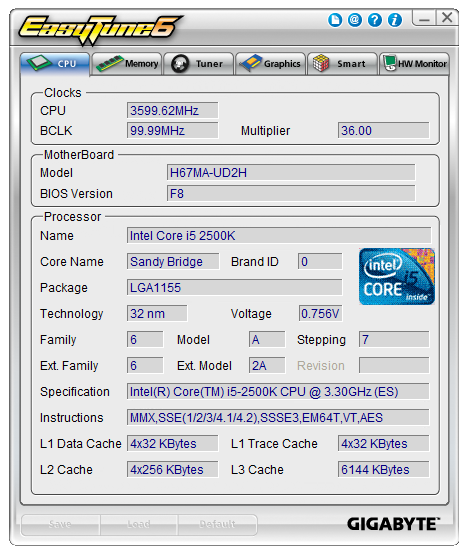
The front screen on EasyTune this time gives the CPU data, as well as the Motherboard model and BIOS version. Previously we saw an ‘easy OC’ screen on EasyTune, and we do not get one here for GPU overclocking.
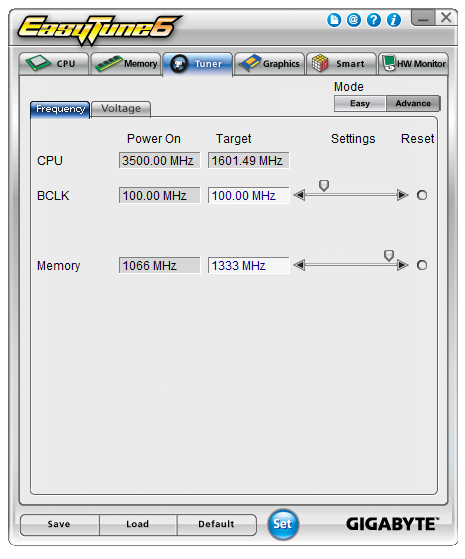
The more intricate overclocking screen for EasyTune is still present though – in Advance mode, we have options to adjust the BCLK and the Memory; however the memory is limited to the 1333 MHz divider, as per H67 specifications. Any changes to the BCLK require the ‘Set’ button to be pressed and a reboot. The voltage screen is essentially similar to the options you get in the BIOS.
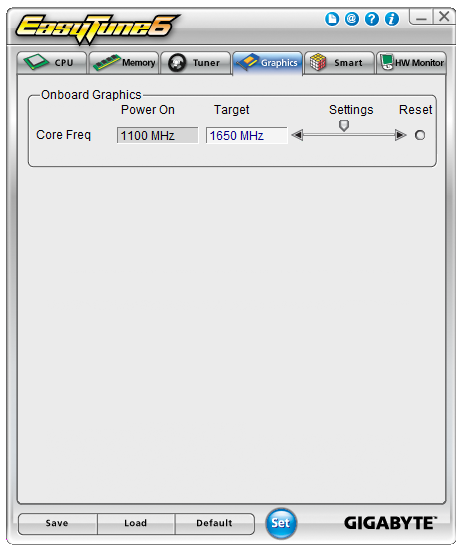
Rather than keep all the OC options on one screen, or recreate them to make them all on one screen, the integrated GPU overclocking options are in the graphics section only. Another slider bar and this one goes all the way up to 3000 MHz in 1 MHz divisions.
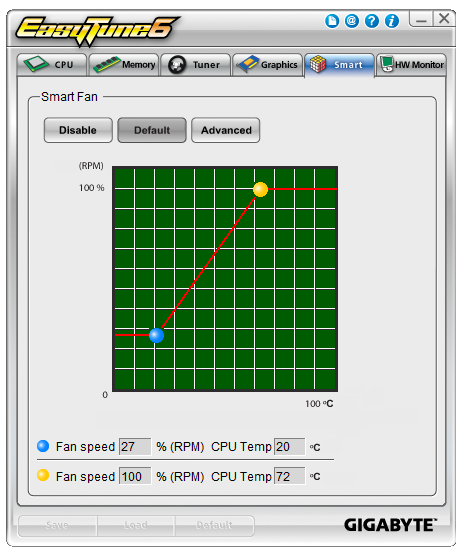
The fan controls are straight forward, given that there is only one fan you can control.
Smart6

Smart6 is identical to previous versions so I will not repeat it here, but QuickBoost in this iteration does not do anything, as there is no CPU overclocking on this board.
Originally published at https://www.anandtech.com/show/4241/h67-a-triumvirate-of-tantalizing-technology (Wayback Machine).