
Intel’s Sandy Bridge i7-2820QM: Upheaval in the Mobile Landscape
- Posted in
- Laptops
- Intel
- Sandy Bridge
- Compal
Temperatures and Noise
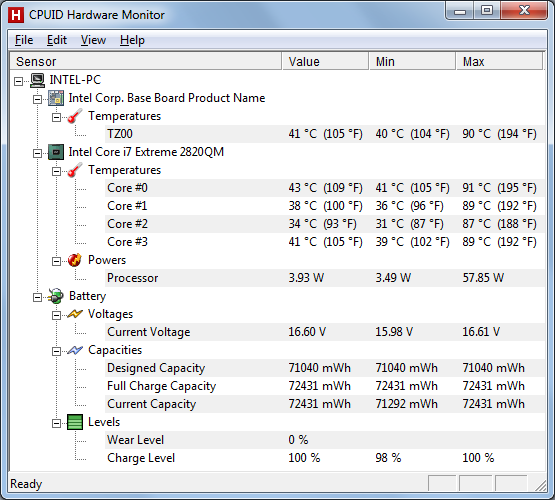
Wrapping up our look at the Compal notebook, we measured the noise levels and temperatures at idle and at load. Since we don’t know if this particular configuration will even hit retail, we won’t dwell on it too much, but here are the results. Idle surface temperatures measured between 24C and 29C on the keyboard and palm rest, while the bottom of the notebook is slightly warmer and showed temps of 26-32C. Most of the notebook is close to room temperature, but near the CPU and exhaust at the back/middle the system is a bit warmer. Under heavy load (for over an hour), the temperatures increase, but the fan and dynamic CPU/GPU clocks keep things reasonable. The top temperatures increased to 24-33C, while the bottom measured 26-38C. Temperatures at the exhaust under load were around 44C. Here’s a shot of internal system temperatures, courtesy of HWMonitor.
Using the same idle and load tests, we also checked noise levels. The BIOS on this particular setup allows you to configure two temperatures and fan speeds, with the defaults being 75% fan speed at 55C and 100% fan speed when the CPU hits 70C. There are apparently other settings in effect, however, as we noticed four distinct fan speeds. Anyway, below about 45C, the fan shuts off and you have a silent notebook. Given the low power requirements and CPU temperatures at idle, the system fan is usually off under light loads, with the result being system noise right at the floor of our testing environment/equipment: 30dB. Occasionally the fan will spin up and create about 32.5dB of noise, but this usually only lasted a few seconds at most. Running heavy loads will usually get the fan at maximum speed after 20 seconds or so, at which point we measured 41dB; that’s still tolerable considering how infrequent such loads usually are, though if you do heavy number crunching or video editing you might end up with a moderately noisy notebook.
Average Resolution, Average Performance
What about the LCD? We’ve only looked at a few 17.3” notebooks, with their associated 900p resolution. So far we’ve had the Clevo W870CU (Chi Mei N173O6-L02), the ASUS X72D/K72DR with the same panel, and the Dell Studio 17 (with an unknown panel). The Sandy Bridge test system apparently comes with a Seiko Epson 173KT panel, but the characteristics are no better—and sometimes worse—than the other 17.3” 900p displays we’ve looked at.
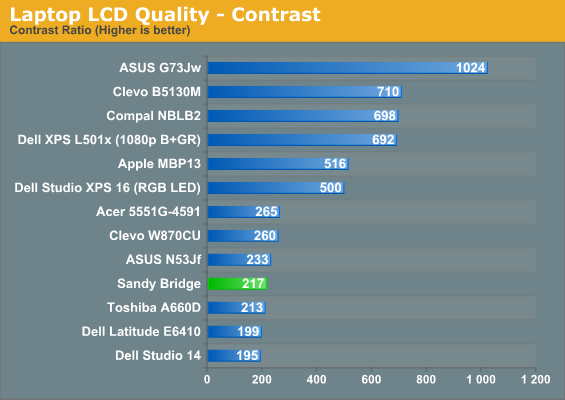
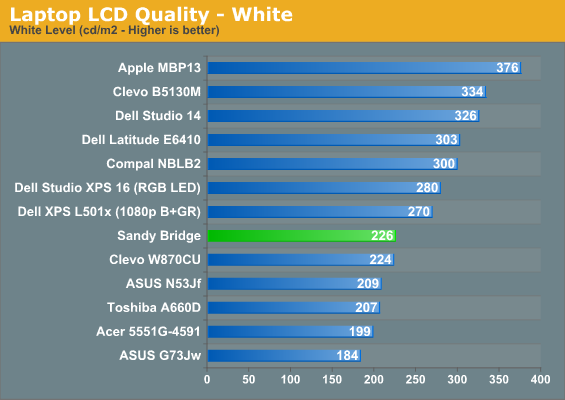
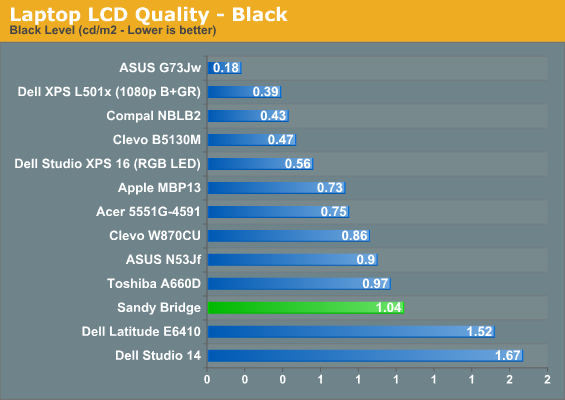
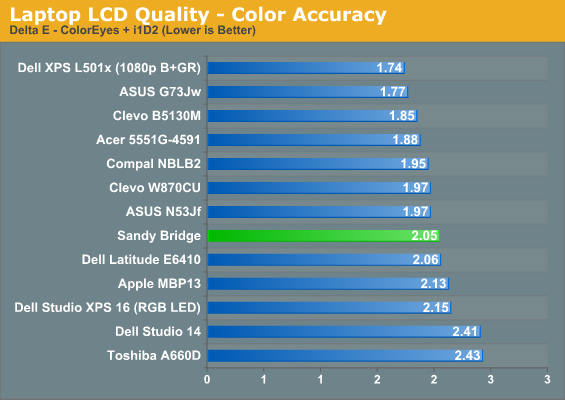
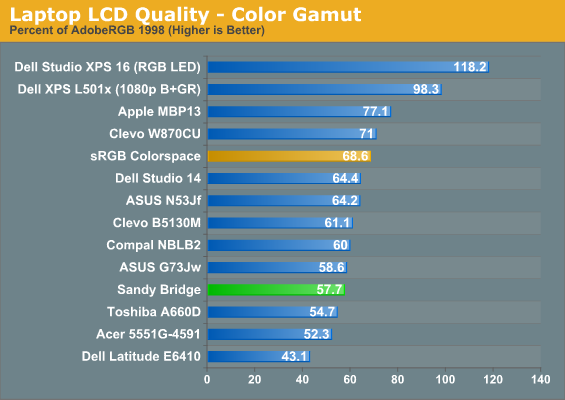
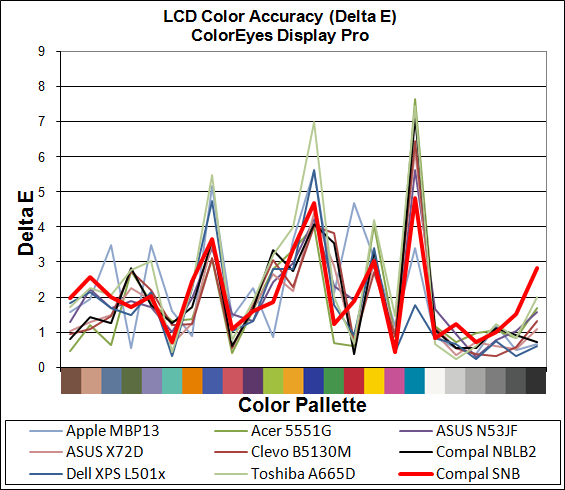
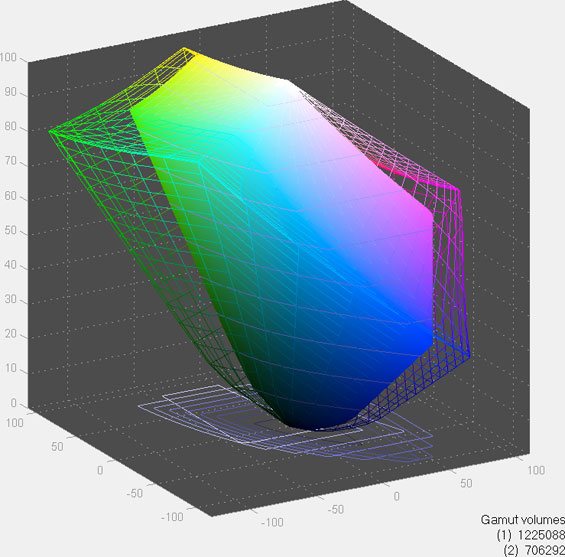
Color gamut is pretty good, and accuracy is perhaps a bit better than average, but the contrast is a disappointing 217:1 and the maximum brightness is a none-too-impressive 226nits. While there are certainly worse LCDs out there, this particular panel is yet another that fails to rise above mediocrity. We have yet to test a 900p display that has impressed us, so consider this a warning.
Originally published at https://www.anandtech.com/show/4084/intels-sandy-bridge-upheaval-in-the-mobile-landscape (Wayback Machine).