
Microsoft Kinect: The AnandTech Review
Kinect Interaction
The primary interactions with Kinect are pretty simple, there are really only a handful of gestures. To start using Kinect from the normal dashboard, or pretty much anywhere, you wave your hand. That lets Kinect lock onto which hand you’re going to use to gesture with, and it applies almost everywhere - be prepared to do a lot of waving. Waving in the normal dashboard brings up the Kinect dashboard, which is essentially a Kinect-specific ‘lite’ version of the main dashboard. It’s a bit disappointing that Kinect doesn’t nicely bolt onto the main dashboard, but all the core functions like launching games and doing Kinect specific tasks are covered.
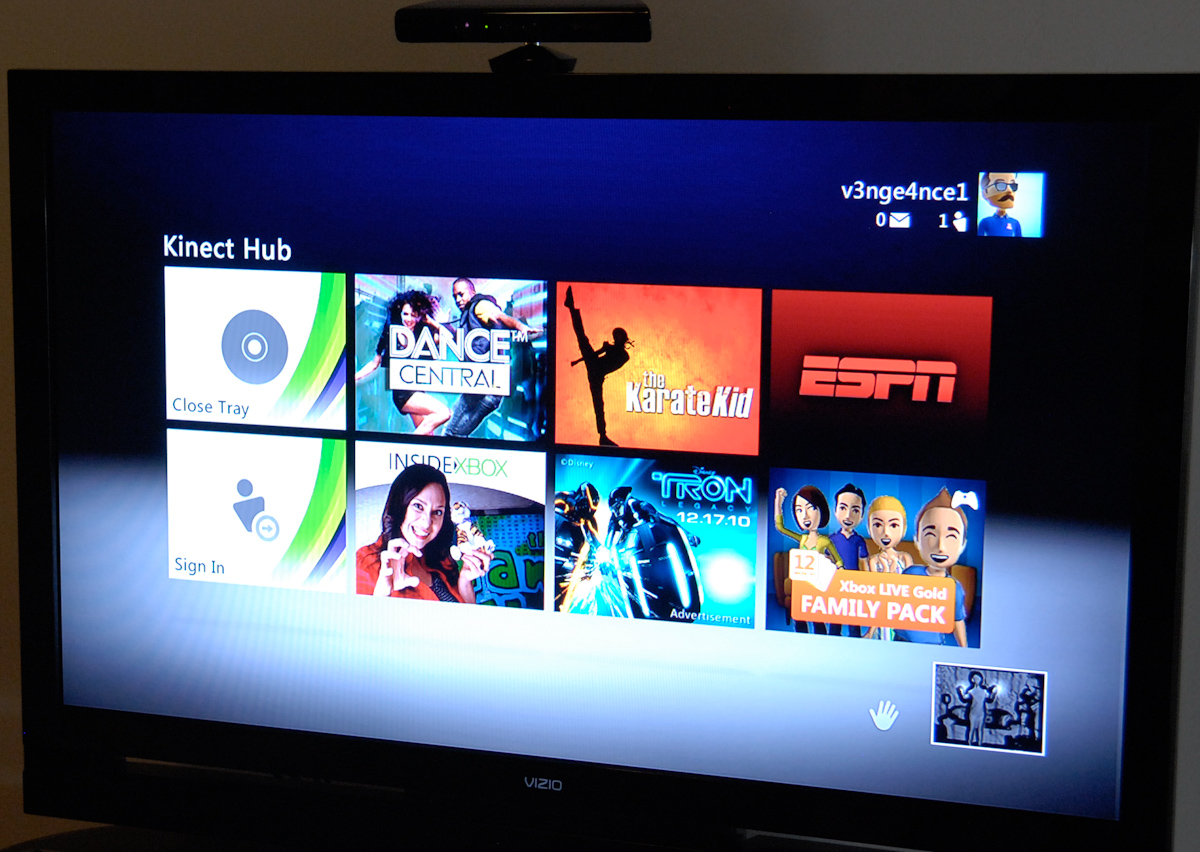
Inside the Kinect dashboard, you can navigate around and interact with your hands, or by saying “Xbox” and any of the words on the dashboard. It works pretty well, but honestly I haven’t found myself using voice very much.
Selection is done by holding your hand over an item - a progress circle rings around and chimes, letting you know you’ve made a selection. Moving from page to page on the Kinect dashboard involves hovering over the arrows at left and right and swiping appropriately. It’s probably the only gesture I don’t really think is perfect, but it works.

The next main gesture is universal pause, which involves holding your right arm at your side, and sticking your left arm out at 45 degrees. Holding it there also brings up the progress circle and chime, and then pops up the game menu.


This is essentially analogous to pressing the center Xbox button on a controller, though Microsoft calls this the Kinect Guide, from here you use the hand gestures and selection to either escape out to the dash, return, view awards, or launch the Kinect tuner. That’s really all there is to it, as further gestures are game and activity specific but always pretty intuitive. I've put together a small video showing off interaction and navigation, and a small tour of some of the Kinect apps.
Voice Commands
When I first saw the Kinect voice commands, there was a lot of talk about other players being able to effectively troll Kinect users by yelling “Xbox Pause” or “Xbox Stop.” I randomly would shout that, and found it interesting that there aren’t too many - abruptly stop and exit what I’m doing - voice commands, and especially not any in games. Most of the time, you have to say yes afterwards, so if you want to troll, say “Xbox Pause Yes.” In fact, outside of the dashboard and a few of the Kinect-specific apps like Zune, Last.fm, and ESPN, there really aren’t a whole lot of voice command areas.

I guess that’s a good enough segue into the apps and games themselves. The first thing you should know is that everything requires an update - that’s not hyperbole, literally everything seems to require a 50 MB update. That’s all the Kinect-specific applications like Zune, Last.fm, videoKinect, and ESPN. Games also all require updates, but they’re smaller. 50 MB is about average for all the other applications, however.

I realize it’s nit-picking to complain about updates, but the whole process would be much more bearable if it was one monolithic update at the beginning instead of the scatter-shot frustration of having to wait every time you try something new. It isn’t PS3 level, where you literally need another console or distraction to occupy yourself with while you wait for device firmware, then game updates to apply, but I’d be lying if I didn’t think about how eerily similar the situation is.
Originally published at https://www.anandtech.com/show/4057/microsoft-kinect-the-anandtech-review (Wayback Machine).