
Micca Slim-HD: 1080p In Your Pocket
- Posted in
- Home Theater
- Micca
- Slim-HD
- Media Player
Micca Slim-HD - In and Around
As I mentioned on the first page, the Slim-HD comes with a few accessories in the box, namely the remote and the various cables needed to run it. Notable in its absence is the HDMI cable; you’ll need to provide your own to get your HD on. We can’t fault Micca for that omission though, since not many competing products include it in the box either.
The media player itself is quite small, at 3.15”(W) x 5.35”(L) x 0.79”(H). It has about the same footprint as most 2.5” portable hard drives, except slightly thicker. Even with the internal 2.5” drive, the Slim-HD is significantly smaller than the WD TV Live models and Seagate’s $100 GoFlex TV, which both exceed 4” x 5” x 1.5”. I’m assuming that the extra size is mostly due to the more power-hungry processors and associated cooling mechanisms (we’ll get to that in a moment), but the takeaway here is that the Slim-HD is significantly smaller than most of the other HD media boxes out there.

Micca Slim-HD (left) next to a WD Passport 2.5" external HDD
The top face has the Micca Slim-HD logo and a power button and LED. The front side contains the HDD activity light and the remote’s IR sensor. The back has a 3.5mm AV out, an HDMI port, a mini-USB port, and a 5.2V DC input. The right side has an SDHC card reader to round out the ports. It’s decent, but nothing to earth shattering. The integrated SD card slot is a nice touch for people who want to take the memory card out of their camera and put onto the TV directly for viewing purposes, a convenience that it seems like many media streamers are overlooking these days.
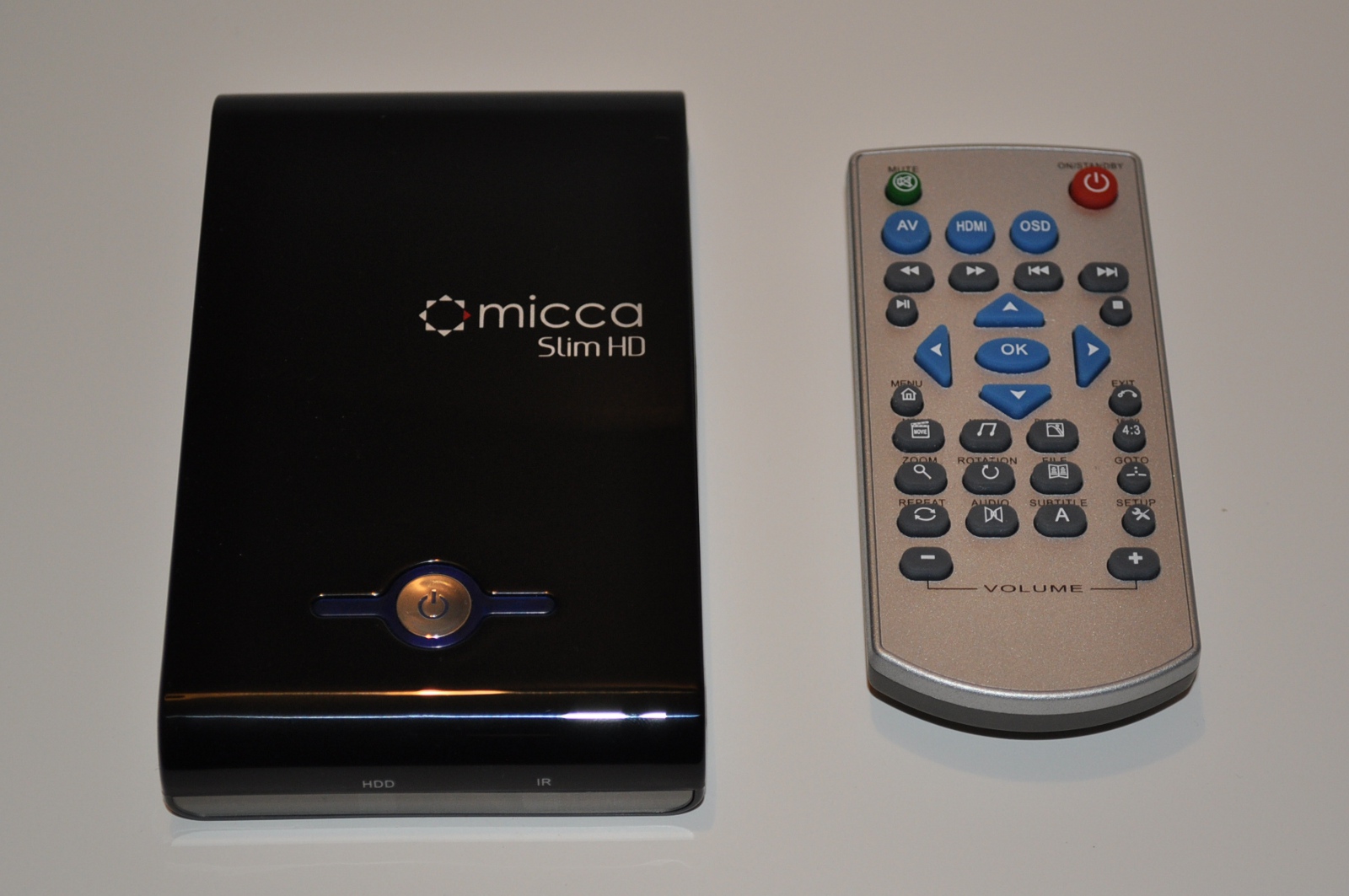
The remote is small and very light. It’s not terribly different from the remote that WD included with their Live Plus, except with more buttons. Unfortunately, the buttons are pretty haphazardly organized, so it can be somewhat confusing. The remote body feels very light - on more than one occasion I found myself checking whether the batteries were still in the remote. The lightness of the remote and the unintuitive layout make the remote feel somewhat cheap, an impression carried out by the lack of branding and lack of colour coordination between the black unit and the silver remote body. But once you figure out the button placement, it works well enough, so let’s move on.
Originally published at https://www.anandtech.com/show/4021/micca-slimhd-1080p-in-your-pocket (Wayback Machine).