
ASUS UL80Jt: Overclocked i3 ULV
ASUS UL80Jt—Inside and Out
The UL80Jt is pretty similar to the Vt, with a few changes. The brushed aluminum lid remains, still in a dark gunmetal colour. The glossy plastic on the interior is thankfully gone, replaced by the same brushed aluminum material. Unfortunately, the LCD bezel is still glossy plastic, a recurring theme with ASUS notebooks. Dustin went off on this in his last review, but I’d like to touch on it again. It’s stupid, stop doing it. Especially if you’re just using glossy plastic and not putting a glass covering over the entire screen a la Apple (amongst others). That aside, the palmrests feel solid, and the stickers advertise it as being scratchproof and “ice cool”. I can’t vouch for the ice cool claim, but heat definitely isn’t a problem as it has been for some ASUS notebooks in the past.
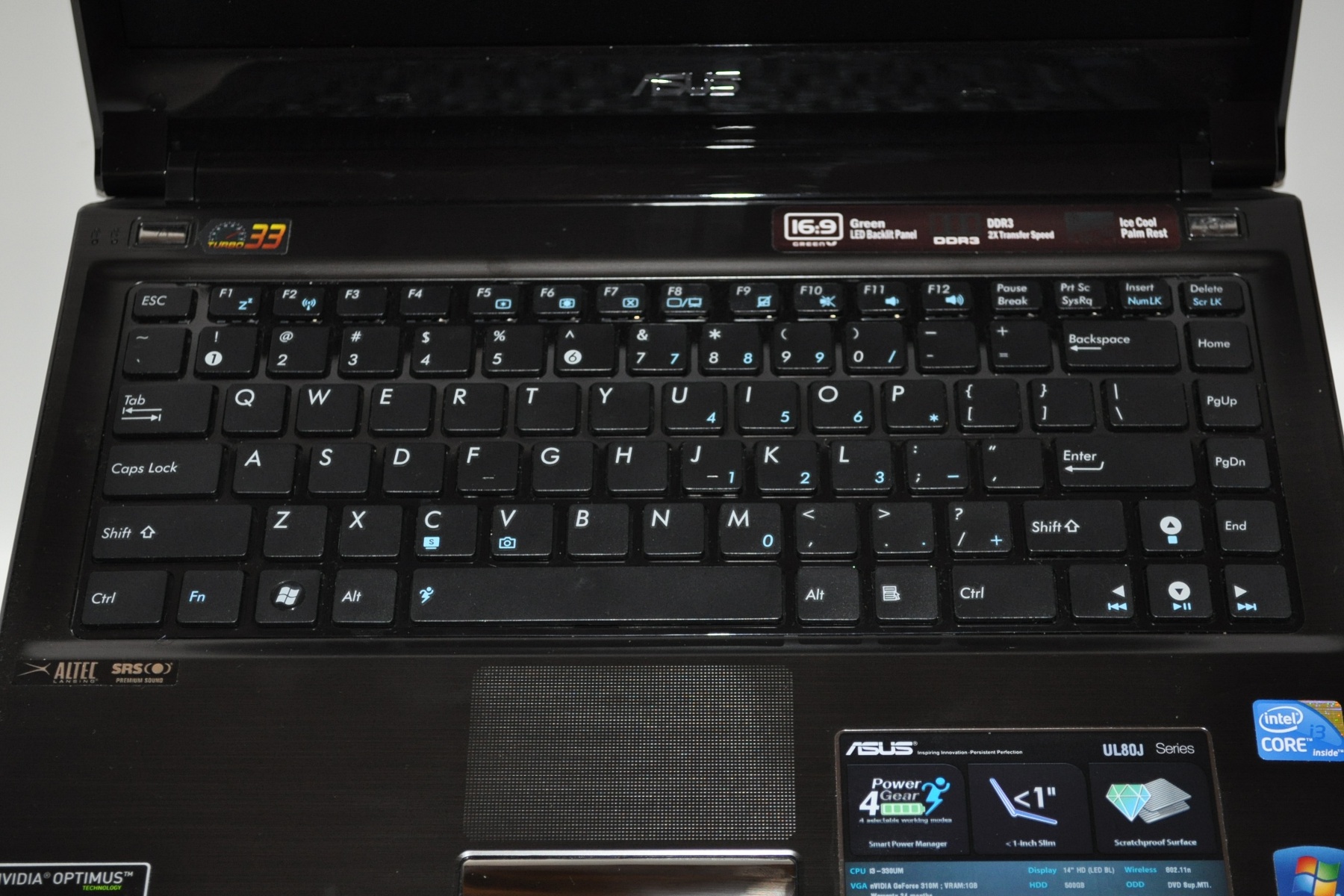
Unfortunately the rest of the build quality isn’t as great. The lid is pretty flexy and shows a decent amount of ripple-effect under pressure. The hinge isn’t the sturdiest. But by far the worst part about this whole thing is the keyboard. It’s the same keyboard as the U33Jc that I had, but the backing must be different, or something—there’s much more flex, enough to be disturbing. The typing action itself isn’t too bad, but following the awesomeness that was the U33Jc typing experience, it was fairly disappointing to see that the UL80 didn’t match up.
Rounding out the input devices, we have the multitouch trackpad, which has a dimpled surface and a glossy finish. It works okay, with Synaptic’s standard gesture support, but there’s nothing really noteworthy about it. Same goes for the mouse buttons, other than once again registering my astonishment that companies continue to use chrome mouse buttons. It’s as bad as the glossy black bezels—it’s the most touched part on the system, why make it a material that so readily shows fingerprints?


While we’re on the topic of weird quirks, the blue and green LEDs on the front edge are significantly more powerful than on normal systems, bright enough to disturb sleep in a dark room. Whether this is because of the plastic lightpipes used or because of the LED parts themselves, it’s still somewhat odd. For comparison, it puts out more light than my Thermaltake Tsunami desktop case, and that’s got a case full of blue LEDs.
Port selection is basically unchanged from before, as with most other things on the outside. Personally, I wasn’t a huge fan of the previous UL80’s build quality, so the flaws in the current UL80’s build quality are not terribly surprising, though not welcome by any means. And in comparison to the U30Jc’s more consistently good build quality (and significantly better keyboard), they’re magnified that much more.
Originally published at https://www.anandtech.com/show/4009/asus-ul80jt-overclocked-i3-ulv (Wayback Machine).