
ASUS MS238H Review - Slim and Affordable
First Impressions
Let's start with initial setup. ASUS provides some classy packaging for the MS238H which carries labeling and a photo of the display on the front. It's interesting how everyone does different things with packaging for displays - some include lots of adornments, others like Dell just pack the display in a plain grey box.

In the box also are the usual quick start and warranty papers, D-Sub cable, external power supply (the MS238H doesn't have an internal power supply), and a DVI to HDMI cable.

The first thing that struck me about the display was that the material is a dark blue color with metallic flecks suspended inside. In the harsh, intense fluorescent white light inside the lightbox, it seems overpowering. On the desk or in an average lit office, the material looks a much more understated uniform black color.
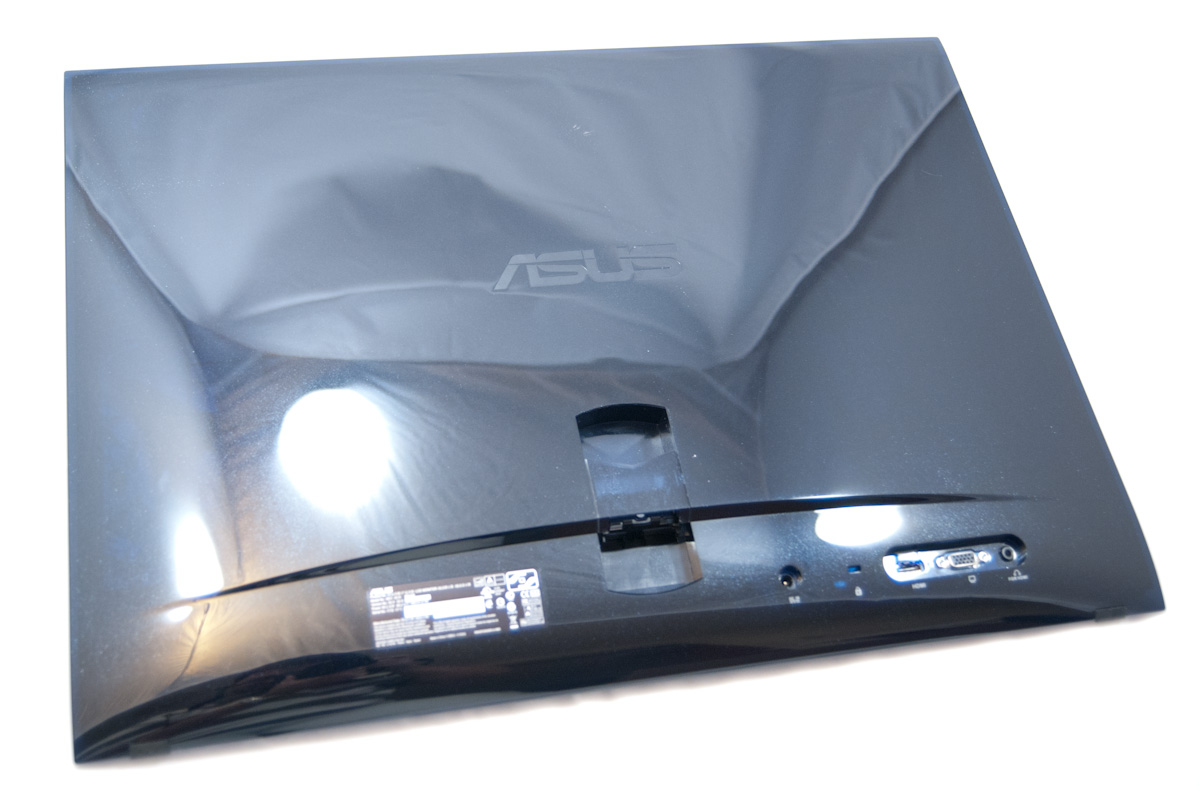
On the back you get HDMI, D-SUB (VGA), DC-in, and 3.5mm ports. They're all clustered in the same general area on the bottom right, along with a Kensington lock port.

Where things get interesting is how the MS238H stands upright. There's a circular plastic piece which screws into the rear of the display, onto which clips another clear plastic piece. The ring connects to the display with a screw, and swivels around while the clear piece sits coplanar with the table.


Pushing on the display thus lets you tilt it back and forth, but only by about 10 degrees - it's a pretty limited range of motion, but surprisingly sufficient.

Attaching the ring to the display is initially a bit confusing just because it isn't something I've seen before. There's a plastic guard on the display which covers the mounting point. Before you can install the ring, the plastic cover must be removed, which basically involves prying it off out of plastic snaps. I was sure I was going to break something going at it this way, but that's the way it's done. Next you have to clip the white brace on the ring and get it squared off, but that isn't a challenge.

The tradeoff for such a simple mount is that you lose height adjustment, swivel, and get no VESA mount, but the upshot is that there's really only one piece to transport around. I did notice that the display can creep backwards and tilt into its home position, but only on extremely smooth surfaces.

It would've been nice to see some rubberized material on the bottom of that clear plastic clip which actually contacts the surface the display rests on, because it did slide over time into the most reclined position on all my glass desks.


The front of the MS238H isn't too surprising - there are 5 capacitive OSD control buttons and a capacitive power button off to the right. At far left is ASUS branding, above it is an HDMI logo. The display ships with lots of feature stickers that are easily removed, not the paper kind which leaves a huge mess. The OSD capacitive buttons lack no other markings to belie their presence but white dots. However, touching the buttons illuminates the button and reveals its purpose. The only indicator that's always on is the power symbol in its capacitive depression.

The display panel on the MS238H is matte (thankfully), however the plastic all over the monitor is a high gloss sheen. It seems like a strange choice to forego the increasingly-obligatory glossy panel but slap a glossy plastic surface on the bezel and backside. The result is that dust which bothered me most often wasn't on the surface of the display itself but rather the surrounding plastic, especially on the front bezel which shows it all the time. It's also easy to see fingerprints after you've used the OSD buttons under the right illumination. Honestly the bezel and backside seem to love static charge and attract dust unless you wipe with the right type of cloth - speaking of which, why don't LCD displays come with micro fiber cloths?

In spite of that however, the MS238H's industrial design is definitely striking and on the attractive side of the spectrum. The metallic appearance isn't tacky or gauche, and the display itself is certainly one of the thinnest and requires little surrounding surface area.
Originally published at https://www.anandtech.com/show/4001/asus-ms238h-review-slim-and-affordable (Wayback Machine).