
Western Digital WDTV Live Hub Review
- Posted in
- Home Theater
- Media Streamer
- Gadgets
The last few products from Western Digital that I have unboxed have eschewed any unnecessary cables or connectors which usually end up in the unused pile. The WDTV Live Hub was no different. Opening up the package revealed the following contents:
- Short and concise setup guide with pictorial guidance
- Warranty and tech support information booklet
- The main Live Hub unit
- 24W power adapter
- Remote control with 2 batteries
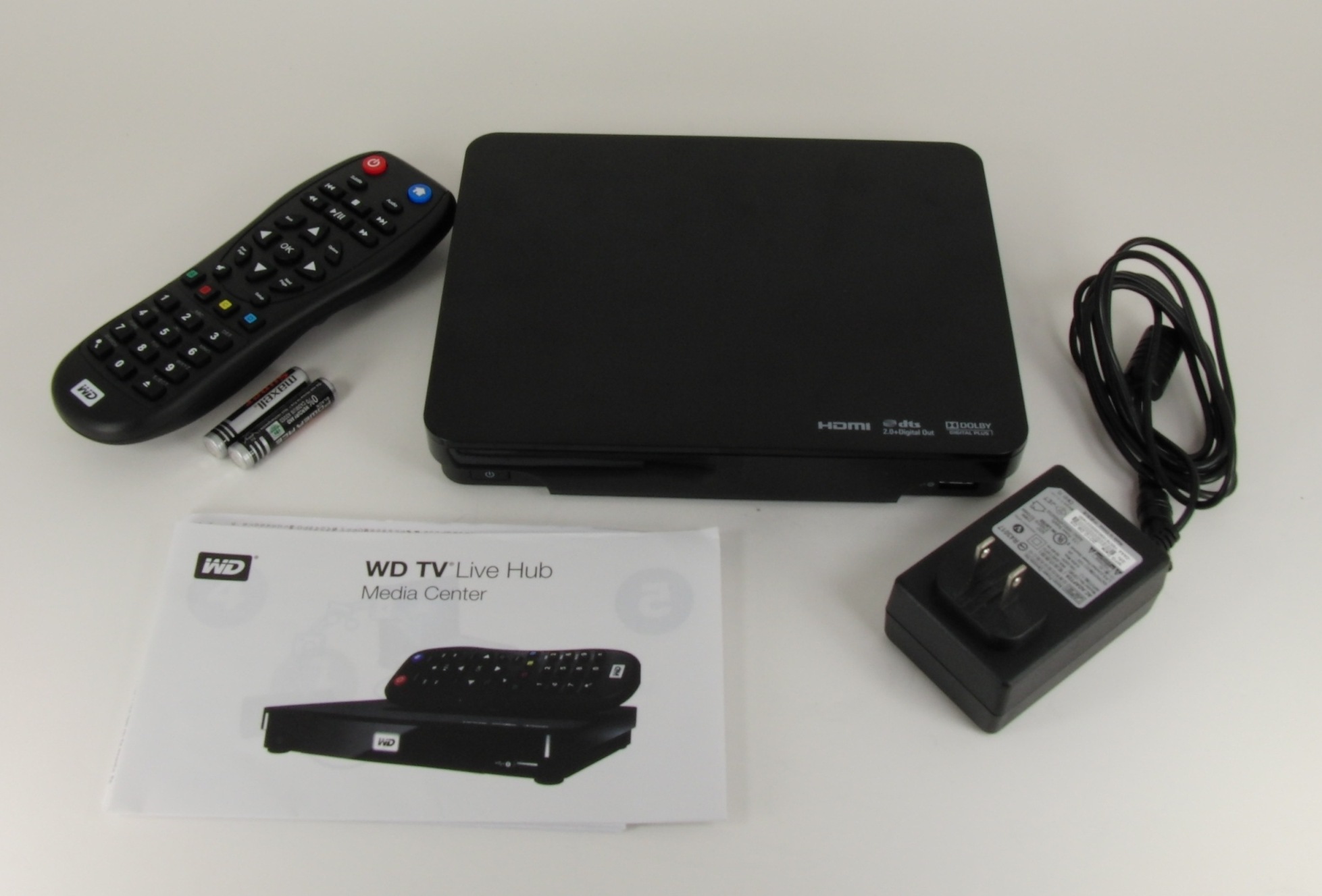
The main unit was surprisingly easy and lightweight to handle. With a diagonal measurement of around 9.5" and a weight of less than 600g, carrying it around was as easy as handling a tablet. Compared to the earlier WDTV models, the height (or depth, depending upon orientation) has been reduced. The new industrial design blends the unit into any home theater setting. One of the main complaints about earlier WDTV units was the lack of an explicit power button on the unit. The Live Hub take care of this, and we now have a recessed rectangular power button in the lower left corner of the front panel. The Live Hub has 2 USB 2.0 ports, and one of them is made available at the lower right corner of the front panel. In the middle is the WD logo lit up from behind by a powerful white LED indicator. By default, this indicator blinks when the internal hard disk is accessed through the network. At other times (when the unit is powered on), this indicator remains lit. Fortunately, the LED can be completely disabled from one of the internal menus.

The rest of the connectivity options are at the rear end of the unit. From the left, we have the power adapter input, optical SPDIF out, HDMI 1.4 output, USB 2.0 port, GbE connector, composite A/V out and component video out.

The remote is a welcome departure from what was used for the earlier versions of the WDTV. With a numeric / text entry keypad akin to the one found on mobile phones, it becomes easier to enter search queries on YouTube / passwords etc. The build quality of the remote is also much better. The plastic at the back of the remote is gone, and overall, it feels much better to hold and operate.

Let us wrap up this section with a table summarizing the A/V and data connectivity options of the WDTV Live Hub.
| Western Digital WDTV Live Hub | ||||
| Feature | WD Config | |||
| HDMI | Yes (v1.4) | |||
| Component | Yes | |||
| Composite | Yes | |||
| VGA | No | |||
| SPDIF | Yes (Optical) | |||
| Stereo | Yes | |||
| Optical Disk Drive | No | |||
| USB | Yes (2 x 2.0) | |||
| eSATA | No | |||
| LAN | Yes (1000 Mbps - GbE) | |||
| Internal HDD | Yes (1 TB) | |||
| WiFi | Supported (Not Included) | |||
| Card Reader | No | |||
In usual reviews, the teardown section would be up next. However, I am going to save that for the last, so as to take readers through the same path of discovery that I went through in the process of evaluating the unit. The next section will deal with the UI of the WDTV Live Hub.
Originally published at https://www.anandtech.com/show/3990/western-digital-wdtv-live-hub-review (Wayback Machine).