
Apple Mac Pro (Mid 2010) Review
The Most Upgradeable Mac
The Mac Pro's styling hasn't changed in years. We got minor improvements inside but externally there haven't been any major changes since the Power Mac G5 days:
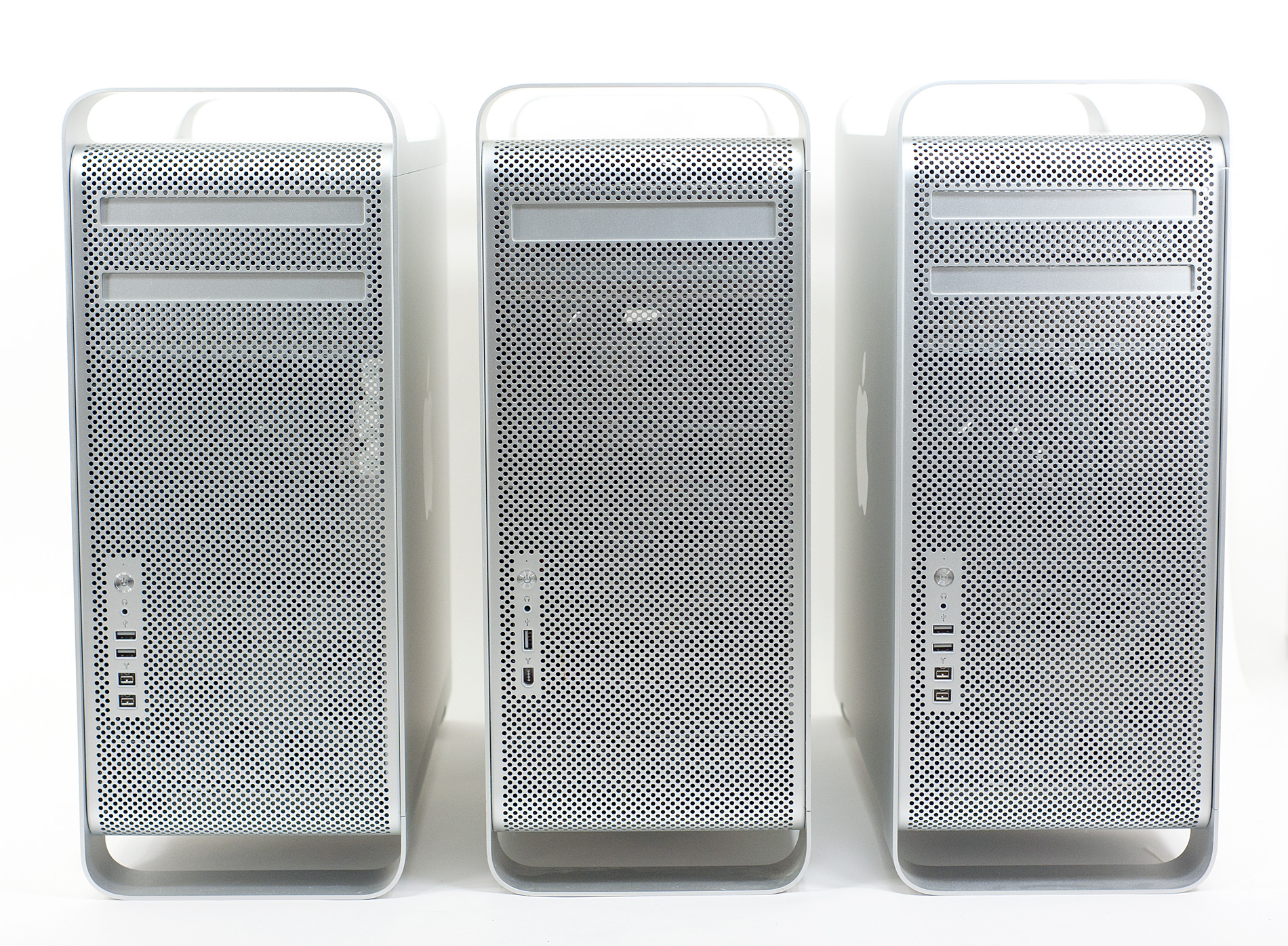
Can you spot the difference? Going from left to right we have the Westmere Mac Pro (2010), Power Mac G5 and Nehalem Mac Pro (2009). I left the Core 2 Duo Mac Pro out of the shot because it looks identical to the Nehalem/Westmere models.
You could argue that the design works and thus doesn’t need to be updated and I’d tend to agree with you. The Mac Pro chassis is still very well compartmentalized and as a result allows for easy upgrades.
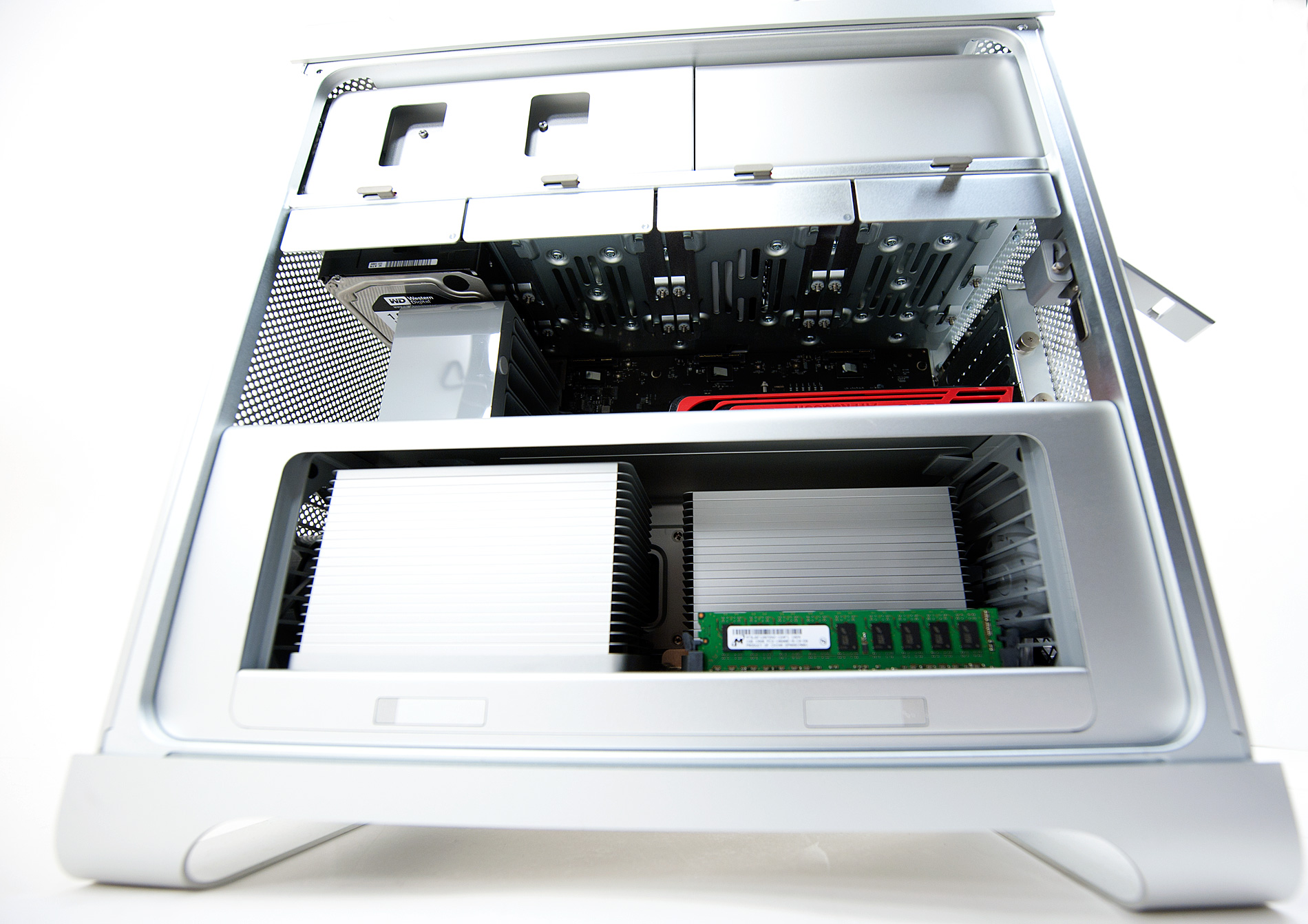
Internally the Westmere model is identical to its predecessor. Apple has made revisions to the motherboard so this isn't just a chip upgrade for the Nehalem Mac Pro, but other than that the systems look the same.
You still have the same slide out CPU/memory tray and the four removable SATA drive sleds from the Nehalem and Core 2 models. One thing I asked for in the Nehalem Mac Pro review was support for 2.5" drives, which Apple somewhat delivered with Westmere.

If you order an Apple SSD, either as an upgrade kit or with your Westmere Mac Pro you'll get a 2.5" adapter for the 3.5" drive sled. While I would've preferred something in-box for all users (since I still recommend going your own route for SSDs vs. buying them from Apple), this is at least a step in the right direction.

The only change I’d recommend is implementing a simpler PCIe retention system. The lower retention bracket works quite well, it’s the thumbscrews that hold the top of the cards in place that are bothersome. Thumbscrews are obviously preferable to regular screws, but I’d rather have something that just snaps or slides into place. Given that I’ve done a lot of Mac Pro video card swapping over the past few days I’m probably more sensitive to this than most people, but there’s no harm in seeking perfection.
Moving back outside, on the front we still have two USB 2.0 and two FireWire 800 ports. Like the previous Mac Pro there are no FireWire 400 ports and Apple has yet to embrace USB 3.0. The latter is a shame given the expected shelf life of a high end computer.
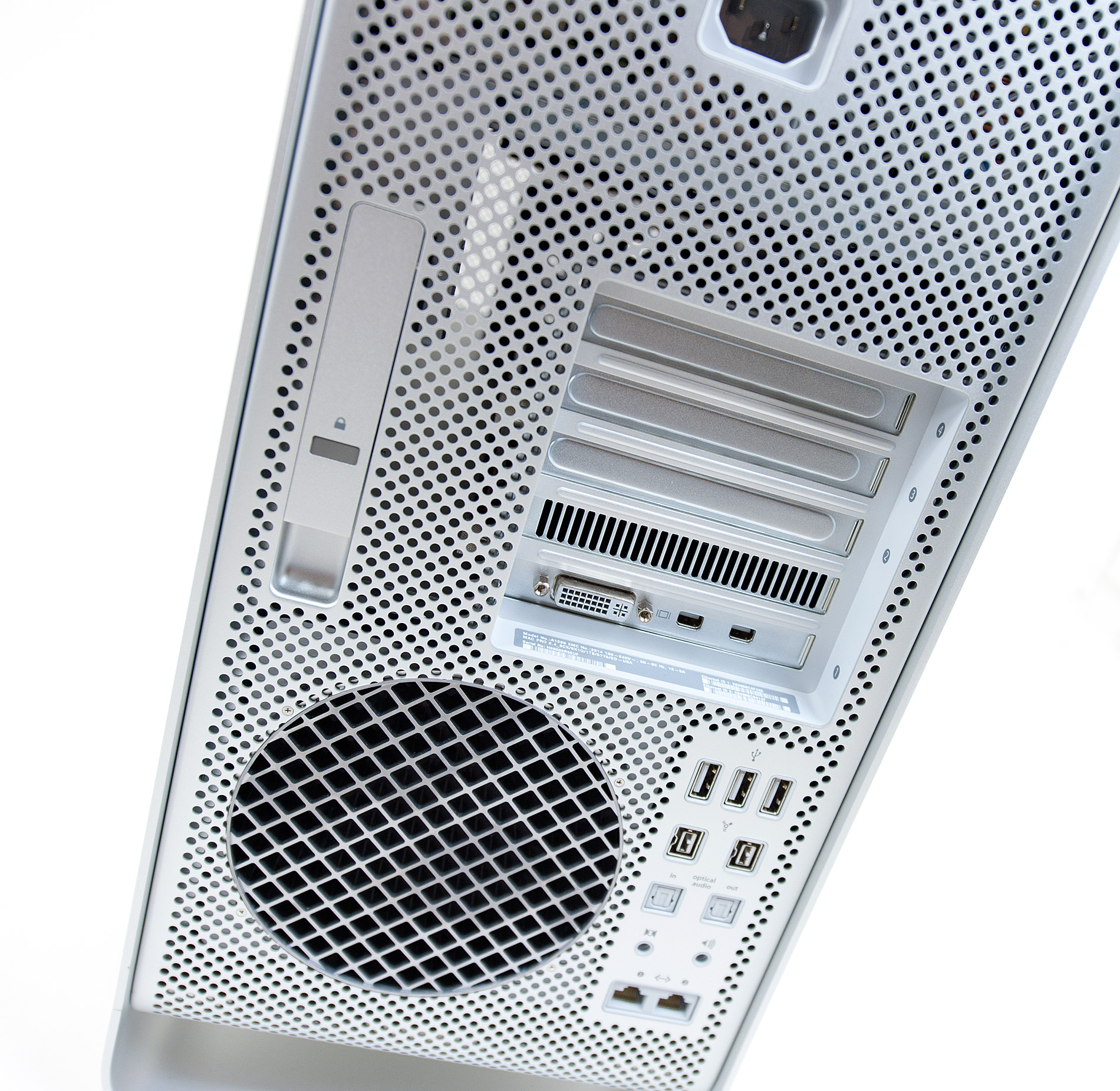
Around back the port layout is unchanged. That's three USB 2.0 ports, two FireWire 800, optical audio out and in, line in, speaker out, and two GigE ports. Apple continues to only offer a line in and not a mic-in on its "Pro" models. If you want to use a microphone with the Mac Pro you'll either need an amp or a USB mic, as the line-in port is not amplified and won't work.
Originally published at https://www.anandtech.com/show/3969/apple-mac-pro-mid-2010-review (Wayback Machine).