
Apple's iPod Touch (2010) Review, Not a Poor Man's iPhone 4
- Posted in
- Gadgets
- Apple
- iPod Touch
A Not-so-Perfect FaceTime Device
The new Touch obviously supports FaceTime. With no cellular modem are no phone or messaging apps on the iPod Touch, but you do get a dedicated FaceTime app. Starting with iOS 4.1 you can now associate an email address with FaceTime so iPhone 4 owners can call iPod Touch owners.
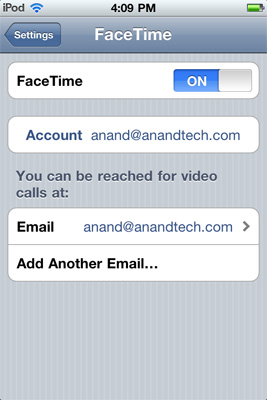
Calling an iPhone 4 user via FaceTime can happen via cellphone number or email address. The FaceTime connection happens entirely over IP so it doesn’t matter that the iPod Touch lacks a cellular modem. FaceTime appears to work the same on the Touch as it does on the iPhone. There appear to be slight differences in quality but I’m unclear as to why that is.
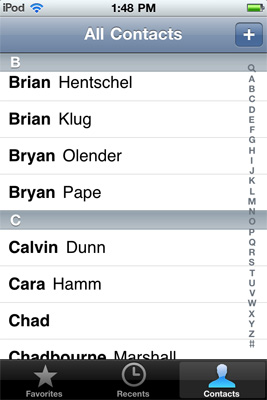
The FaceTime app uses your synced contacts, it keeps a log of your recent FaceTime sessions and even has a favorites pages. The favorites didn’t work as expected. I could add favorites but tapping on the names didn’t do anything, I’d have to hit the blue arrow and manually select a phone number or email address to FaceTime.
 |
 |
When I first wrote about FaceTime I called it a great way to keep in touch with people who are close to you. The only problem was that, at least back then, it required both ends of the call to have iPhone 4s. The new iPod Touch makes FaceTime a bit more accessible.
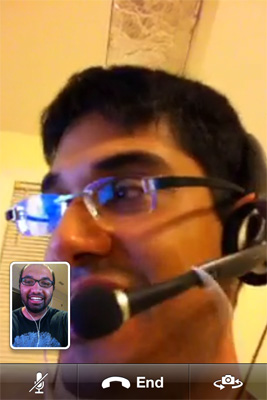
Both parties can get the iPod Touch, or if you want to FaceTime with someone who has an iPhone 4 you no longer have to buy one yourself - an iPod Touch will suffice.
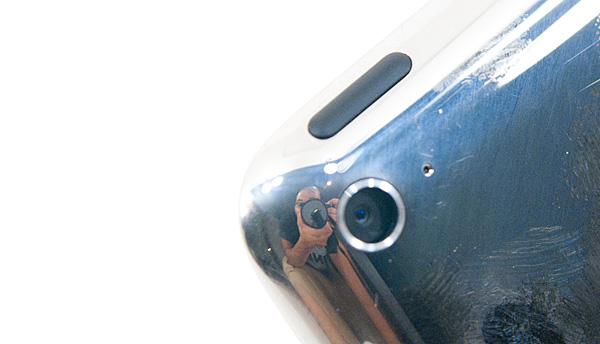
The mic, to the right of the rear camera
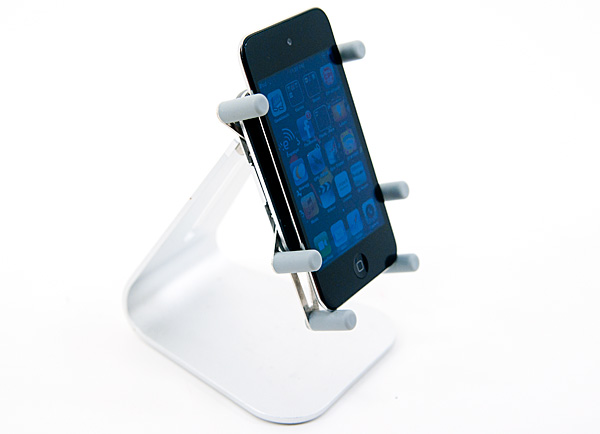
There are issues with Apple's implementation of Facetime on the iPod Touch however. The only mic on the device is on the back of the phone, next to the rear camera - on the other side of where you'll be speaking. Thankfully this proved to be a non-issue in my office but I can see it being a problem in a more crowded/noisey environment. With the mic on the back you also can't FaceTime with the iPod Touch laying on a desk (not that you'd want to). But you do need to hold onto it or at least use something to prop it up with. The iPod Touch worked wonderfully with my Luxa2 H1-Touch:
The major issue I had was with the external speaker volume. I noted a 12dB difference in sound pressure between the iPhone 4's speakerphone and what you get with the iPod Touch while playing music, with voice alone the gap peaks at around 20dB. The iPod Touch's external speaker just isn't loud enough for FaceTime in my opinion. If you're in a very quiet room it's not a problem, but have a computer or two running and it's uncomfortably quiet.
Unfortunately, if you want to use a headset you may find Apple's bundled earbuds aren't perfect - they don't include a microphone. You still have to rely on the rear facing mic on the iPod touch. It works, but it's not ideal.
Apple will sell you a set of earbuds + mic for $30 if you'd like, they work perfectly on the new Touch.
Originally published at https://www.anandtech.com/show/3903/apples-ipod-touch-2010-review-not-a-poor-mans-iphone-4 (Wayback Machine).