
Toshiba Portege R700: A Truly Ultraportable 13.3"
- Posted in
- Laptops
- SSDs
- Toshiba
- Portege R700
Toshiba Portege R700—Performance
In all seriousness, the first step with this computer should be to do a clean install of Windows. With most other computers, it’s fairly easy to just remove the few pieces of pre-installed crapware--the Nortons and McAfees of the world. But with Toshiba, there’s about 25 mostly useless utilities that don’t need to be there. Online backup, a bunch of media apps, updater services, etc.
One of the few utilities that was quite useful was the function key mapping app. Once you press the Fn key, it brings up a listing of what the function key triggers are, so it’s easy to find. For someone who switches from notebook to notebook on a day to day basis, that was a godsend—you don’t need to hunt for each different F-key to change the brightness or volume.
Now, with that out of the way, we can get to the important stuff—benchmarks! With the SSD and the Core i7, we expected the R700 to fly, and that it most certainly did. The CPU benchmarks were on par with the HP 8440w workstation that we had in for review last month (which uses the same Core i7-620M processor). For a thin and light, especially one under 3.5lbs, our R700 test unit is powerful, easily one of the fastest of the breed. The lesser models with the Core i3 processor will probably perform similarly to the ASUS U33Jc except without quite as much gaming prowess. For the $799 R705, that’s pretty respectable given the aluminum construction and super-light form factor.
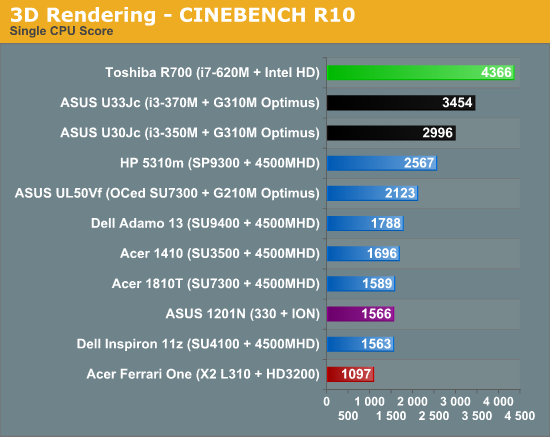
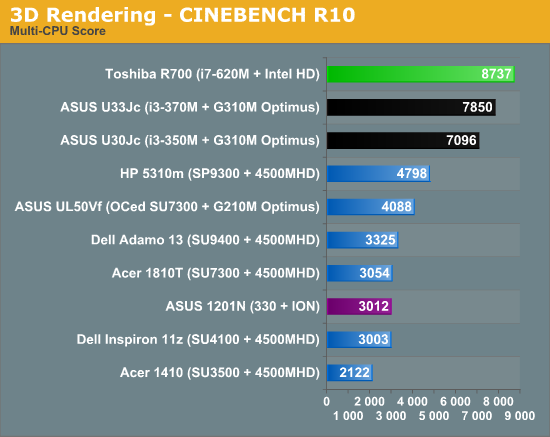
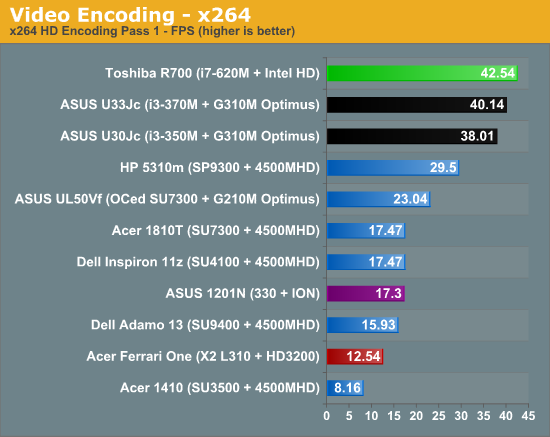
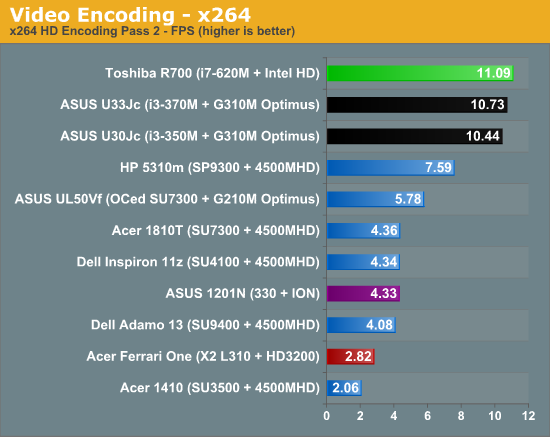
As a sidenote here, I must add that Peacekeeper results couldn’t be taken, due to a bug with the Toshiba fingerprint reader authentication utility that causes Firefox to crash. Did I mention that you should clean install before doing anything else? I’m personally not a huge fan of fingerprint readers in general, so I’d gladly sacrifice the scanner to use Firefox. Though if you’re a Chrome or Opera fan (or an IE fan, if such a creature exists) I suppose this doesn’t really matter.
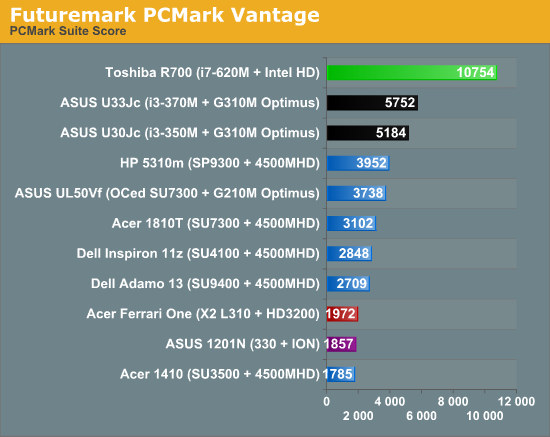
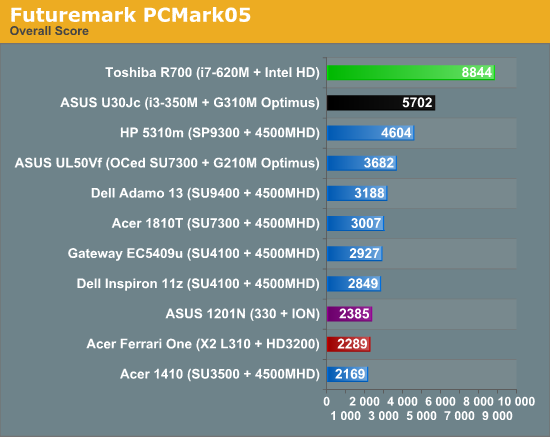
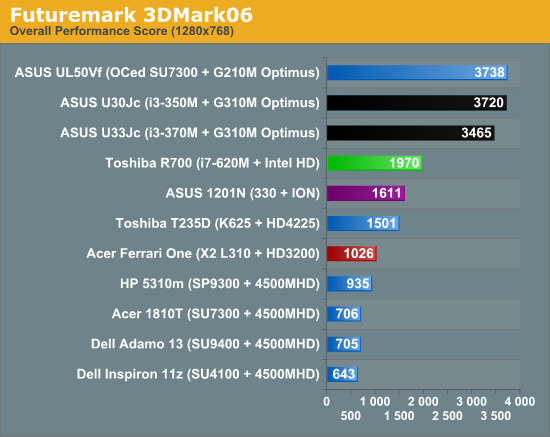
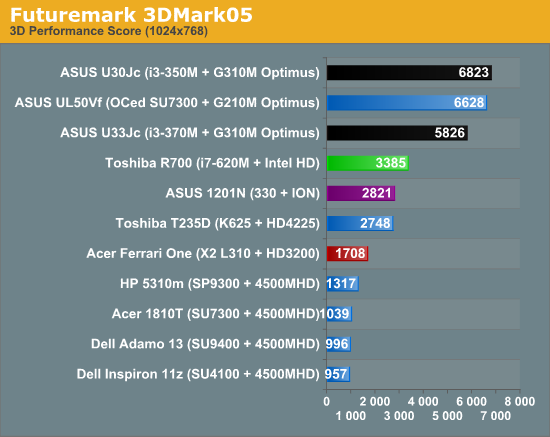
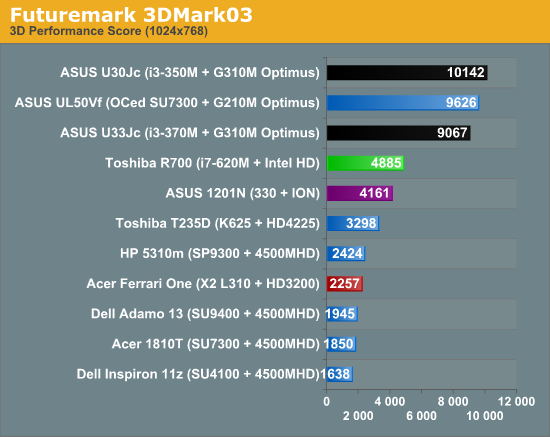
For the guys that like looking at Futuremark results, here you go. The Intel HD graphics chip actually holds its own fairly well against most of the other IGPs out there, at least in 3DMark. The PCMark results are dramatically increased with the SSD, and in some sense are artificially boosted by the number of hard drive access tests in the benchmark. Oddly enough, the SSD doesn’t seem too much faster in daily use other than in application launching. Maybe because the Toshiba SSD in the R700 isn’t as quick as the Intel X18M I had in the Adamo, but it just doesn’t feel as zippy as other SSD-based systems do. Or maybe that’s just Toshiba’s battalion of utilities making themselves felt in full force. Really, it needs a clean install to bring out the best performance, I can’t emphasize that enough.
Originally published at https://www.anandtech.com/show/3888/toshiba-portege-r700-a-truly-ultraportable-133 (Wayback Machine).