
Lenovo ThinkPad X100e: When Build Quality Matters Most
Same Crappy Lenovo Screen Though
We should be thankful Lenovo continues to use matte screens on their ThinkPad line, because a glossy screen would've pretty much sealed the deal here. Lenovo employs an 11.6" matte 768p screen in the ThinkPad X100e, and it's a powerhouse of mediocrity salvaged only by the small dot pitch that comes with fitting a 768p screen in an 11.6" frame. Truthfully it can actually feel a bit small and difficult to read, but at least it's a higher resolution than you typically see on netbooks—and it's also usable outdoors.
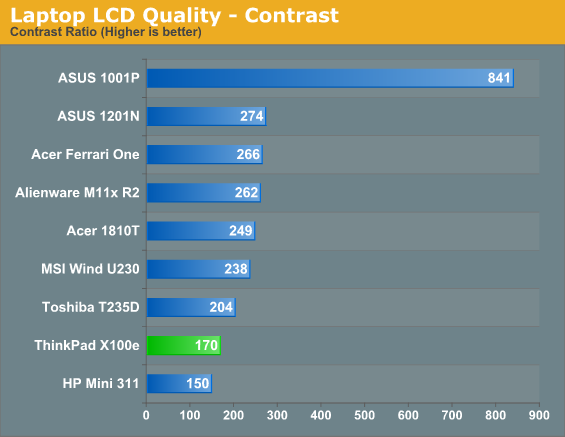
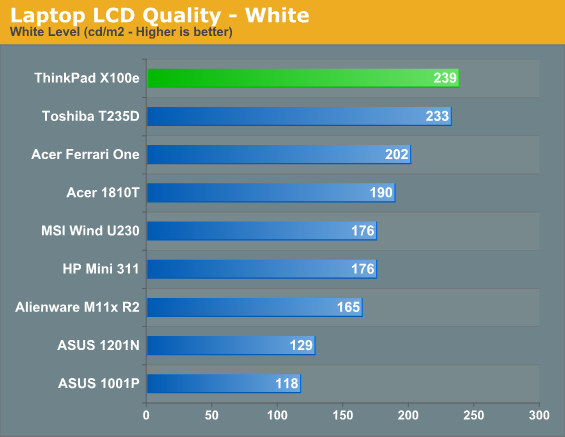
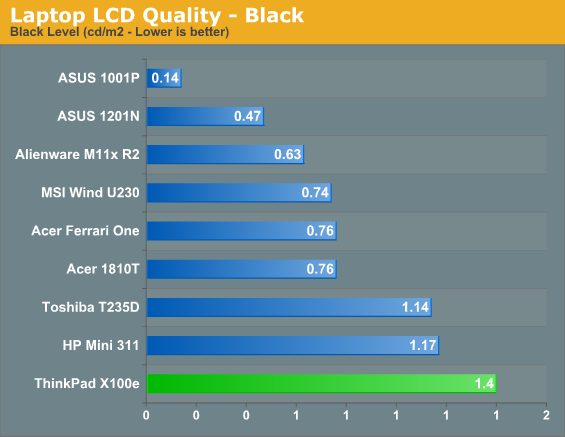
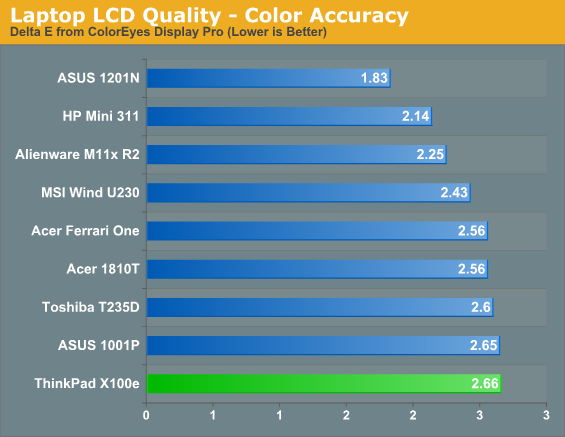
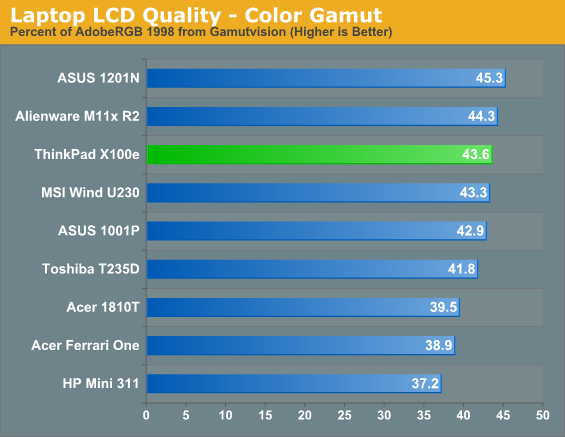
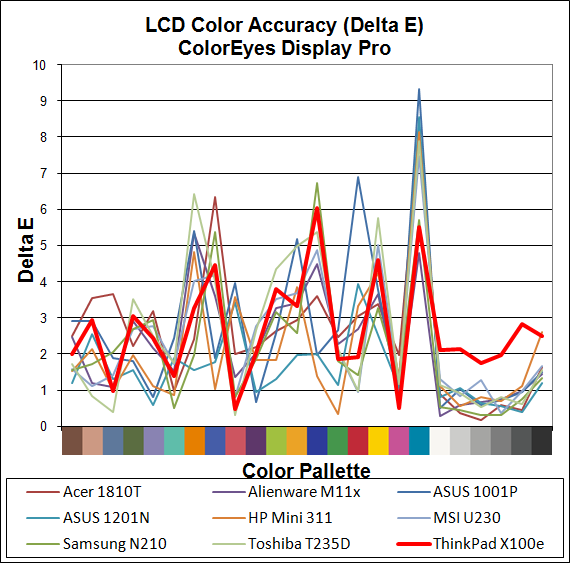
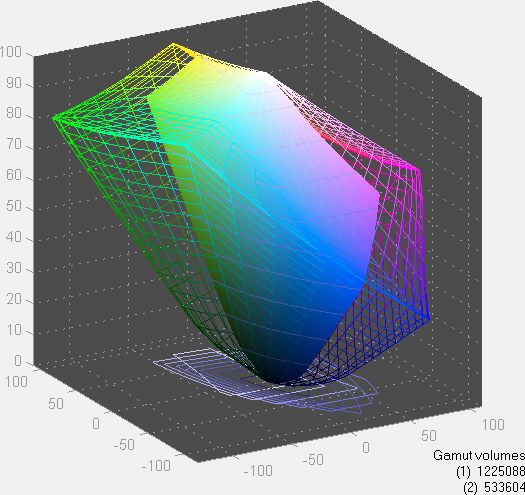
What's really frustrating is how poor the brightness feels on the X100e's screen, which is caused by the bad contrast ratio. What's more, on most screens our 100nit brightness setting is somewhere on the low end of the "brightness" scale, but on the X100e it's near the top. Drop brightness a couple clicks and you go from 239nits all the way to 100nits. We would have prefered more granularity. Also worth mention is that at lower brightness levels, contrast tends to wash out even more.
The LCD isn't a dealbreaker, and if you're mainly using the notebook just to handle writing tasks and surf the internet it shouldn't be a major problem. Still, a better quality screen would've suited the higher standards of quality found elsewhere in the X100e.
Originally published at https://www.anandtech.com/show/3886/lenovo-thinkpad-x100e (Wayback Machine).