
HP EliteBook 8440w: On-the-Go Workstation
In and Around the HP EliteBook 8440w
In a word, build quality is phenomenal. There is zero flex on any single surface—not the palm rests, not the LCD lid, not the keyboard, not the base...nothing. It honestly feels as though it is made of a single piece of granite. If you're into car analogies, how about this: the EliteBook's build quality is on the same level as the vault-like solidity of the W140-series Mercedes S-class. There's no loose play in the hinges, in the buttons, in the latching mechanisms, etc. Business notebooks tend to be built to a higher level of quality than most consumer machines, but even by those standards, the 8440w is pretty exemplary. The Dell Latitude E6400 has nothing on this, and the ThinkPad Edge isn't even in the same zip code. The ThinkPad T410 is pretty sturdy, but even that doesn't feel as rugged and solid as the EliteBook.


The 8440w won't be winning any industrial design awards anytime soon (or ever), but it sticks faithfully to the design philosopy of "function over form". It's a business-class notebook, and it definitely looks that way. Very angular design, lots of seams, very prominent (and sturdy-feeling) hinges, a casing done in various shades of gray and black—it couldn't be any more dull if it was Seattle weather in mid-February. Even so, the 8440w's design has its moments; the gunmetal-colored brushed aluminum panels on the lid, palmrest, and above the keyboard look and feel great while keeping the brightwork to a minimum, and the soft green notification lights are a welcome change from the glaring blue LEDs that are so popular these days. And in the age where ThinkPads come in red and Latitudes can be had in basically any color of the rainbow, it's refreshing to see a manufacturer say “silver for business class, gunmetal for workstation class, black trim and aluminum panels all around.”
Business notebooks tend to have the highest quality input devices, and the EliteBook is no exception. The keyboard is great, with no flex to speak. There's an ample amount of travel, and the spacing and layout are good. I think I would still take the ThinkPad T-series keyboard over this, but not by much and only because the keys used by Lenovo are less grainy and smoother feeling than the HP's. And truth be told, the 8440w has a far more standard (read: better) layout than any Lenovo keyboard, so there's not really an adjustment period. The only slight niggle I have with the keyboard—other than the slightly scratchy feeling keys—is that the spacebar, when pressed on the edge as I do in normal typing, sometimes doesn't register keypresses. So if I'm not paying attention, I start losing spaces between words andthingsturnoutlikethis. But that doesn't happen all that often, so I'm willing to forgive it. The other sweet touch is the retractable light above the screen that shines onto the keyboard, basically the same thing as the ThinkLight. I prefer backlit keyboards, but the keyboard light works just as well.
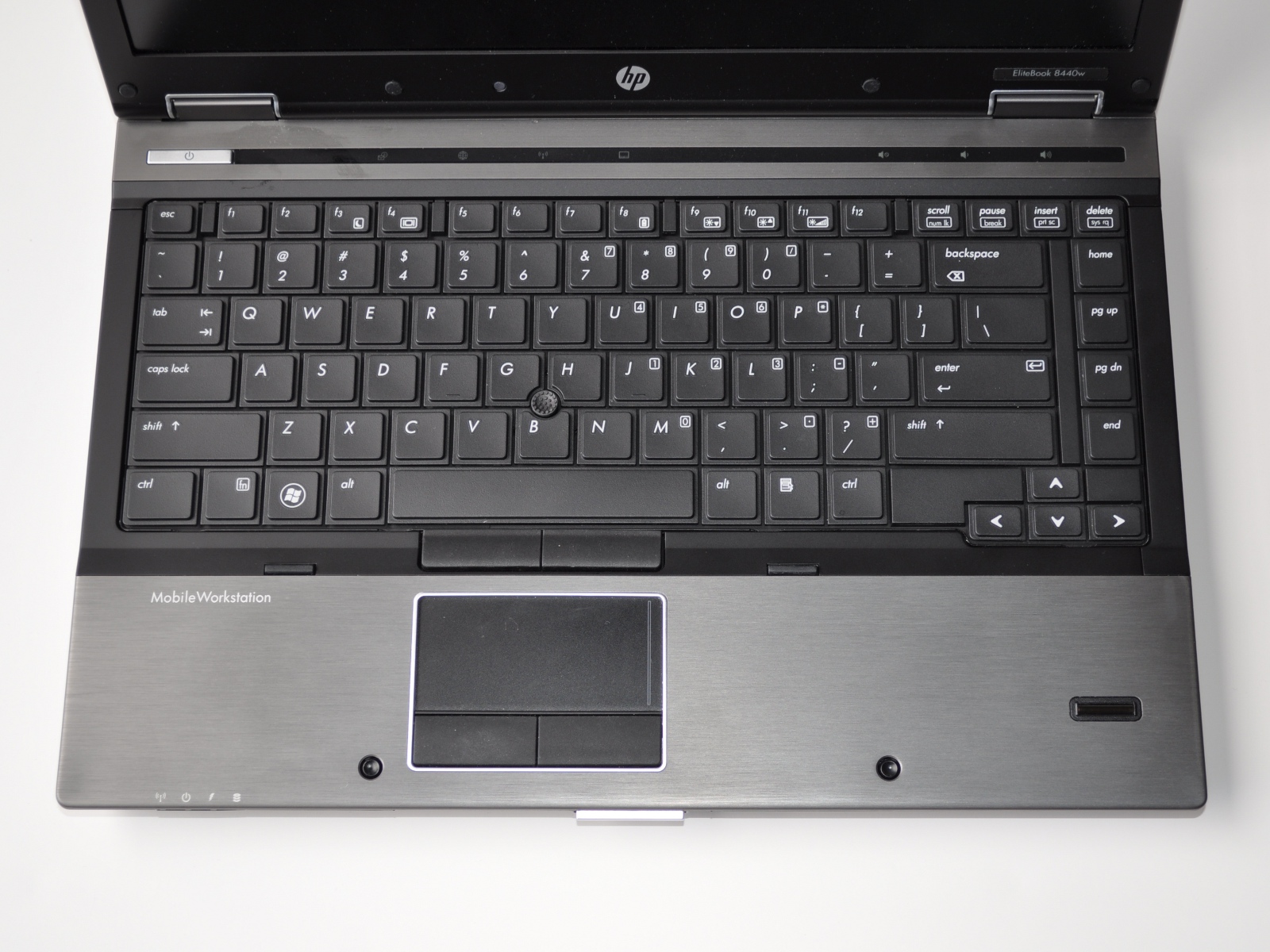
The other input device that I really love is the trackpoint. Call me old school, but boy, do I love my trackpoints. I'm also a sucker for the soft-feel rubber mouse buttons that HP uses on their business class notebooks. Great, great stuff. I lament the death of the trackpoint as much as the next business notebook fan, but I'm realistic about it—touchpads have been here to stay for about 10 years, and the HP has a good one that is comfortably sized and has multitouch gesture support. But for me, it takes a backseat to the trackpoint. The only minor detail that I think would be nice is a center mouse button for the trackpoint, ThinkPad-style. Overall, count me a fan.
The list of ports is pretty nice too, with three USBs, an eSATA/USB combo port, DisplayPort, VGA, ExpressCard, Gigabit Ethernet—basically, every port that you could or would ever want on a business-class notebook. One thing I don't really understand is why business notebooks have started using DisplayPort instead of the more common HDMI standard (even though both have the same digital video/audio output). I know that DisplayPort is royalty free, but the minimal royalty on HDMI ports hasn't stopped a majority of consumer notebooks from having it, so I'm not sure about the motives. However, having the option of both analogue and digital video out is good. The speakers are better than expected for a business notebook, with loud and clear sound compared to some other business notebooks that famously ship with awful speakers. (ThinkPad X and T series, I'm looking at you.) The webcam and mic are pretty solid for audio and video conferencing, an increasingly useful tool in the enterprise world.
Originally published at https://www.anandtech.com/show/3847/hp-elitebook-8440w-onthego-workstation (Wayback Machine).