
Laptop Buyer's Guide: 14-inch and Smaller
Business Class: Lenovo ThinkPad X201
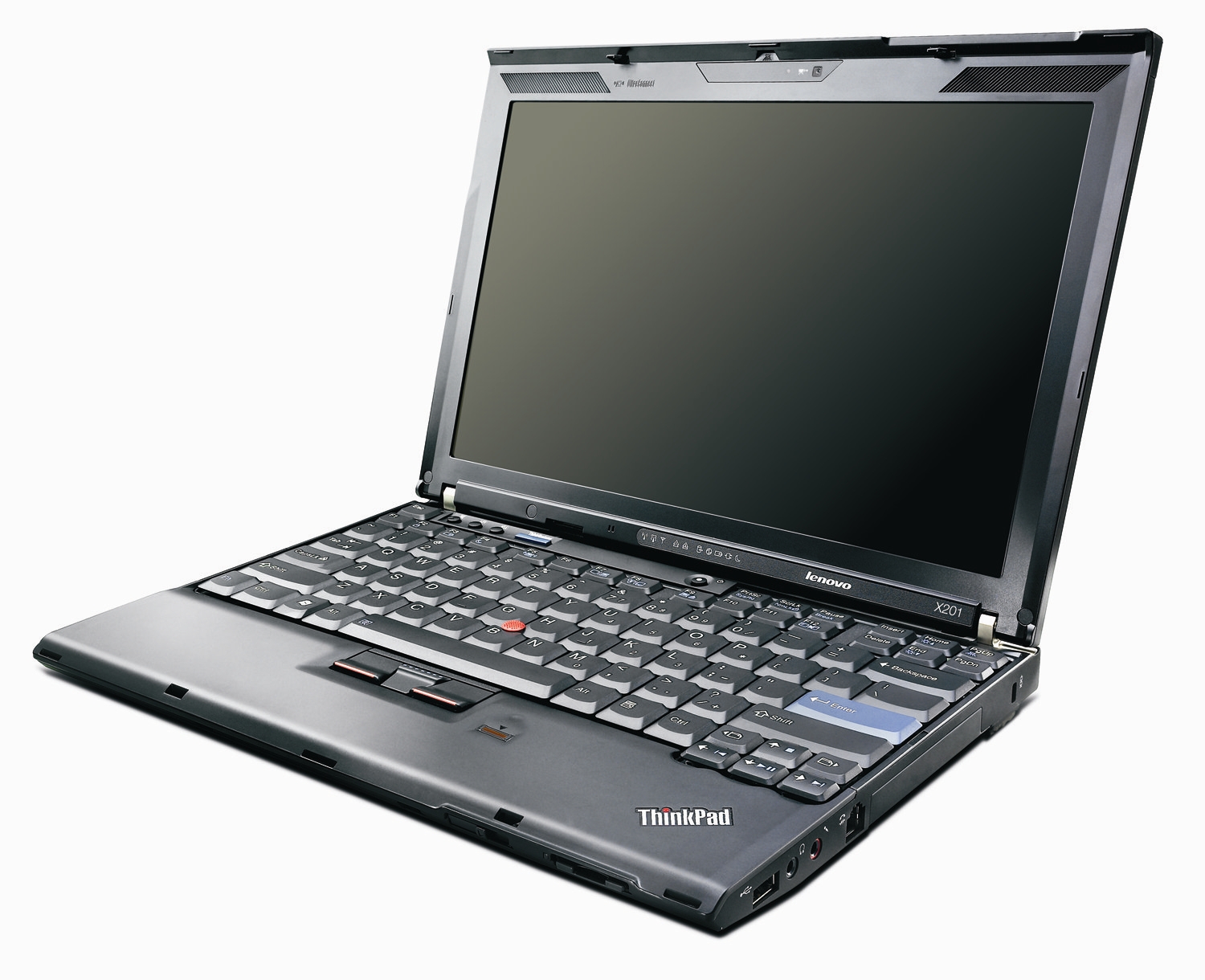
Did you honestly expect anything else? This is the quintessential business ultraportable. One of the first notebooks to pull off the now-trendy lack of an optical drive, the X series has a long history of being some of the most reliable and well built ultraportable systems on the market. The latest iteration is the X201, which has, as I mentioned earlier, a 12” widescreen, Core i3/i5/i7 processors, and superlight starting weight.
As a business machine, this rules. Amazing build quality, one of the best keyboards in the business, a matte screen, and basically everything else that that has made the ThinkPad line the standard of the business class for the last twenty years. Magnesium alloy chassis, steel hinges, rugged plastic, rubberized exterior coating, spill-proof keyboard, TrackPoint, Thinklight, the X201 has them all. Granted, this also means that an unwelcome ThinkPad family trait - poor quality LCD panels - is in order too (and no, the old T43p’s 15” IPS panels don’t count; those are ancient history at this point.) Having matte displays is a good thing, but when they’re poor quality panels with low contrast ratios, they’re not so appreciated.
But it’s not all about the ThinkPad stuff, the X201 has the computing prowess to back up the build quality. It’s the lightest computer with standard voltage Core i3/i5/i7 processors, even more so than the R700, which to be fair is a bit larger and has an integrated optical drive. Option up to the 9 cell battery, which bumps the weight up to 3.5lbs, and you get around 12 hours of battery life. That’s a pretty ridiculous figure for something with all the power of a full sized mainstream laptop.
You do end up paying quite a bit for all this business quality ultraportable goodness - the starting $999 price is reasonable, until you realize that it includes a paltry 2GB of memory, a 160GB hard drive, and a 4 cell battery. You can find those components in Walmart for $549 on any given Sunday, so some optional extras are definitely in order. Spec’ed the same as the $799 Toshiba R705 (Core i3, 4GB, 500GB hard drive, 6 cell battery, etc) and you’re looking at right around $1300 for the X201. Interestingly, the touchpad and webcam are optional extras on the X201. Look for a faster processor or WWAN, and you’re talking substantial sums of money. Even if you hit one of Lenovo’s awesome sales, the X201 won’t come cheap.
For a hardcore business user though, nothing this side of 4lbs can beat the ThinkPad’s combination of ruggedness, build quality, power, and battery life, and for that reason the extra few hundred dollars are definitely worth it for the people that care.
Alternative: HP EliteBook 2540p
The only other notebook line I’ve found with build quality even approaching the ThinkPad is HP’s new EliteBook lineup. The 2540p is the smallest EliteBook, a 12” unit like the Lenovo. It also has the standard voltage Core i5-540M, 2GB memory, and a 250GB hard drive at $1099. Also, you don’t have to pay extra for the webcam and touchpad. The aluminum panels on the palmrest and lid are nice, and the silver colour could suit some people’s tastes better than the all-black look of the ThinkPad. But it’s a bit heavier than the X201, starting at 3.4lbs, and has less battery life as well (7.5 hours on a 62 Wh 6 cell). The 2540p is still a great business portable, but it’s not on the level of the ThinkPad.
Originally published at https://www.anandtech.com/show/3822/laptop-buyers-guide-14inch-and-smaller (Wayback Machine).