
The Sprint HTC EVO 4G Review
The FM Radio
The EVO 4G ships with an FM radio app. The phone uses your headset as an antenna so you need to have one plugged in for this to work. Once running however you can manually turn on the external speaker so you don’t have to listen to the radio over earbuds if you don’t want to.
There’s one large slider to select your frequency and two buttons to move the tuner in smaller increments. You can also create presets. Unfortunately there’s no way to record audio in the app.
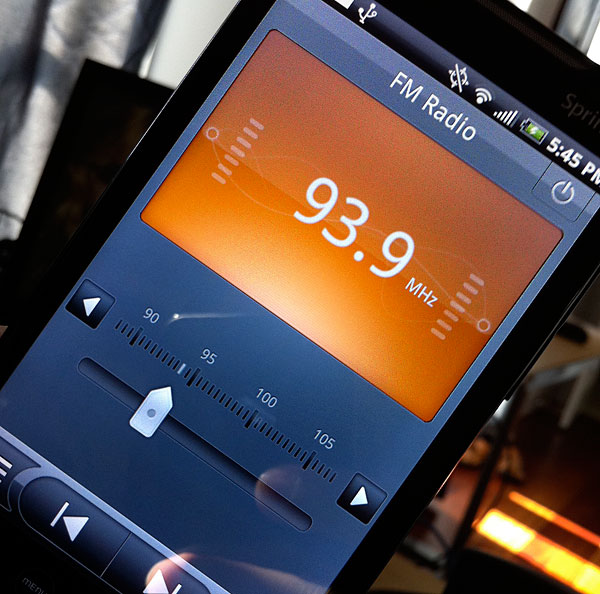
Reception was surprisingly good indoors, but it did depend on where I had my earbuds. If I left them on my desk I’d get a lot of noise in the audio, but in my ears it worked very well for the stations I could tune to. It didn’t work as well as a car stereo for obvious reasons. There were some stations that would come in easily in a car that I couldn’t get at all on the EVO, while others worked perfectly. No surprise there.
It’s an iPo...Android Music Player, Too
As with all other Android devices legal music purchases are supported through an Amazon MP3 Store app. If you want to get your existing music library onto the EVO 4G you do it the old fashioned way: copy it over USB.
HTC’s Sync application doesn’t support music syncing so you’ve got three options to get music and photos onto your phone.
Plugging a USB cable directly into your computer will let you treat the EVO’s microSD card as a USB storage device. Put your MP3s in the Music folder and throw whatever videos you want on the device and you’re good to go.
You can also physically remove the microSD card and stick in a card reader attached to your PC. This is a bit more irritating of a solution as you need to remove the battery to gain access to the card.
The third option is the best but it requires an additional expenditure. The Missing Sync for Android is an application that allows you to sync your movies, photos and music over WiFi or Bluetooth with your Mac or PC.
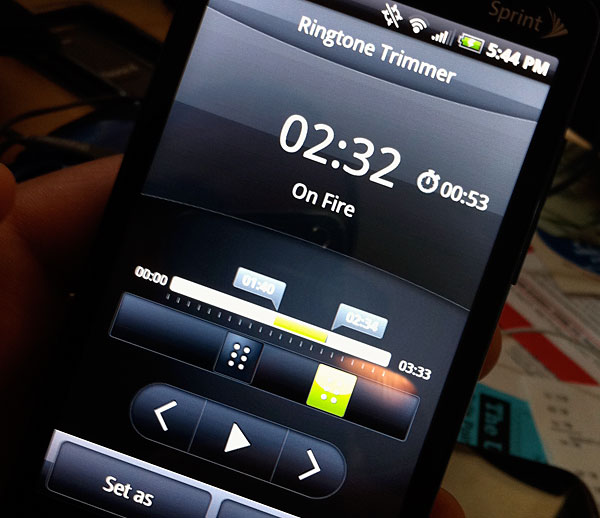
The music player app is pretty straightforward. It just plays music. You do get a healthy amount of functionality in the app however. The usual shuffle and repeat modes are there, but you can also create ringtones while you’re listing to a song. Hit the menu button, hit create a ringtone and then you have the option of using the whole song or trimming it down to the portion you want. You can then go ahead and assign the ringtone to your phone or an individual contact.
Originally published at https://www.anandtech.com/show/3791/the-sprint-htc-evo-4g-review (Wayback Machine).