
Apple's iOS 4 Explored
- Posted in
- Smartphones
- Apple
- iOS 4
- Gadgets
- Mobile
Mail now supports threading, which is both useful and painful in its implementation. When enabled (it is by default), all replies to an original message are grouped together and identified by a single listing with a number to the right of the message. The number indicates how many messages are stored in that thread. Selecting the message from your inbox will take you to a listing of all of the messages in the threads. You tap once more to select the message you want and view its contents.

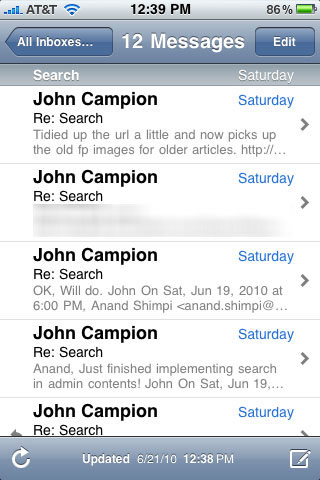
This is absolutely great for very long email threads. It can be a burden as well. Just reading the latest message in a thread now requires two taps instead of one. You can always turn the feature off but to me I find that it’s useful enough to keep on despite the added tap.
Deleting an entire thread is as simple as swiping the single message in your normal inbox view.
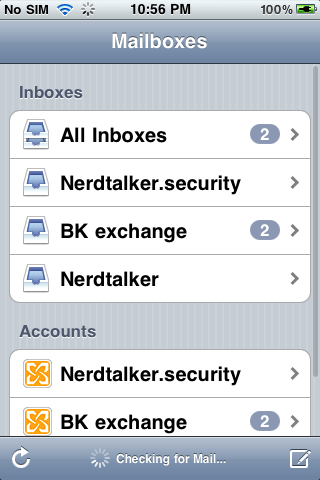
Apple also finally enabled a combined inbox that will dump all of your emails regardless of account into one easy to access place.
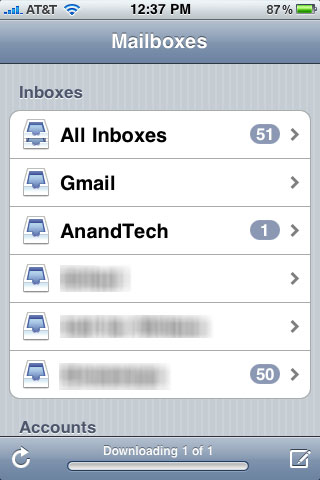
You can now also specify a default account for Notes which are synced wirelessly just like an IMAP email account.
iOS Exchange Support
Among the iOS 4 updates is support for multiple exchange accounts. Previously, users could only add one exchange account for email, contacts, and calendars. Now, users can add additional and have all of the exchange information show up in the calendar, contacts, and mail application.
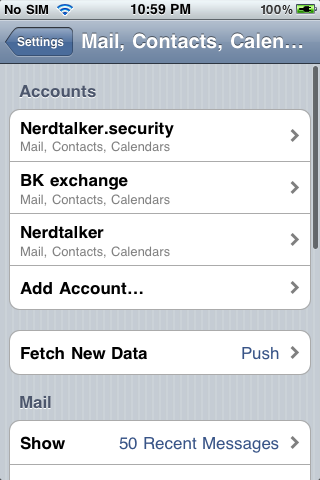
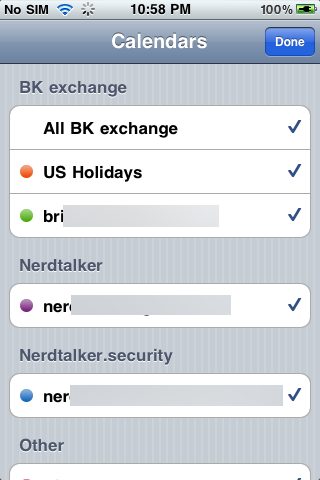
We added three exchange accounts successfully and found that calendars and contacts were pulled down into discrete categories as expected. For calendars, you can see color codes for all the different events on each calendar:
Similarly, for contacts:
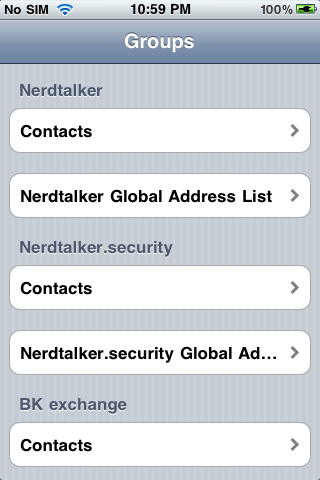
And finally the unified inbox for all three exchange accounts, and discrete inboxes:
In case you’re wondering how iOS deals with exchange accounts that may have different security policies, the answer is simple; the most stringent policies are chosen and enforced.
Originally published at https://www.anandtech.com/show/3779/apples-ios-4-explored (Wayback Machine).