
Apple's iOS 4 Explored
- Posted in
- Smartphones
- Apple
- iOS 4
- Gadgets
- Mobile
A Much Quicker Camera
Though the real camera update will come with iPhone 4 and the ability to take photos with the front and back cameras, iOS 4 brings camera improvements for the rest of supported hardware as well. One of the first things we noticed was just how much faster the iOS 4 camera software is compared to iOS 3. It’s very, very responsive now.
Previously, there was a good one to two seconds between taking the photo and being able to take another photo on the iPhone 3GS. With iOS 4, you can take photos nearly as fast as you can mash the camera button - it’s stupid fast compared to the old camera application. On an iPhone 3GS, taking a takes about 2 seconds - there’s a shutter animation, preview, and finally you can take a photo again. iOS 4 keeps the UI experience the same, but the shutter animation is considerably faster now. (2.1 seconds on iOS 3 iPhone 3GS, 0.7 on iOS 4 iPhone 3GS)
Unfortunately, the application still takes a long time to launch, between 2 and 5 seconds depending on whether you’re starting from a cold or warm launch. (iOS 4: 2.3 seconds. iOS 3 2.4 seconds for warm launches respectively)

Tapping near the bottom of the camera dialog brings up the digital zoom scrub bar. Initially, we stumbled on digital zoom while trying a tap to focus gesture. It’s difficult to trigger until you specifically try and find it. You can then drag the scrubber all the way to the right, giving you 5x of digital zoom. Digital zoom still remains a marginally useful feature, but it can come in handy in the right context, e.g. for snapping pictures of license plates with funny characters. Definitely not while stalking.
The other major change to the camera application is the ability to tap-to-focus while taking live video. It works just like it sounds like - tap to focus and expose while you’re recording video, not just beforehand. This might sound marginally important, but it’s a hugely welcome update round these parts when taking videos of devices close up or trying to expose for screens and then ambient light.
Viewing Photos
The photos application itself has seen a number of welcome updates. Though the camera application has been geotagging photos for quite some time, the native iOS photo application has until now given users no way of putting that to any use outside of iPhoto.
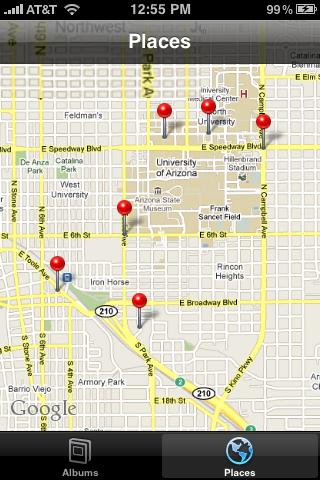
Now, there’s a “places” tab at the bottom that when tapped drops pins wherever you’ve taken photos. The initial zoom shows you all of the places you’ve taken photos, and as you zoom in, pins expand into other pins, giving you finer data. Tapping on a pin brings shows you how many photos you’ve taken at the location, and tapping the blue arrow brings up a custom album view with all the photos.
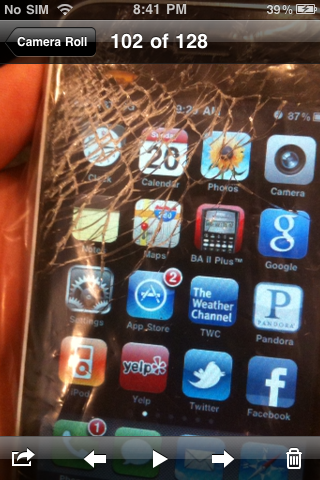
Back in the albums tab, while viewing a single image, there’s now a small play button at the bottom in the center. Tapping it starts a simple slideshow - there’s no Ken Burns effect, but there are fade transitions. It’s a subtle addition, but one nonetheless.
Originally published at https://www.anandtech.com/show/3779/apples-ios-4-explored (Wayback Machine).