
Two OMAP 3430 Phones: Nokia N900 and Motorola Droid
Multitasking and Notifications
Moving on, Maemo has native multitasking support. Launch anything, and the application launcher icon in the top left changes to a different icon with 6 windows.

Tapping on it does just that, the windows shrink down into smaller preview 'cards' and keep running. Nokia calls this window management screen the 'dashboard,' and it feels very much like how WebOS handles multitasking by presenting small previews of running windows. It's very different from the Android or iPhone OS 4 approach. There's something to be said for being given visual previews of the windows instead of abstract icons or a drag down list; in practice I was able to rapidly switch between multiple browser windows, email, and messaging. Maemo's 'dashboard' is essentially exposé for smarphones, and the cards themselves get appropriately smaller and smaller as you add running applications to the grid. You can kill applications from here by tapping an x in the top right corner - matching the larger x when an application is full screen.
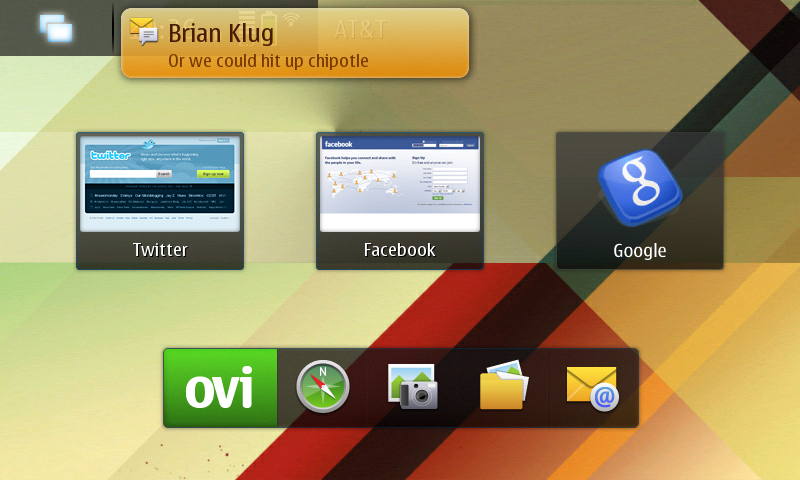
Notifications pop up as transparent yellow windows that disappear after a few seconds. After you get a notification, tapping on the window manager button will reveal the windows, but this time the application relevant to the notification will also have a yellow overlay with the number of notifications you've missed and some relevant text. I think this implementation is fantastic. It's different from the Pre, and Android, and light years beyond the iPhone OS's intrusive bubble overlay. It works without being a constant reminder that you're behind on everything.
Originally published at https://www.anandtech.com/show/3764/two-omap-3430-phones-nokia-n900-and-motorola-droid (Wayback Machine).