
A New 30" Contender: HP ZR30w Review
Controls, but no On Screen Display
I’ve been putting off talking about those buttons at the bottom right of the display. Note that this far, I haven’t called them OSD buttons, because that’s just it - they’re not.
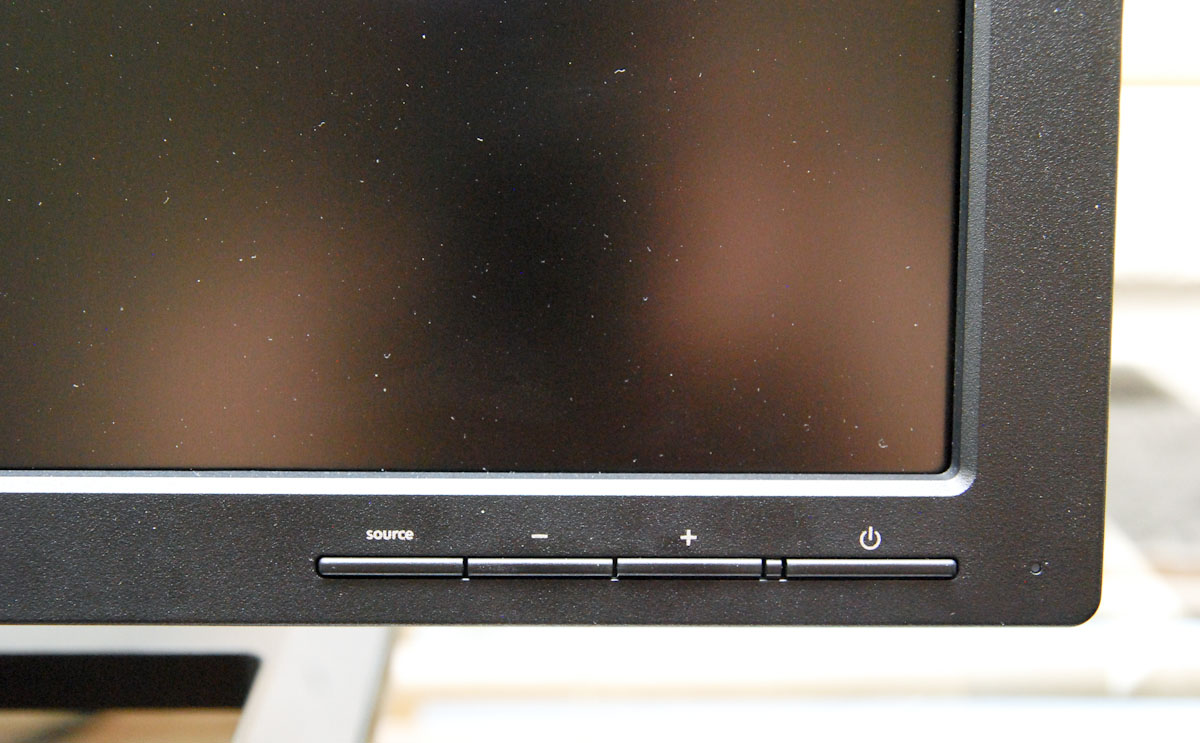
The ZR30w has no OSD. If you recall, neither did its predecessor, the HP LP3065. At that time, HP claimed there were no ICs that could drive an OSD at native 2560x1600 resolution. Apparently this is still the case.
I was a bit confused at first, so I checked the manual. It explicitly notes inside that the ZR30w has no OSD. This is still an interesting and radical choice. The four buttons allow you to change the source input from DVI-D to DisplayPort, control backlight brightness using + and -, and holding both + and - down simultaneously toggles dynamic contrast. Thankfully, HP ships with dynamic contrast turned off by default. Control feedback is communicated entirely through the blue LED at the right of the buttons. It’s intuitive and makes sense, but be aware that if you’re expecting RGB controls, color temperature, or other options you won’t find ‘em.
That brings me to the scaler IC, which I believe is related to the lack of traditional OSD. I noticed while looking through the manual that HP notes a “safe mode” resolution of 1280x800 next to the recommended native resolution of 2560x1600. Notice anything interesting about those numbers?
Sure enough, using 1280x800 results in a pixel-doubled but full screen image. Other resolutions are scaled as well, but I get the impression HP wants you to use the ZR30w at either native, or this "safe," aspect-ratio correct resolution exactly half of native. It’s an interesting and bold move to still not have an OSD, but in some ways it actually discourages the kind of wrong user control that can lead to insanity when trying to calibrate. But it’s still a bit of a surprise to see no OSD a generation later.
Viewing angles are superb as expected. HP advertises 178 degrees horizontal and vertical with a 10:1 contrast ratio. In practice, you shouldn’t ever really look at the monitor from those extreme angles, but there’s no reversal in contrast or vastly odd saturation at any extreme angle. In our subjective +/- 30 degree tests in vertical and horizontal directions, it looks equally good.


Originally published at https://www.anandtech.com/show/3754/a-new-30-contender-hp-zr30w-review (Wayback Machine).