
Apple's iPad - The AnandTech Review
- Posted in
- Smartphones
- Mac
- Apple
- iPad
- Mobile
iPad Autocorrection: Withholding the Answer
In my Nexus One review I talked about how great the iPhone’s autocorrection system is. About how it just lets you type and forget about spelling or punctuation errors. I figured this would translate very well to the iPad. Unfortunately, I was wrong
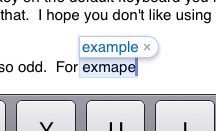
The autocorrect engine on the iPad is far less aggressive than on the iPhone. You have to pay much more attention to what you're typing here. The iPhone, if trained well, can usually guess what you're trying to say based on it's live dictionary and key position. On the iPad, it doesn’t guess nearly as much.
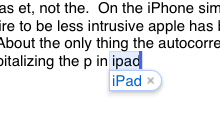
On the iPhone simple things are autocorrected but out of a desire to be less intrusive Apple has backed off on the iPad. Given that iPad users will most likely be typing a whole lot more than iPhone users, an aggressive autocorrect engine is probably a bad thing.
About the only thing the autocorrection does as well as on the iPhone is automatically capitalizing the p in iPad. While i understand why Apple made the autocorrection engine more lax, I would like to have the option to restore at least some of it's potency.
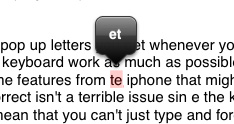
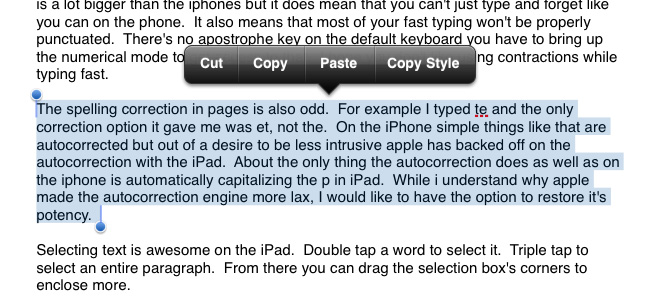
The spelling correction in Pages ($9.99 Apple word processing app) is also odd. For example I typed te and the only correction option it gave me was et, not the. Some other oddities I ran into in Pages are below:
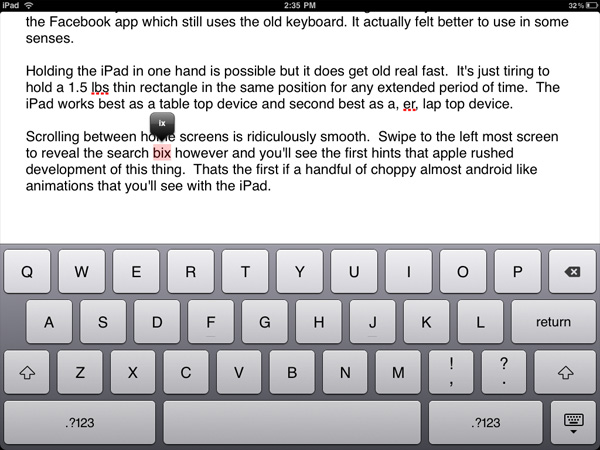
Of course I didn't mean to type box, just ix
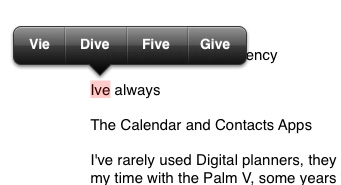
I've? No, I meant Vie
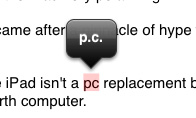
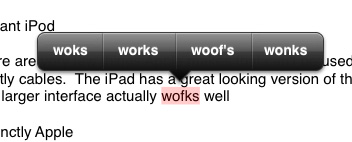
Hmm, works or woof's?
Also missing on the iPad's keyboard are the pop up letters you get whenever you hit a key on the iPhone. Apple tried to make this keyboard work as much as possible like a normal keyboard but in doing so left out some worthwhile features from the iPhone.
The weaker autocorrect isn't a terrible issue since the keyboard is a lot bigger than the iPhone’s but it does mean that you can't just type and forget. It also means that most of your fast typing won't be properly punctuated. There's no apostrophe key on the default keyboard you have to bring up the numerical mode to get access to that. I hope you don't like using contractions while typing fast.
Quickly formatting text is also irritating. There are no keyboard shortcuts, so while your fingers spend all of their time at the bottom of the screen apps like Pages still behave like a desktop app in that all of its options are at the top of the screen. It's quicker to type without caring about details and then edit later if you're trying to get something polished.
Selecting text, on the other hand, is awesome on the iPad. Double tap a word to select it. Triple tap to select an entire paragraph. From there you can drag the selection box's corners to enclose more. This is one of those situations where the iPad actually improves the experience over the notebook/desktop norm.
I set out to write this review in it's entirety on the iPad, unfortunately if I were to actually do so I would undoubtedly suffer from carpal tunnel syndrome or spend three times as long formatting the review. Steve wasn’t lying when he said that if you wanted to do a lot of typing you should buy the keyboard dock. For emails, web browsing and even normal sized documents it’s fine, for writing and formatting huge articles however, use a laptop.
Originally published at https://www.anandtech.com/show/3640/apples-ipad-the-anandtech-review (Wayback Machine).