
Apple's iPad - The AnandTech Review
- Posted in
- Smartphones
- Mac
- Apple
- iPad
- Mobile
Rushed but for What?
I always got the impression that Apple works as an infinitely configurable set of resources rather than a set of distinct teams. In order to make the iPhone launch a success in 2007 Apple pulled developers off it's OS X team. The iPhone launched on schedule, but OS X 10.5 was pushed back.
Leading up to the launch of the iPad, Apple has been quiet on other fronts. But with the iPad now here, and with clear evidence of it not being complete, I suspect that Apple diverted some of its resources to work on the next version of the iPhone OS. Losing ground to Google is a dangerous situation to be in. I believe this is why there are some rough edges on the iPad (e.g. Some choppy animations, missing wireless file sharing) and why we don't have things like a clock or calendar app from Apple.
Crashing is also not uncommon on the device. It's mostly a problem with newer 3rd party iPad apps but I've seen it with Apple's own apps as well. It's not crippling but the iPad has crashed more on me than my iPhone ever has. This sounds like it's a software issue and again contributes to the rushed theory.
The iPad Case: Overpriced and Imperfect but Necessary
I made it about 30 minutes into owning the iPad before I realized that you need a good way of propping it up. Either for typing on or using it as a display to watch a video on, the iPad needs a stand.
Of course integrating one would ruin the industrial design, so Apple took the next best route: a case that doubles as a stand.

It costs $40 and from the texture it feels like you're getting your money's worth. But the light and simple construction also give you that "I just got robbed" feeling. Either way, you don't have a choice because it's the only case out on the market that does this function.
Fold the cover over and tuck it in a slot on the back and you turn your case into a wedge. You can then stand the iPad up for watching videos or lay it down on an incline for easier typing/browsing.
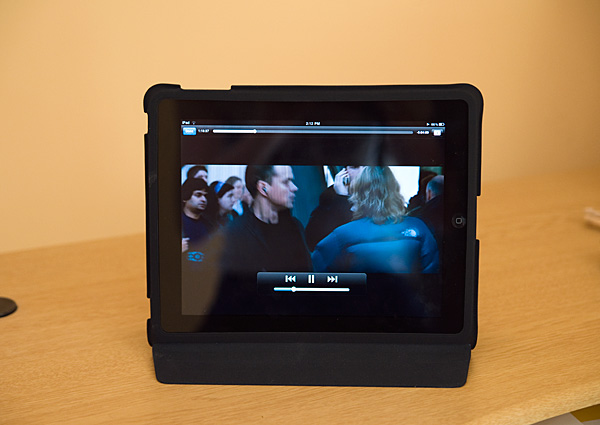
Getting the iPad in and out of the case is a pain and there's always the feeling that you're going to tear it. There's also no way to use the iPad on an incline in portrait mode, only landscape. I'm hoping someone comes up with a better solution because as close as this is, it's not perfect.
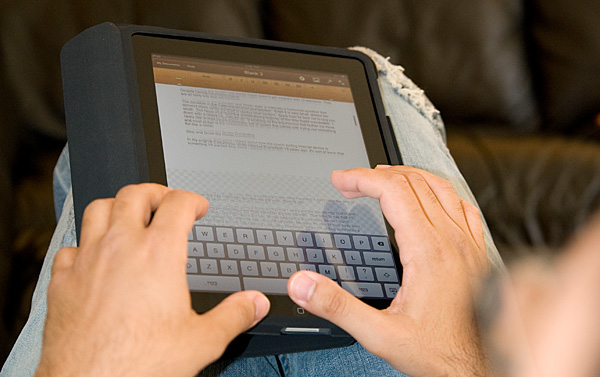
The case wedge doesn't work in portrait mode, unless you like typing on a left to right decline
iTunes, You're Getting Old
Despite every iPad shipping with WiFi, all syncing is still done using a cable and iTunes. The application is quickly bloating into something it was never intended to be. Long term I’m not sure what Apple’s plans are, but I can’t see this being the ideal way to sync your content.
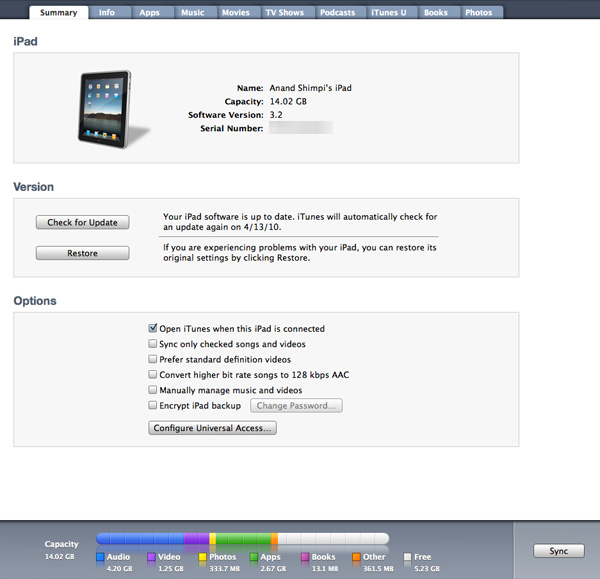
The underlying file system on the iPad, like the iPhone is completely hidden from the user. It's not such a big problem for the phone but on the iPad it does take some getting used to.
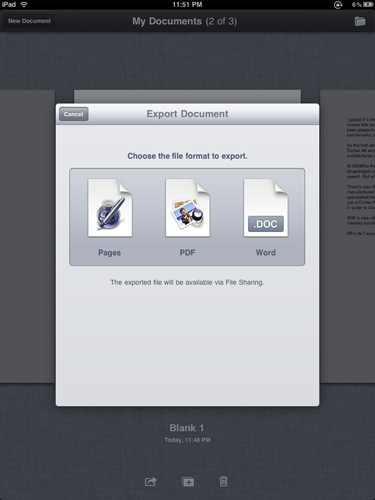
Each application manages storage on its own. Pages for example sticks your docs in a place called My Documents that's only accessible from Pages. You can use Pages to email or export files to PDF, desktop Pages or Word formats. Unfortunately if you don't email the exported file you have to sync it with iTunes in an awkward file sharing section.
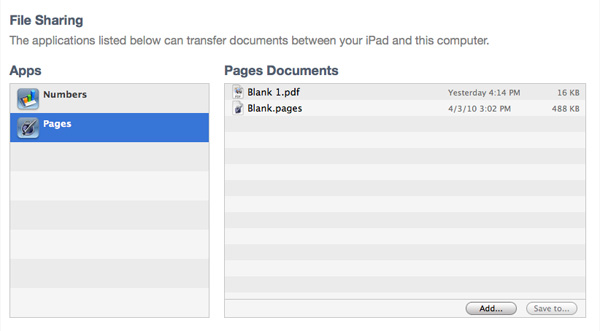
There's no reason Apple can't enable some sort of wireless sharing here as this syncing to iTunes requirement is ridiculous.
Originally published at https://www.anandtech.com/show/3640/apples-ipad-the-anandtech-review (Wayback Machine).