
Apple's iPad - The AnandTech Review
- Posted in
- Smartphones
- Mac
- Apple
- iPad
- Mobile
The App Store, The Robbing Continues
The only way to get apps onto the iPad is through the app store. Like the iPhone, you have an app store link right on your home screen. As long as you entered your iTunes Store user name at some point all you'll need go do is provide your password once and buy all the apps you want. The problem is price.
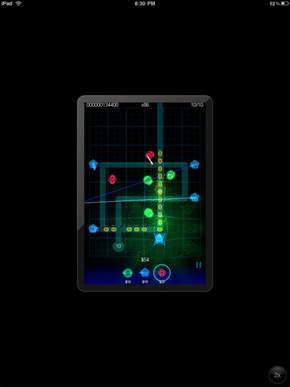
On the iPhone the majority of apps are in the $0 - $5 range. While these apps can run on the iPad, they look downright terrible. You either run them at native iPhone resolution which is too small on such a high res screen or double the resolution and make everything look way too pixellated.
What's more annoying about these iPhone applications on the iPad is that they don't rotate at all - getting landscape or portrait right is entirely up to you. For a device that now makes landscape and portrait functionality front and center, this is puzzling.
 |
 |
There isn't a perceptible framerate drop when you do enable the 2x scaling mode of the older apps; it's obvious that the scaling is done in hardware with a fair amount of acceleration. That said, all the little design flaws that developers would like that you probably never notice shine out - for example, images in the application are scaled smoothly, while otherwise bitmapped elements look blocky. You'll find that in practice the iPhone OS application support is largely a novelty, and that iPad optimized apps are greatly preferred.
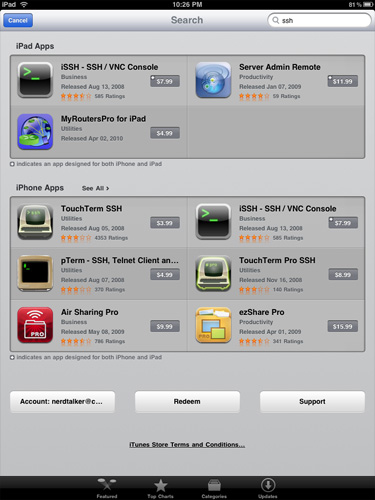
iPad Apps and iPhone Apps - Segregation at work
This is where the App Store both helps, and creates some confusion. Applications can either be iPad only (these often sport an "XL" or "HD" in the name), or universal, meaning the same application purchase entitles you to a version on the iPad and iPhone. Universal applications are denoted by a small + in the top right corner. In this circumstance, if you've already invested in a particular application, and the developer has updated the app to be universal, you get a two for one deal with a proper iPad version, and the iPhone version. What's annoying is that you have to do this process manually - it'd be extremely helpful if the App Store presented a list of universal applications you've already purchased (on either the iPad or iPhone) for installation.
So, yes you can run old iPhone apps, but no you wont want to. What you will want however are shiny new iPad apps that run at full res. Unfortunately these all seem to start at $9.99. I don't even want to know how much I've spent on apps in the past few days, and most of them aren't even that good. They each just fulfill some specific need that the iPad doesn't otherwise do on its own. This is the strength of the platform, but the pricing just feels wrong.
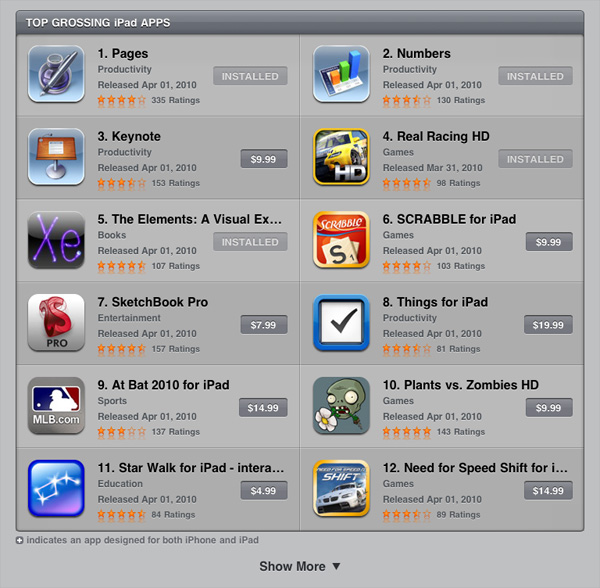
Apple justifies charging more for iPad apps because they are deeper than their iPhone counterparts. However, in many cases the depth is just an illusion of nice graphics and a great touch Interface. There are other problems as well. The iPad version of Pages for example provides no way to wirelessly share documents with your desktop or notebook. And if you use some features in the OS X version of Pages they get lost upon importing into the iPad version.
The app store is a cash cow for both developers and Apple. While I could get behind the pricing on iPhone apps, I don't believe that iPad apps as a whole justify their prices. The platform is new so this could change. Either way plan on spending a good $60 - $120 on apps after you get your iPad.
Originally published at https://www.anandtech.com/show/3640/apples-ipad-the-anandtech-review (Wayback Machine).