
Anand's Google Nexus One Review
- Posted in
- Smartphones
- Mobile
The Messaging App
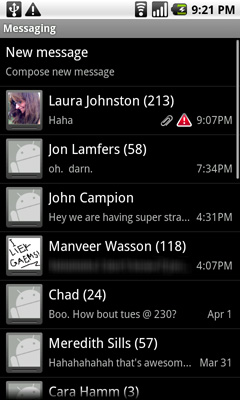
Android's messaging app is very similar in function to the iPhone SMS app. Conversations are stored per contact and as an improvement, you even get a count of how many messages are in each conversation.
 |
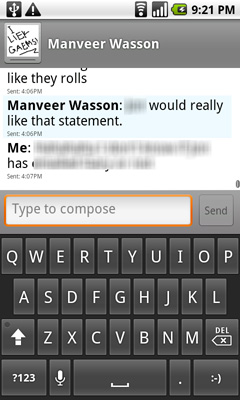 |
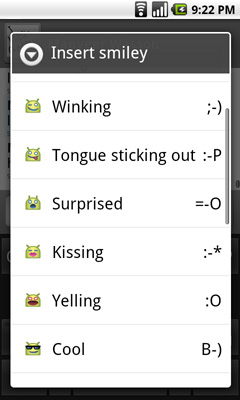
As an added bonus, the keyboard in the messaging app has a built in smileyface key. And all emoticons are little Androids showing various emotions, it's great.
You can turn on voice input using the messaging app keyboard as well. Google warns that it's a beta but in practice I found that it worked very well. It would be even more useful if there was a quicker way to turn on voice input (perhaps a physical button?) and if you didn't have to hit the voice recognition button whenever you wanted to start transcribing a message, but it's a start.
You can attach audio, pictures or videos, it's just not very obvious how to do it. While Apple provides a single camera icon (and no way to attach an audio file from within the SMS app), Google relies on you hitting the contextual menu button to bring up the attach option. Again we see that different of approach rearing its head.
I did run into one annoying issue with trying to SMS a contact. Laura is in my phone with a home number, mobile number and iPhone number. The SMS app won't let me message her iPhone number, whenever I type her name in all I see is the option to SMS her mobile number. I have to manually type in her iPhone number and then it fills in her name. I wouldn't read too much into the issue other than Android appears to default to SMSing whatever number you have listed as mobile for a contact.
Originally published at https://www.anandtech.com/show/3632/anands-google-nexus-one-review (Wayback Machine).