
Windows 7 Performance Guide
- Posted in
- Systems
The Rough Edges
The first thing that bothers us is a technical matter, and that is the addition of various levels of UAC , and the security ramifications of that. We’ve talked about this before in our look at the release candidate, but it bears repeating.
With the changes made to Windows 7, at the default UAC level of 2, signed Microsoft executables are auto-elevated to admin privileges when run by an admin. This primarily manifests itself in the Control Panel, where most of the panels are allowed to auto-elevate so that users may make changes without facing a UAC prompt.
There’s certainly a benefit to this in terms of user interaction, since the Control Panel and installing software are the two most common admin-level tasks a user will do. The latter is a repeating occurrence, but the former is something that usually only happens once when the computer is set up. So by making this change, the new-user experience involves less UAC.
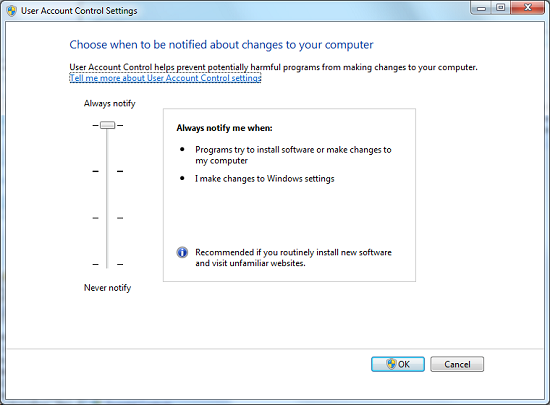
The UAC Control Panel With Level Slider
It’s the security ramifications of this that concern us. Someone already managed to exploit this in the pre-RC phase (where the UAC control panel itself was auto-elevating) to disable UAC entirely. The concern we have is that all of these auto-elevating programs are an obvious target for a local privilege escalation attack to accomplish something similar, if not the same. Imagine finding a way to make the Display control panel execute a 3rd party application with admin privileges, for example.
Now to be clear, it’s not as if this is the only way to achieve local privilege escalation attacks. The Windows kernel itself is a target, and I can’t think of any major desktop OSes that haven’t seen such an attack in the past. But this makes that easier, potentially much easier. And that’s a risky proposition when a UAC prompt may be all that’s left between malware executing and running amok or not.
Certainly someone is going to bite my head off for this, but I don’t think Microsoft should have made such a fundamental change to UAC. More casual users may not have been fond of how Vista or UAC Level 3 handle security, but it was a more secure choice than Level 2. To that end, I certainly wouldn’t recommend running Win7 at the default UAC level for any computer connected to the internet.
On a lighter note, even after using the release version of Win7 for 2 months now, I’m still wondering who thought it was a good idea to make the title bar of maximized windows semi-transparent. Certainly for windowed windows it makes some sense, as you can see what’s underneath. But for maximized windows? If I was concerned for what was under the window, why would I have it maximized?
Finally there’s Windows Mail, or rather the lack of it. Obviously email clients have come under diminished importance in the last few years as web-based email (e.g. Gmail) continues to rise in popularity, but this doesn’t mean that an email client is not necessary. And I get that Microsoft wants to separate the email client from the operating system so that they can push out major client updates outside of major OS releases.
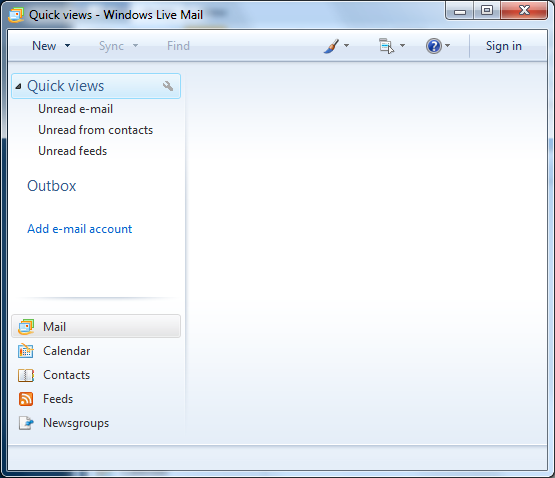
Windows Mail: Have you seen me?
But what I don’t get is why there’s any reason good enough for Windows to not come with an email client at all. It’s 2009, why is there an operating system being released without an email client? I only hope that OEMs are adding email clients to their prebuilt computers, otherwise there may be some very confused Windows 7 users as people start snapping up new machines.
Originally published at https://www.anandtech.com/show/2864 (Wayback Machine).