
Dell Studio 14z: Thin and Light Done Right
- Posted in
- Laptops
Dell Studio 14z Overview
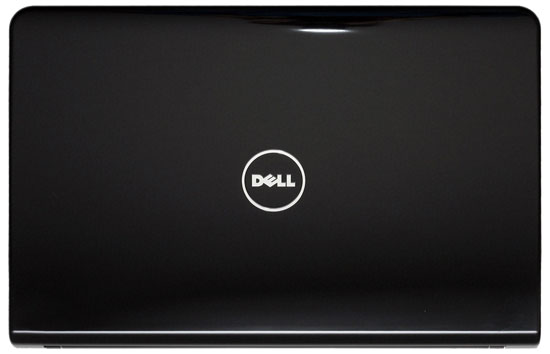
There's plenty to like about the design and appearance of the Studio 14z, although we are unfortunately treated to yet another laptop with a glossy plastic chassis. If you were hoping the Studio 14z would match the MacBook in that area, you'll be sorely disappointed. In order to get MacBook aesthetics, no need to spring for the much more expensive Dell Adamo, but then you're competing with MacBook Air rather than the standard MacBook. The short story is that in terms of aesthetics, the Studio 14z can't match up to Apple, but (depending on configuration) it can save you some money.


Given the limited real estate on a 14" chassis, Dell still manages to cram in quite a few features. One of the better features is dual digital outputs: one HDMI and one DisplayPort connector are available. If you don't have a DisplayPort LCD, you'll need an adapter, but you can always buy such an LCD from Dell. You also get Gigabit Ethernet, three USB ports -- one does double duty as an eSATA port -- and mini FireWire. Dell doesn't include a flash reader by default, but you can purchase a flash reader accessory that plugs into the ExpressCard/34 slot.
When you compare the Studio 14z with your typical netbook, it's easy to understand Dell's frustration with netbooks. The Studio 14z has a better keyboard, it's tons faster than any Intel Atom system, it can play games, and it still delivers reasonable battery life. By comparison, netbooks feel small and have difficult to use displays (1024x600, we're talking about you). We're not particularly pleased with the default 1366x768 LCD, but we're happy that Dell offers a $50 upgrade to a 1600x900 display. Given the choice, we would take the Studio 14z over any netbook in a heartbeat. The catch is that netbooks can still offer twice the battery life in a lighter package, for less than half the price. We definitely wouldn't recommend using a netbook as your only computer, but the 14z can fill that role for most people.
The 14z keyboard has a good layout, with all of the important keys easily accessible. Dell hasn't changed their typical layout in some time, but it's obvious that effort went into designing a good keyboard. We wish we could say the same about other manufacturers, but far too often we find strange decisions in terms of which keys to provide in which to relegate to special Fn+key combinations. Our impression is that Dell has done usability studies and come up with a good layout, and we have no complaints. As an added bonus, an extra $25 gets you LED backlighting on your keyboard -- great for when you need to use the laptop in low lighting conditions.
There are a couple areas where the 14z could still be improved. Of course there is the aforementioned glossy plastic chassis; obviously that's a cost cutting measure, but we would be very pleased to see a return of matte plastic at the very least -- along with matte LCDs. We don't know what the upgraded LCD is like, but we can also say that the default LCD leaves a lot of room for improvement. It's plenty bright, but like many other inexpensive laptops it has very poor contrast ratios. We wouldn't even qualify the Studio 14z as an "inexpensive" laptop, considering many users will spend over $1000 once they add a few desirable upgrades, so it would have been nice if Dell would have sprung for a better display. We also wish Dell could have figured out a way to include a second SO-DIMM slot; 3GB RAM should be sufficient, but 4GB would be better in the option to upgrade to 8GB in the future would be great. Finally, access to the hard drive requires a lot more work than most laptops, making end-user upgrades more difficult than necessary. Some people will definitely want to upgrade to an SSD, and there's potential to break some of the plastic chassis elements if you're not careful.
Originally published at https://www.anandtech.com/show/2862/dell-studio-14z-thin-and-light-done-right (Wayback Machine).