
Budget Micro-ATX P55 Faceoff: Gigabyte GA-P55M-UD2 and ASRock P55M Pro
- Posted in
- Motherboards
Software
ASRock provides several software applications with the P55M Pro. We will take a quick look at their OC Tuner, Intelligent Energy Saver (IES), and OC DNA.
OC Tuner
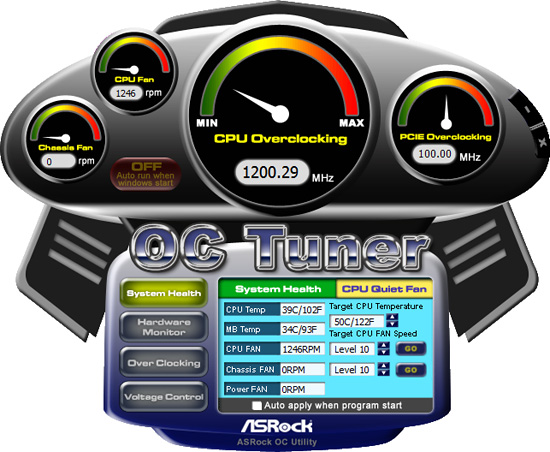
ASRock’s OC Tuner application provides health and hardware monitoring, voltage control, and overclocking capabilities. OC Tuner is actually a solid Window’s based overclocking and monitor tool. We still want the ability to save the settings to the BIOS in real time - or at least a BIOS profile setup more robust than the OC DNA tool below. The version shipped on the driver CD worked correctly, but we always suggest you keep the supplier’s utilities up to date.
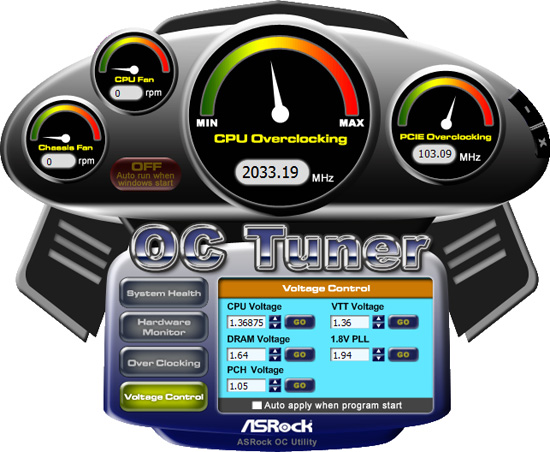
Sounding like a broken record, we still prefer to tune our system within the BIOS. However, this application is useful for extracting a decent amount of performance improvement out of the system after booting into Windows. We also found the capability to adjust the CPU and Chassis fan speeds to be handy during the overclocking tests.
OC DNA
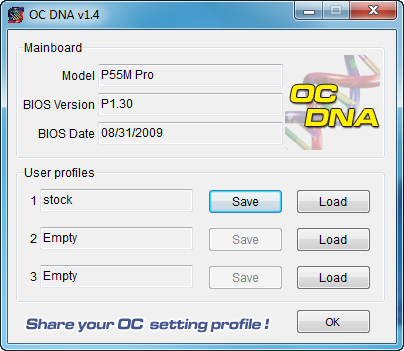
The OC DNA application allows you to save your OC profiles to the three provided user profiles within the BIOS. You can then load them from Windows (requires a reboot to set the profile) or share the OC profile with users of this board.
IES
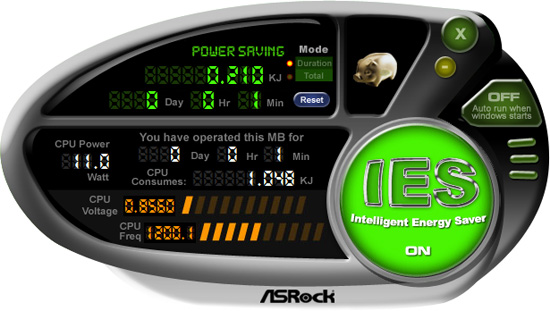
One of the most useful features from ASRock is their Intelligent Energy Saver (IES) power management solution. ASRock provides a Windows-based software application to control IES. After installing the software (we highly recommend downloading the latest version) and a quick reboot, the application is ready for use. The control panel is powered down by default and it is up to the user to turn it on with a simple click of the IES button. IES can also be enabled within the BIOS, doing this will disable Load Line Calibration (No Vdrop).
The IES software is simple to use and easy to understand. A provided power savings meter in the top portion informs the user of current and historical power savings information. Real-time CPU power usage is available along with the processor speed. We generally found the application would save around 4W at idle, and depending up the application in use, around 20W under load conditions that leads to superb results compared to other P55 boards.
Originally published at https://www.anandtech.com/show/2850 (Wayback Machine).