
Auzentech HomeTheater HD Preview: Bitstreaming True HD/DTS-HD MA
- Posted in
- GPUs
The First Attempt: Failure
This was the email I sent Auzentech after spending a full day with the card trying to get it to work:
I've been working with the Auzen Z-Fi HomeTheater HD card for most of the past 24 hours and thus far I have not been able to get it to reliably work in the vast majority of situations. Here's what I've tried:
Under Windows 7 x64
1) On a Zotac GeForce 9300 motherboard with integrated graphics I get no video output from the Auzen card on my Westinghouse LVM-42w2 42" LCD.
2) On an Intel P55 motherboard with GeForce GTX 280 graphics card I get no video output from the Auzen card on my Westinghouse LVM-42w2 42" LCD.
3) On a Zotac GeForce 9300 motherboard with integrated graphics I get no video output from the Auzen card in my home theater setup: Integra DTC-9.8 preprocessor + JVC RS2 projector.Under Windows Vista 32-bit:
1) On an Intel P55 motherboard with GeForce GTX 280 graphics card I am limited to 720p output from the Auzen card on my Westinghouse LVM-42w2 42" LCD. Selecting 1080p simply produces no-signal on the Westinghouse.
2) On an Intel P55 motherboard with GeForce GTX 280 graphics card I get no video output from the Auzen card in my home theater setup: Integra DTC-9.8 preprocessor + JVC RS2 projector.
3) On an Intel P55 motherboard with GeForce GTX 280 graphics card I get no video output from the Auzen card in my secondary home theater setup: Onkyo TX-SR806 receiver + Samsung 50" TV.
4) On an Intel P55 motherboard with GeForce GTX 280 graphics card I get no video output from the Auzen card on my Toshiba 42" Regza LCD TV.In all cases I confirmed that both the LED lights (HDMI in and HDMI out) were illuminated. I tried both an HDMI cable from the GPU to the Auzen card as well as DVI-to-HDMI from the GPU to the Auzen card, neither worked. I even tried the internal HDMI passthrough jumper on the NVIDIA chipset to no avail. I used the drivers off of the CD that came with the card and then installed the updated drivers you sent Gary.
I was ready to give up on it. I went to bed, finished up The SSD Relapse the next day and tried one last thing before I gave up on it again: switch to a non-NVIDIA card.
The one thing both of my test platforms had in common was their NVIDIA graphics using the latest 190 series drivers. I swapped an ATI Radeon HD 4890 into the P55 board, installed its drivers and it worked right away; under both Windows Vista 32-bit and Windows 7 x64.
I’m not sure what the NVIDIA/Auzen incompatibility was, and perhaps switching to an arbitrary older driver would fix it but with a working setup I wasn’t about to try and figure it out. For what it’s worth, the NVIDIA/Auzentech combo did work perfectly on my Dell WFP3008 30” display; too bad it doesn’t have a built in receiver to make that useful.
The Second Attempt: Success
With an AMD GPU on the P55 board everything worked perfectly; I took the system sans case down to my theater, hooked it up and threw on a couple of BDs. I hadn’t seen Die Hard in a while and it has a DTS-HD MA track, so I popped that in to verify that it was working.
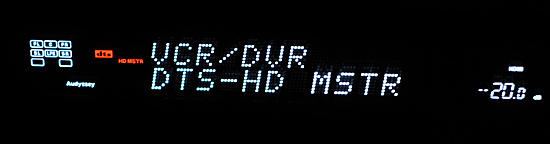
There are some UI bugs with the PowerDVD 9 control panel that enables bitstreaming these codecs. You basically have to select your audio output settings twice to get it to work; change your audio output once to something other than bitstreaming then once more to bitstreaming (Non-decoded high-definition audio to external device) to make it work.
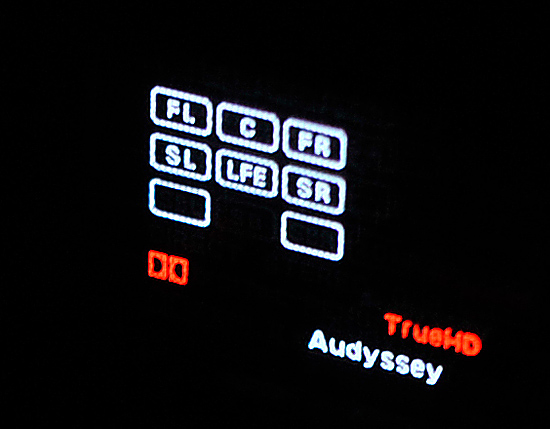
Once playing, the thing worked as advertised:
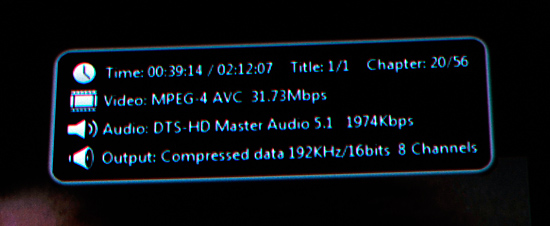
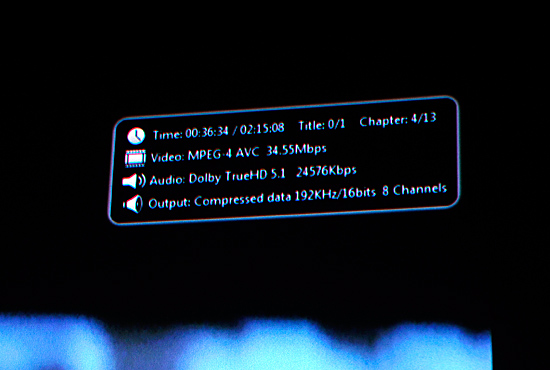
Update: As readers have correctly pointed out it looks like PowerDVD is reporting its output incorrectly, but the card is functioning as intended here. It would be impossible to down-sample the compressed True HD/DTS-HD MA streams without decoding them. It also looks like the audio bitrate in The Hunt for Red October is being incorrectly reported.
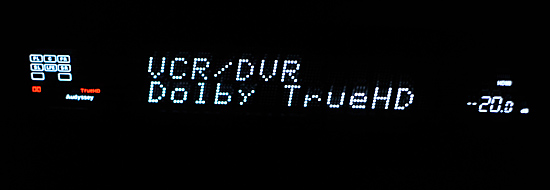
Next up we have a Blu-ray of The Hunt for Red October, this time a TrueHD disc:
Originally published at https://www.anandtech.com/show/2830 (Wayback Machine).