
Understanding the iPhone 3GS
- Posted in
- Smartphones
- Mobile
The Compass
The new iPhone 3GS has one more piece of hardware: a digital compass. When Apple made the 3GS announcement I kept IMing my friends and saying about how I couldn't wait to use the sweet new compass, yes, sometimes my sarcasm isn't very thinly veiled.
If you fire up the compass app you get, well, a compass. Hold it in front of you, move around and it tells you what direction you're pointing in. It's particularly useful if you're walking or hiking somewhere but there's also support for it in Google Maps on the iPhone 3GS.
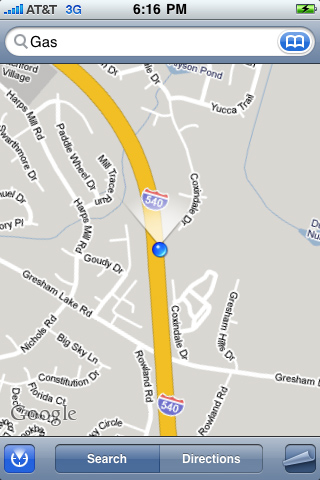
Bad Andy, Good compass
On paper, the Google Maps compass integration is pretty sweet. Hit the GPS pinpoint button on Google Maps to find your current location, hit it one more time and the compass kicks in. Your blue dot on Google Maps now gets an orientation indicator to let you know what direction you're pointing in. This is very useful when trying to use Google Maps by foot and you'd think it'd be super useful for even navigating while driving, unfortunately the latter isn't true.
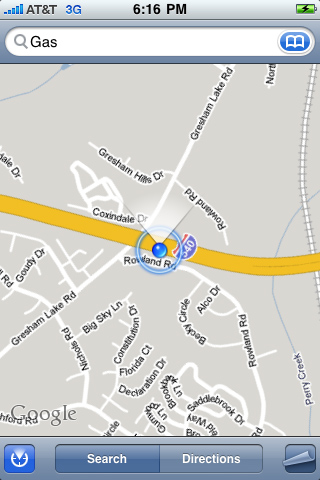
Apparently I'm driving perpendicular to the highway
I've found that either the compass will show the wrong orientation while in a moving vehicle or you'll get this hilarious message to move the 3GS in a figure 8 to re-calibrate the compass.
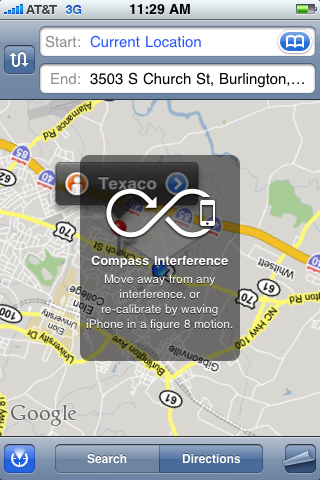
HAHA, you want me to what?
The compass is useful, it's a nice addition, but not a huge feature of the new phone.
Originally published at https://www.anandtech.com/show/2798 (Wayback Machine).