
ASUS W90Vp: ATI Mobility Radeon HD 4870... with CrossFire
- Posted in
- Laptops
Power, Noise Levels, and Temperatures
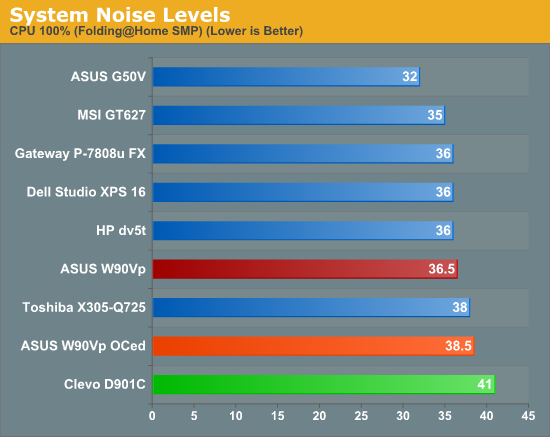
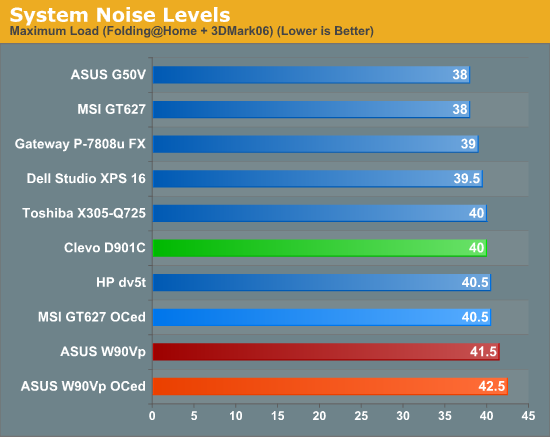
For the interested, you can read the details on how we test power and noise levels. As you might expect, this is W90Vp consumes quite a bit of power, but it's not particularly noisy -- certainly it's a lot quieter than most gaming desktops. Temperatures on the other hand can get quite high, so you'll want to keep this notebook away from your lap if possible. The size of the chassis does help with dissipating heat, however, so it doesn't get quite as hot as some smaller notebooks.
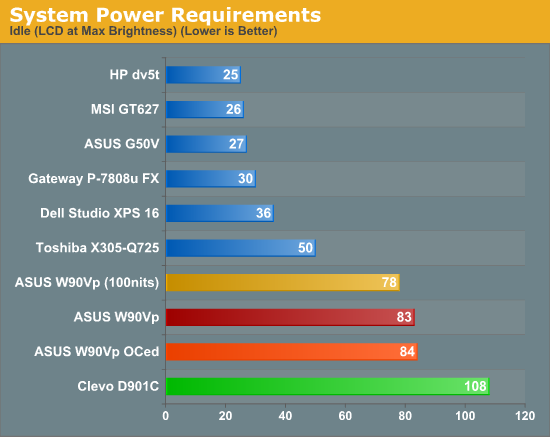
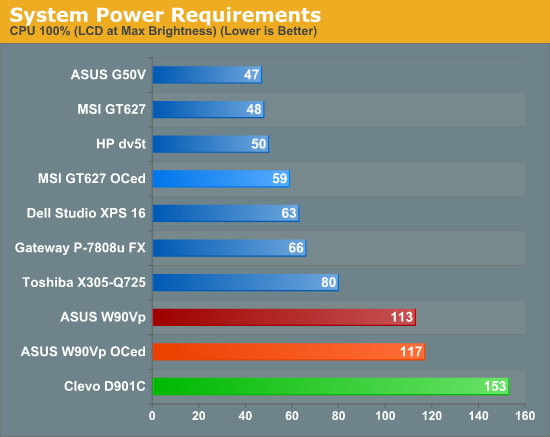
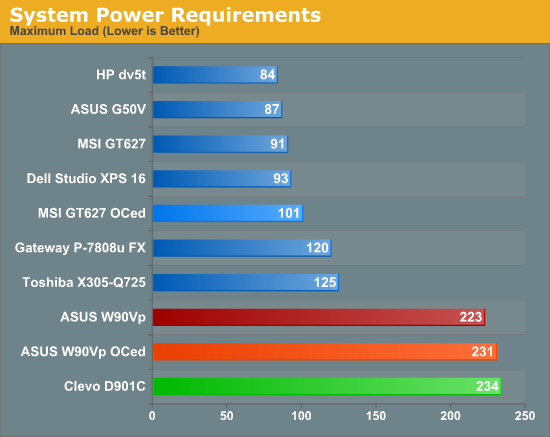
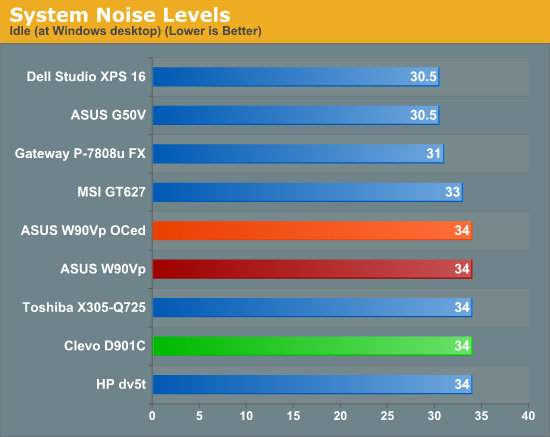
Under full load, the keyboard surface ranged from 28°C up to 34°C, with most of the surface averaging around 30°C. The back of the keyboard (near the LCD) tended to be hotter than the rest, which makes sense considering the two GPUs, chipset, and CPU are located in that section. The left palm rest also tends to be a bit warmer, as the hard drives are underneath it. Temperatures on the bottom of the laptop range from 26°C all the way up to 43°C, with most of the surface averaging around 33°C. Again, the hotspots tend to be near the rear as well as near the hard drives. Exhaust temperatures reached 50°C on the rear and side. You will want to assure there's proper ventilation for the bottom of the laptop if you're planning an extended gaming session.
Originally published at https://www.anandtech.com/show/2772 (Wayback Machine).