
ASUS W90Vp: ATI Mobility Radeon HD 4870... with CrossFire
- Posted in
- Laptops
Standard Gaming Performance
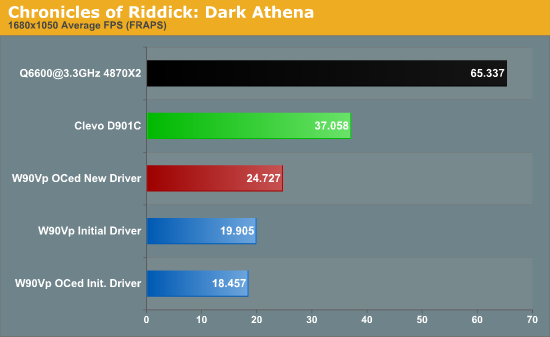
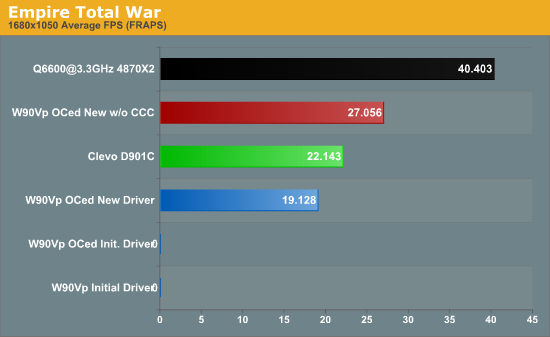
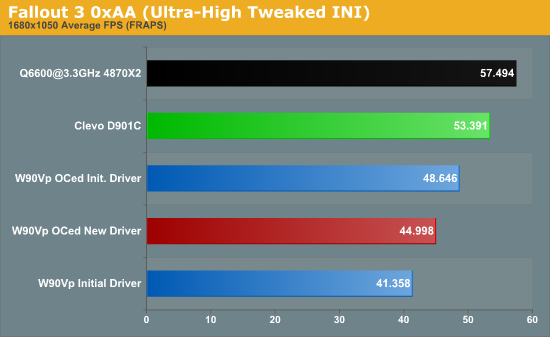
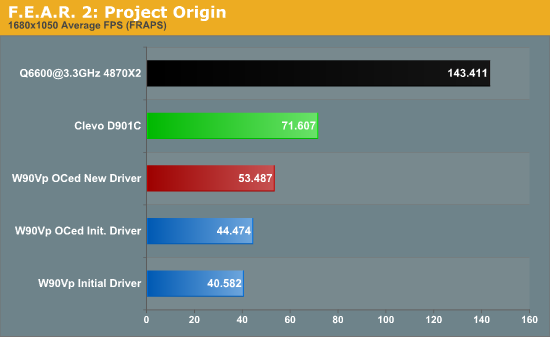
For those that want to see the "big picture", here are the results of our tests at 1680x1050 with other recently tested laptops. Once again, we included the desktop system as a point of reference. Many of these systems are using older driver versions, so updated drivers may help in some areas, but since these aren't dual GPU solutions driver updates don't tend to help quite as much. Note that in some cases we changed the way we tested or we added a new game, in which case we only have results from the ASUS W90Vp, Clevo D901C, and our desktop reference platform.
We'll start with the older titles; note that on the ASUS W90Vp, all of these results are with the initial drivers. It's worth noting that in many titles, the faster notebooks -- especially the W90Vp and the D901C -- are largely CPU limited. Titles where overclocking shows the greatest performance increase are indicative of CPU bottlenecks, and we've included the 1080p results as well to show CPU limitations. For reference, OC'ed 1080p results are gold, standard 1680x1050 results are red, and 1680x1050 OC'ed results are orange.
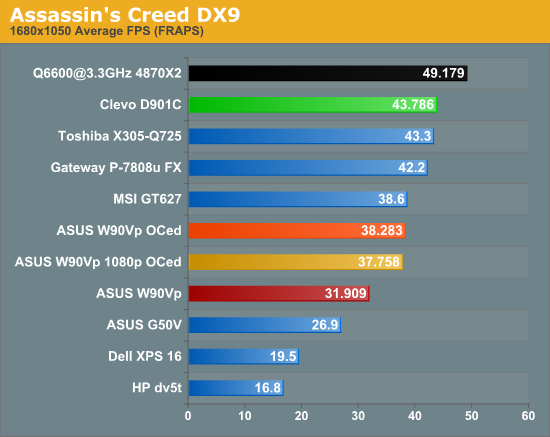
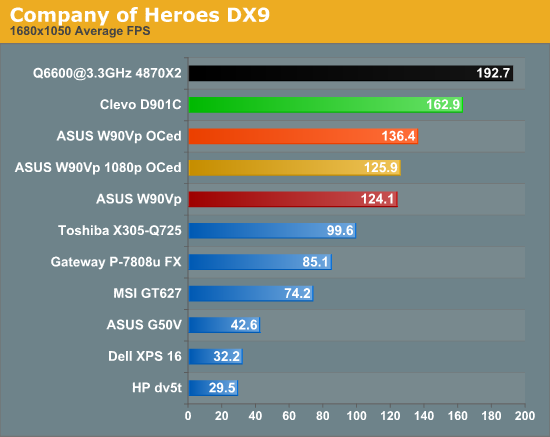
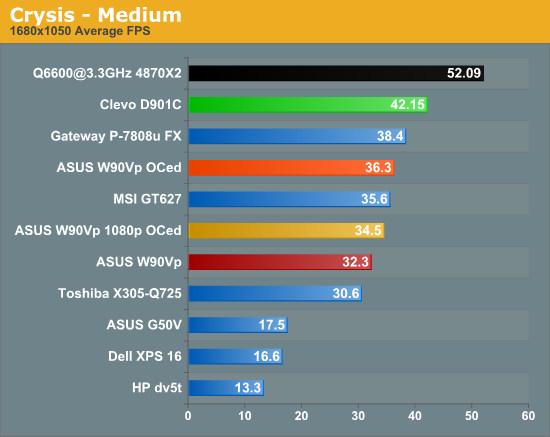
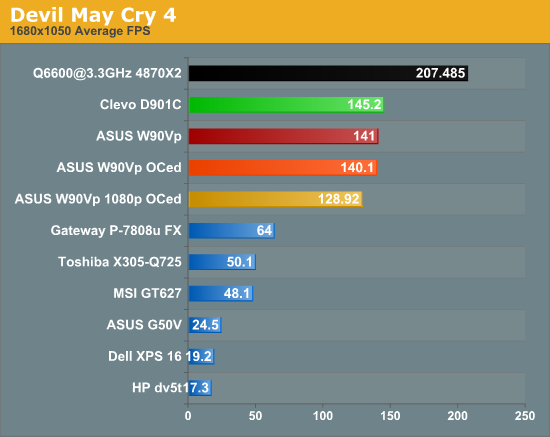
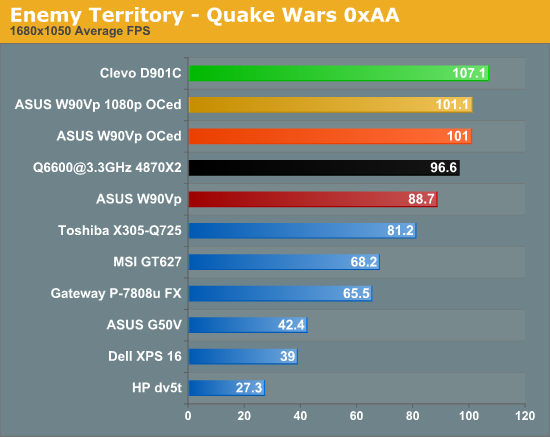
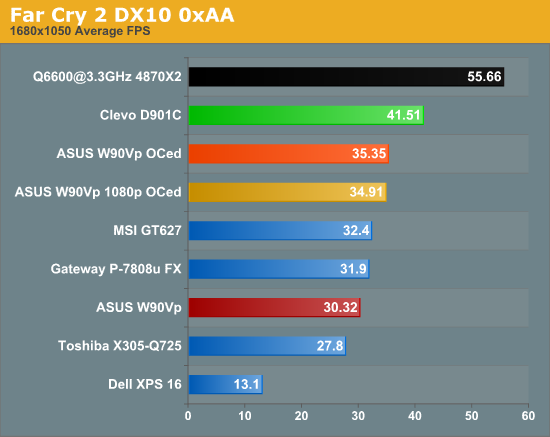
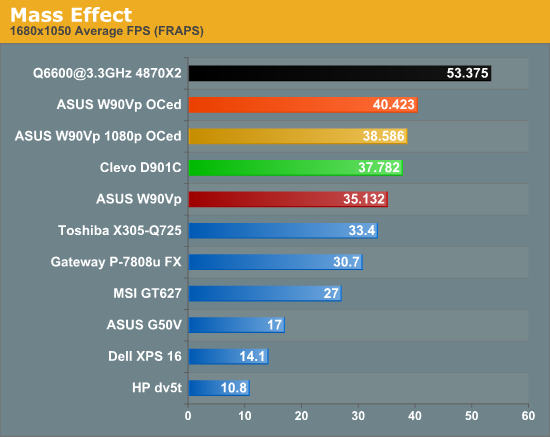
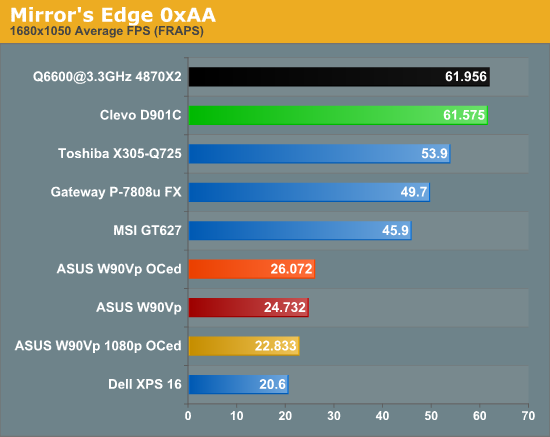
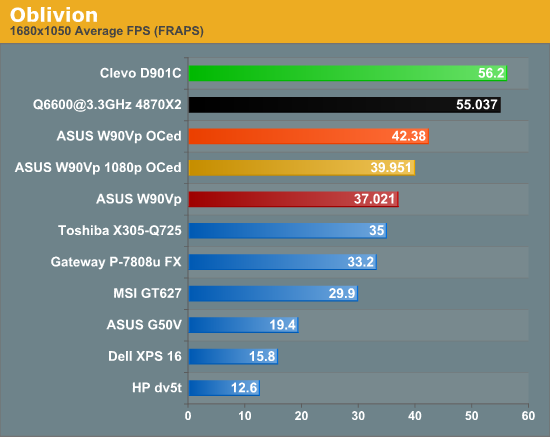
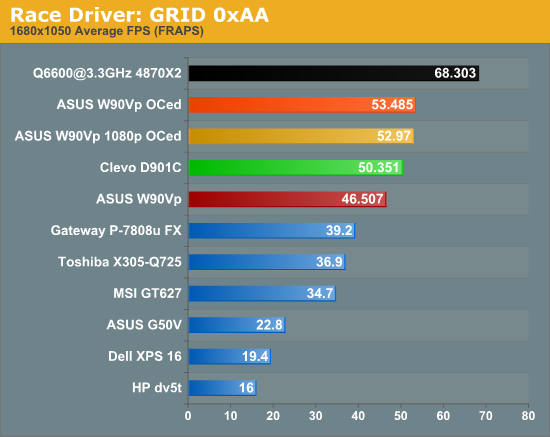
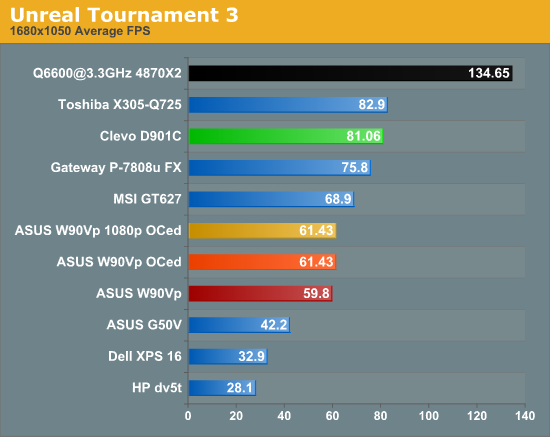
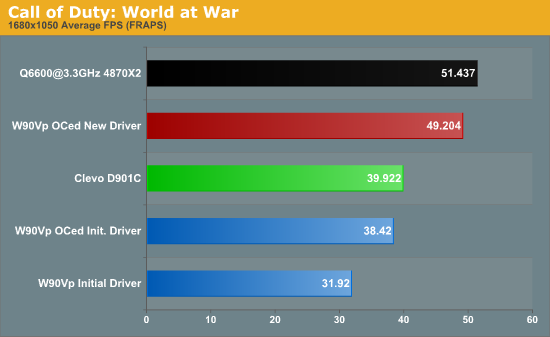
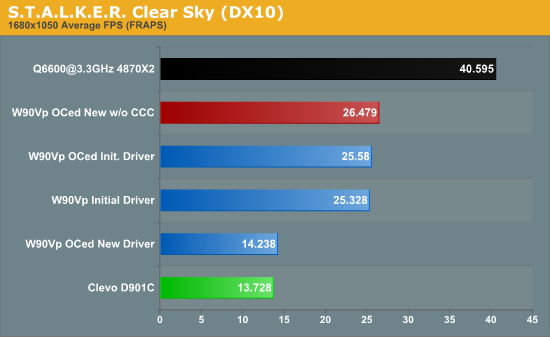
For the newer titles (or in the case of Fallout 3, a title where we changed the settings relative to previous articles), we tested with the same settings as the 1080p results. In other words, we used the initial driver, overclocked CPU with the initial driver, overclocked CPU with the new driver, and in a couple instances where it made a difference (Empire: Total War and STALKER: Clear Sky) we also tested the new driver without the Catalyst Control Center. In these charts, we highlighted the optimal W90Vp result in red -- as mentioned on the previous page, running without the CCC in most cases will offer equal or better performance.
Originally published at https://www.anandtech.com/show/2772 (Wayback Machine).