
Dell Studio XPS 16: the Eyes Have It
- Posted in
- Laptops
General Application Performance
Wrapping things up with our performance testing, we have results from the Futuremark PCMark suites as well as some of our own application benchmarking. When it comes to running your office, multimedia, and Internet tasks, most modern laptops are more than fast enough. What follows are a few of the more strenuous application benchmarks - 3D rendering and video encoding - that put more of an emphasis on high CPU speeds. If you don't do that sort of thing on your computer, you will probably find that just about any current dual-core processor is sufficient.
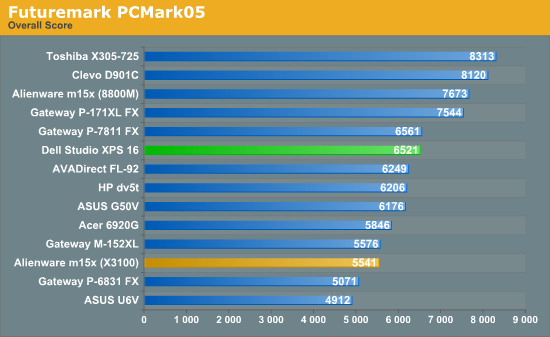
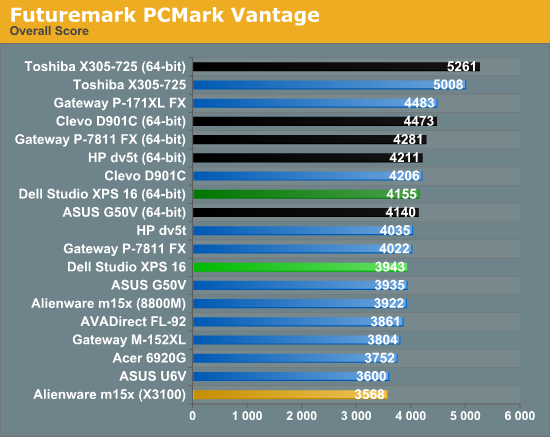
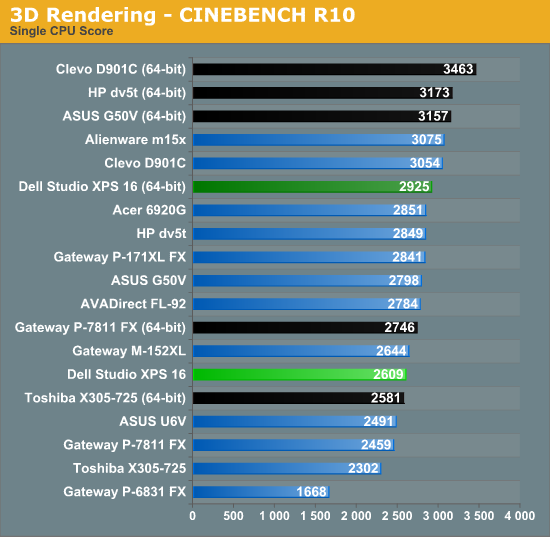
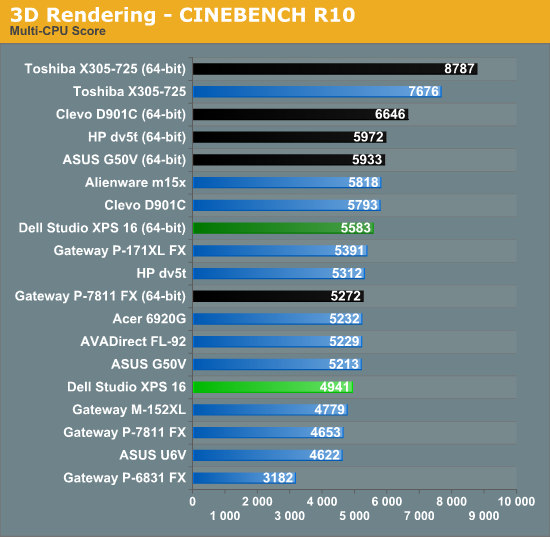
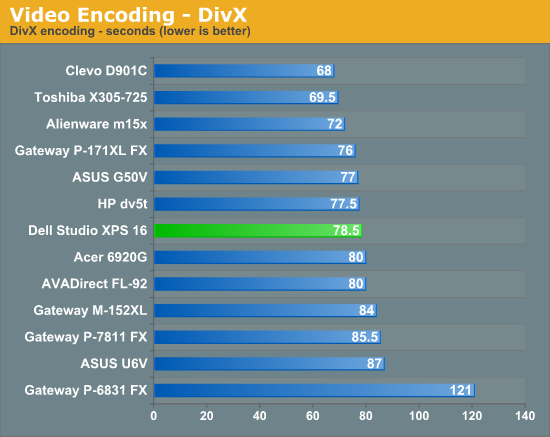
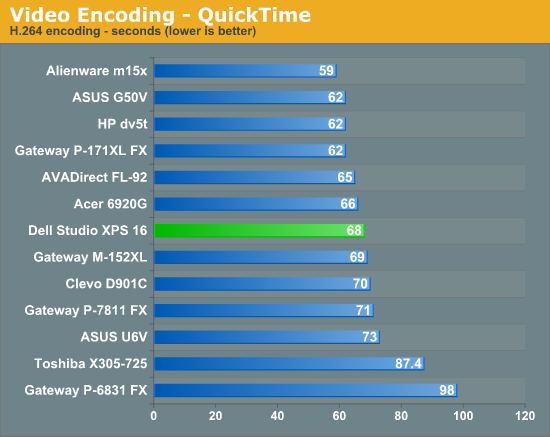
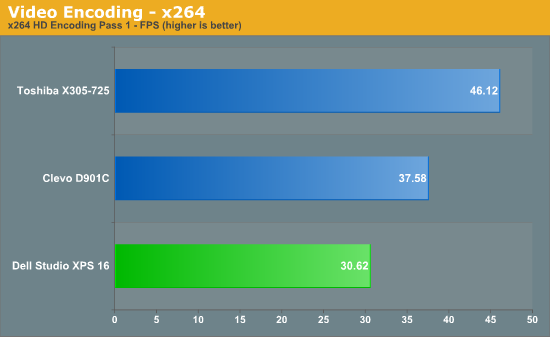
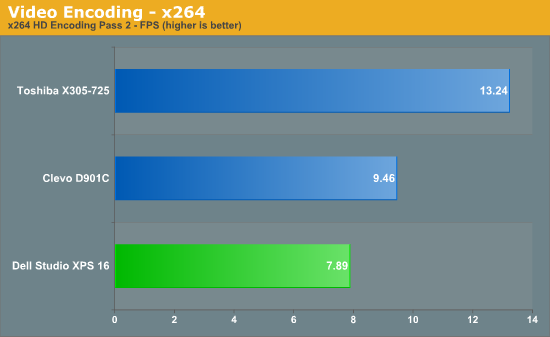
The Studio XPS 16 continues to offer middle of the pack performance, just as you would expect given the components. For Internet, office use, or image editing, you shouldn't have any difficulties utilizing the XPS 16. If you want to do more CPU intensive work, particularly stuff that can make use of multiple CPU cores, you should consider some of the laptops that are now shipping with quad-core CPUs. The Toshiba X305-Q725 shows what you can expect from laptops with a 2.0GHz Q9000, where 3D rendering and x264 encoding clearly benefit from the additional CPU cores.
Originally published at https://www.anandtech.com/show/2746 (Wayback Machine).