
Holiday 2008 Display Guide
- Posted in
- Guides
Other Thoughts
One possibility that we didn't even touch on yet is the option to use an LCD HDTV in place of a computer monitor. There are pros and cons to taking such a route, but if it's something that you're interested in doing there's nothing to stop you. HDTVs do have a few really nice features compared to computer monitors, like built-in speakers that actually sound decent if not great, numerous input options, and a remote control for those times when you want to sit back in your chair. Perhaps one of the best reasons to consider an HDTV is that you can get a 32" 1080P LCD for a lot less than a 30" computer LCD, and you also get larger pixels so text might not be quite as difficult to read. Speaking from experience, those without great eyesight may find 2560x1600 on a 30" display to be difficult on the eyes when reading text -- I usually work at 150% magnification in Microsoft Word, for example. You could even go nuts and get a 50 inch or larger "display" and use a wireless mouse and keyboard from 5 to 10 feet away.
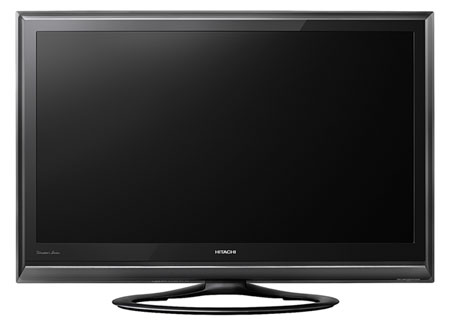
Right about now, you might be thinking that HDTVs as computer monitors sound like a great idea. While they certainly work, there are some important caveats that you need to remember before taking the plunge. First, LCD HDTVs typically don't have base stand with adjustable height/tilt, so you will need a desk that puts the display at eye level. Second, HDTV LCDs tend to weigh more than computer LCDs, in part because they include larger speakers and other features. Finally -- and potentially the real killer -- HDTVs often come with a large amount of the internal processing lag. 50 ms or even 250 ms really doesn't make any difference when you're just watching TV and videos, provided that the audio and video remain in sync. Before going out and purchasing an HDTV for computer use, you might want to browse around the web first and verify that processing lag is not an issue. Some HDTVs include a "game" mode to bypass the video processing, which is something else to consider.
Because of the type of environment most people expect when using a computer, we would stick with LCD HDTVs that are at most 32" -- although some people might be okay with up to 42" displays. Definitely stick with 1080P options, unless you don't mind having really big pixels. As far as particular models are concerned, Sharp makes some 32" LCDs that are quite popular for gaming/HDTV/computer use. Overall, HDTVs tend to excel in video playback but fall behind in other areas. Regardless, it's definitely an option to consider if you're looking for a large display. As usual, you get what you pay for, so don't just go out and grab the cheapest option you can find. The better HDTVs will use IPS panels, whereas inexpensive models again make use of TN panels.
To wrap things up, here's a table summarizing some of our LCD recommendations. This is by no means a comprehensive list, but we do feel all of the displays in the following table are at least worth considering.
| 2008 LCD Recommendation Summary | ||||
| LCD | Size | Resolution | Panel Tech | Price |
| Entry-Level | ||||
| Acer X223Wbd | 22" | 1680x1050 | TN | $170 |
| ASUS VH226H | 22" | 1920x1080 | TN | $210 |
| ASUS VW222U | 22" | 1680x1050 | TN | $230 |
| Midrange | ||||
| LG L226WTY | 22" | 1680x1050 | TN | $260 |
| BenQ E2200HD | 22" | 1920x1080 | TN | $265 |
| Samsung T220 | 22" | 1680x1050 | TN | $270 |
| ViewSonic X Series VX2260wm | 22" | 1920x1080 | TN | $280 |
| Acer X243Wbd | 24" | 1920x1200 | TN | $290 |
| BenQ E2400HD | 24" | 1920x1080 | TN | $330 |
| BenQ G2400WD | 24" | 1920x1200 | TN | $340 |
| Dell SP2309W | 23" | 2048x1152 | TN | $380 |
| Hanns-G HG-281DPB | 28" | 1920x1200 | TN | $380 |
| Acer G24 | 24" | 1920x1200 | TN | $390 |
| Samsung 2493HM | 24" | 1920x1200 | TN | $390 |
| Gateway FHD2401 | 24" | 1920x1200 | TN | $400 |
| High-End | ||||
| Dell 2408WFP | 24" | 1920x1200 | S-PVA | $482 |
| Lenovo L220X | 22" | 1920x1200 | S-PVA | $485 |
| HP LP2475w | 24" | 1920x1200 | S-IPS | $585 |
| BenQ FP241VW | 24" | 1920x1200 | S-MVA | $600 |
| Planar PX2611W | 26" | 1920x1200 | S-IPS | $765 |
| Dream | ||||
| DoubleSight DS-305W | 30" | 2560x1600 | S-IPS | $950 |
| NEC LCD2690WUXi | 26" | 1920x1200 | H-IPS | $1050 |
| Samsung 305T | 30" | 2560x1600 | S-PVA | $1125 |
| Dell 3007WFP-HC | 30" | 2560x1600 | S-IPS | $1200 |
| HP LP3065 | 30" | 2560x1600 | S-IPS | $1250 |
| NEC LCD3090WQXi | 30" | 2560x1600 | S-IPS | $2000 |
As a final thought, just remember that your computer display is one part of the computer that you constantly look at, so spending more money to get a higher quality display is definitely something your eyes will appreciate. Not only can it have an immediate and dramatic impact on how you use your computer, but also keep in mind the fact that computer displays tend to stay in use for five years or more, as opposed to being out of date the instant you buy them. That being the case, we recommend trying to spend more money and get a nicer display if at all possible.
Originally published at https://www.anandtech.com/show/2690 (Wayback Machine).