
BenQ E2200HD and E2400HD - 1080P FullHD LCDs
- Posted in
- Displays
BenQ E2200HD Overview
At first blush, the E2200HD looks no different from any other modern LCD. It's a bit shorter due to the change in aspect ratio, but that's not something most people would immediately notice. One thing that a lot of users will almost certainly appreciate, however, is that BenQ sticks with a matte panel, so you won't have to worry about irritating reflections. The casing does have a glossy black finish that collects fingerprints, but as long as you keep the panel away from grimy fingers that shouldn't be a problem.
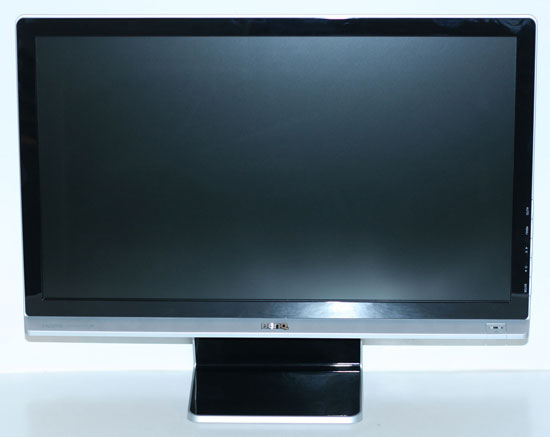
The E2200HD is reasonably attractive, but at least one area may cause a few complaints. That area is the base stand, which is about as barebones as they come. You can tilt the display back (and slightly forward)… and that's about it. Not everyone needs a display with height adjustment, rotate, and pivot functionality; if you fall into that category, the base model E2200HD should work fine.
It appears that BenQ is aware that some people won't like the default base stand, so they offer a bundle on their online store where you can get the display and an Ergotron VESA compatible stand for $30 extra. Normal pricing at BenQ's store is a bit higher than what we see online, but they are currently running a $40 promotional code that drops the price to $250, matching what we could find at any other reputable online store. The promotional code works with either the LCD or the LCD and Ergotron bundle. Just add the appropriate item to your cart and apply code "E2200HD" to receive the $40 discount. We don't have any information on how long this code will be active, however.


Besides the spartan base stand, the E2200HD also lacks any other extra features like built-in USB ports. It does include speakers, which function with either the HDMI input or with a separate audio input cable. Audio quality from the built-in speakers is at best okay -- not something we would recommend for watching movies or playing games if you can avoid it. There's also a headphone jack on the left side.
Video input options consist of VGA, HDMI, and DVI. However, in another cost cutting measure BenQ only includes a VGA cable and audio cable, as well as the power cable and a driver CD. This in our opinion is a huge error; while VGA does work fine, the vast majority of people have switched over to DVI and BenQ would do a lot better to include a DVI cable rather than the VGA cable -- or they could be like many other manufacturers and give users both. If you already have an extra cable around the house, this probably doesn't matter, but otherwise plan on an extra $10 investment at the time of purchase.
Originally published at https://www.anandtech.com/show/2659 (Wayback Machine).