
The All-in-One Battle: Dell's XPS One 24 vs. Apple's iMac
- Posted in
- Systems
Insert: Obligatory Matrix Reference Here
Dell has been working quite a bit on improving the industrial design of its products, and while the biggest changes are coming on the mobile side, the new XPS One 24 does look good.
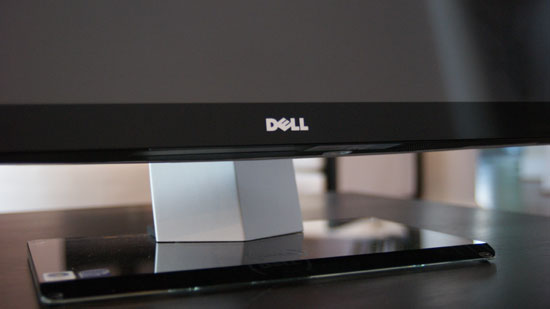
It sits low and wide thanks to the speakers on either side of the display, which are honestly the most awkward parts of the system. However given that Dell opts for function over form here you actually get speakers that aren't terrible, they are at least better than what's in Apple's iMac. You're still better off with an external set of speakers but that would defeat the purpose of the all-in-one now wouldn't it?
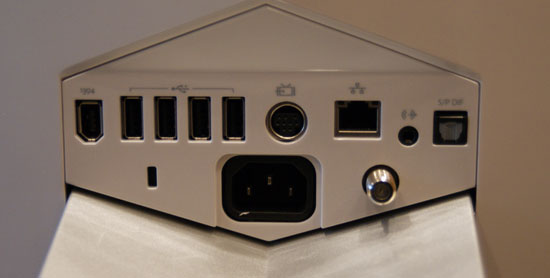
There are a flurry of ports at the back of the XPS One 24, you've got one FireWire, four USB, one video input, 10/100/1000 Ethernet, 1/8" audio out, optical audio out and coax in for cable TV.
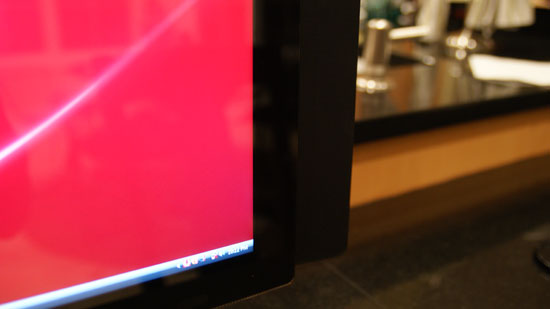
At rest this is what the lower right corner looks like...
By far the coolest feature of the XPS One are the touch controls on the right side of the machine. Bring you hand close to the right edge of the display and the touch controls light up, you can control volume, control music playback or eject a disc. The touch controls do offer some feedback, they will vibrate a little once your input is recognized.
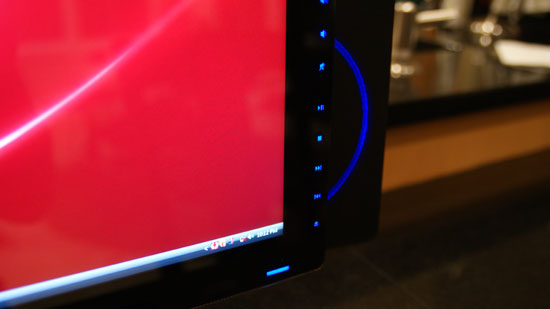
Bring your hand closer and you've got controls
The volume/playback buttons are nice, but they don't work properly with iTunes. If iTunes is in the foreground then you're ok, have it in the background and you're screwed - the playback control buttons do nothing. Obviously this isn't the case with Windows Media Player 11, but limiting the usefulness of these controls to a single application is silly. Part of this limitation may be the unfortunate reality that Dell doesn't control the entire software stack being run on the XPS One, it may simply be a limitation of iTunes under Vista, but regardless of the cause it's an annoyance.
Dell has implemented a nice, very Apple-like brightness and volume OSD whenever you adjust either of these things. But once again there are limitations. I installed Pidgin to, you know, talk to people on this thing - but unfortunately with Pidgin in the foreground Dell's volume control and brightess OSD doesn't appear anymore. Again this seems like a software/OS limitation, but it's one area where the XPS One falls short of something like the iMac.
I'll get to the discussion of what Dell has done to close the Apple gap on the software side of things in a moment, but for now let's keep ogling the exterior.
Dell's claim to fame with the XPS One is that you only need a single cable, for power, the rest of the machine is totally wireless. While there's an Ethernet jack on the back, but you've got a built in Broadcom 802.11n wireless adapter for Internet access and the machine ships with a wireless keyboard and mouse as well as Bluetooth for any additional peripherals.
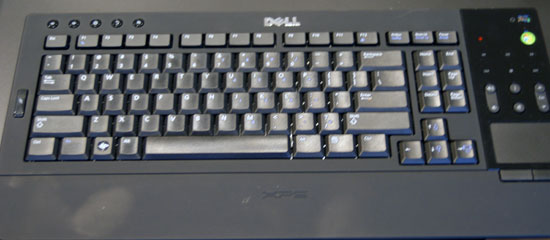
The One's keyboard is quite stylish but it falls short in a few key areas (wow, terrible pun). In order to satisfy the design requirements there's no dedicated numeric keypad, instead you've got to rely on the top row of numbers or use a function key combination.
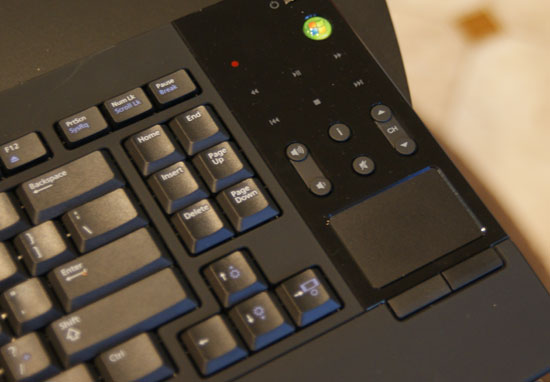
Like a laptop keyboard, the XPS One's keyboard has a function key that you can use to put the computer to sleep, eject a disk, or increase/decrease brightness. Since the XPS One's mouse is pretty much terrible, I found myself using the keyboard's built in trackpad quite a bit. Now here's where I was surprised - I actually didn't mind, in fact, I wanted a larger trackpad. I'm so used to trackpads from using notebooks all the time that for an all-in-one machine like this a builtin trackpad just made sense, but honestly it needs to be larger. I get the reasoning for a compact keyboard, but it seems like there's just a lot of wasted space on the design, especially near the trackpad. Have a look at Apple's latest MacBook/MacBook Pro, I want a trackpad of that size, maybe a bit smaller and you can do away with the mouse altogether if you'd like (except for gaming of course). The trackpad unfortunately has no way of scrolling, which is a sad limitation. I'd like a two finger scroll gesture here please, thanks.
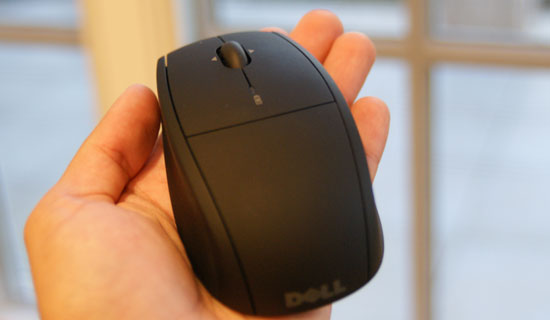
I spoiled much of the surprise already, but I was not a fan of Dell's bundled mouse. While tracking is mostly ok the mouse doesn't appear to be very precise, resulting in jerky behavior when trying to make small movements on the screen. Instead of smoothly moving from one point to another it tends to stairstep. Now the mouse itself isn't reason to avoid the XPS One 24, I would simply encourage Dell to bundle something a little more respectable.
The other issue is that both the keyboard and mouse rely on two AA batteries, two for the keyboard and two for the mouse. It would be nice to have both of these devices be USB rechargeable or perhaps have some sort of integrated charge dock in the base of the XPS. Again, not a deal breaker but room for improvement should Dell decide to perfect the approach to including wireless peripherals.
Admittedly the one-wire setup is a bit liberating, it's very notebook-like in its ability to be put anywhere without disturbing the natural flow of things. For this very purpose I conducted today's review with the XPS One 24 in my kitchen.
A very important consideration for a machine that could end up someplace you normally wouldn't find a computer is noise, or more appropriately, lack thereof. The XPS One uses a Seagate Barracuda 7200.11 3.5" SATA drive which is great from a performance standpoint, but it's deceptively noisy in the XPS One. You can hear disk accesses very clearly, which is distracting since the whole system is incredibly quiet. I hate to keep advocating for the use of SSDs given how expensive they are, but in a system like this it makes total sense. Every other aspect of the XPS One is absolutely silent, but the drive is distracting. It almost sounds like the interference noise you get when you've got a cellphone too close to computer speakers. For an otherwise silent machine, this stands out.
Originally published at https://www.anandtech.com/show/2656 (Wayback Machine).