
Apple's Redesigned MacBook and MacBook Pro: Thoroughly Reviewed
- Posted in
- Mac
Oh No, It's Glossy
Glossy screens are in, unfortunately. They look cooler and can improve contrast ratio in normal lighting conditions, but they are extremely reflective. Apple offered a matte option on the previous generation MacBook Pro, but both the base MacBook and the Air came with glossy screens standard. With the new MacBook and MacBook Pro Apple switched to a thin glass covering in front of the display, giving the system a more updated look. I'm not sure functionally if there's any benefit to the glass exterior but it looks cool. Both the MacBook and MacBook Pro have this glass outer layer, although the two notebooks use different physical LCD panels (more on that later).
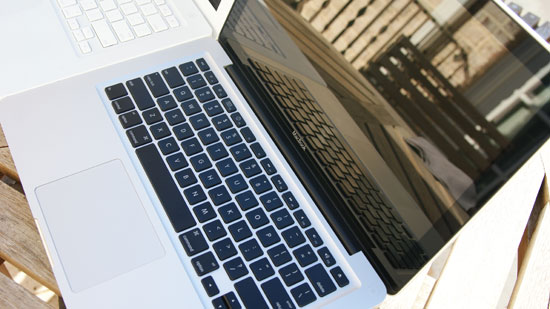
That's not a mirror baby, it's a display
People have complained about the new glossy screens a lot, but let's see how bad they really are. While the obvious comparison would be between the old and new MacBooks I want to start by comparing the new MacBook to the first generation matte MacBook Pro to put the glossiness into perspective for those of you who don't have a previous generation MacBook:
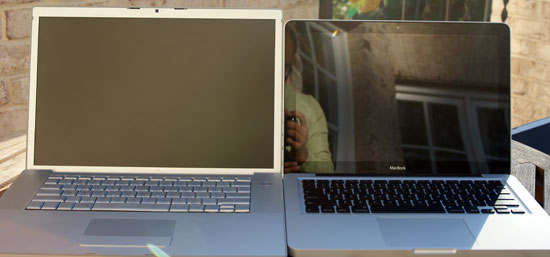
MacBook Pro matte (left) vs. the new MacBook (right)
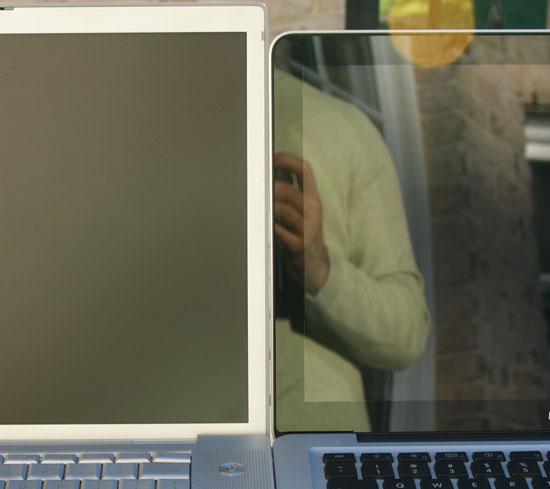
MacBook Pro matte (left) vs. the new MacBook (right)
Hello reflections! If you're used to a matte screen, this thing is going to bug the hell out of you. Now let's toss the old MacBook Pro's glossy option into the mix:
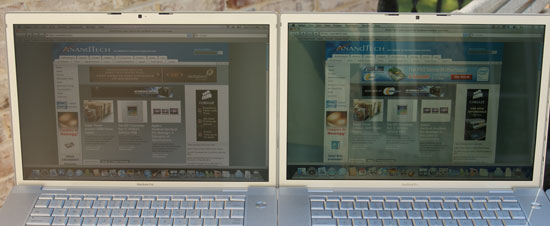
The old MacBook Pro matte (left) vs. the old MacBook Pro glossy (right)
The older glossy screen is definitely harder to read outdoors, but indoors (or in the shade) I actually prefer it to the matte screen. Let's look at how the old glossy display compares to the new glass covered glossy one:
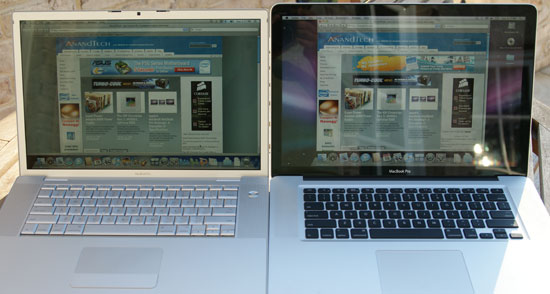
The old MacBook Pro glossy (left) vs. the new MacBook Pro on the right (do I even need to call it glossy?)
Reflections-a-plenty on the new display; while the brightness somewhat makes up for it the display is still more distracting than not when outside. I still prefer the glossy displays indoors thus in my opinion the best balance was actually the previous generation MacBook Pro's glossy display. The new one is just a little too nuts - unfortunately you don't really have a choice.
Compared to the previous generation MacBook we have the same problem: the new display is extremely reflective:
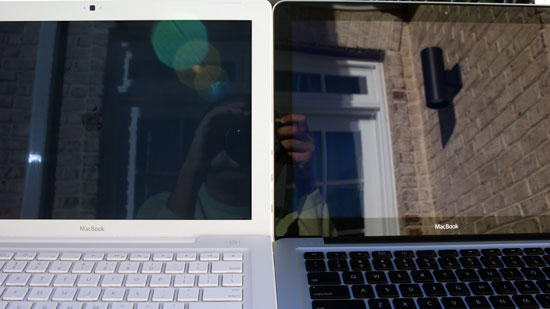
MacBook old (left) vs. MacBook new (right)
There are definitely situations where the new displays are unusable outside, especially compared to a notebook with a matte display. Note that these pictures were taken with the sun behind the screens, not in front, so simply turning your torso won't fix these problems. The best solution is to find some shade to work in, or to pick a laptop without a glossy screen. My MacBook Air has a glossy screen that pretty much guarantees writing in direct sunlight is impossible, so I'm used to working in the shade but it is a valid concern.
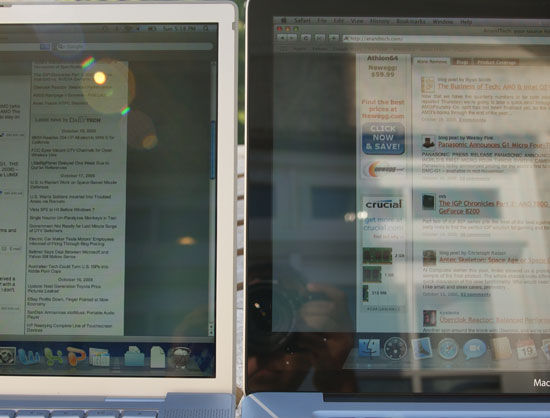
MacBook old (left) vs. MacBook new (right)
Note that there are also situations where even the older MacBooks aren't usable outside:
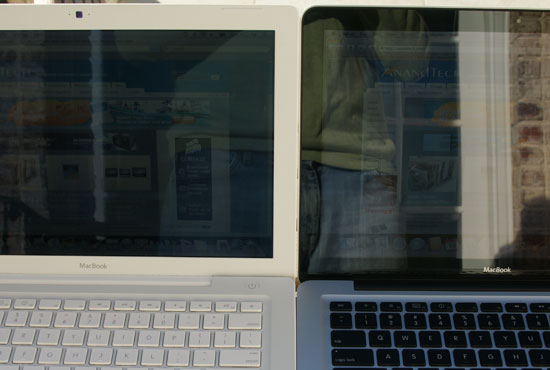
Part of the problem is the black border around the display. This part is also covered in glass but it's not backlit, making reflections even more visible there. Compared to the aluminum or plastic border in the previous MBP/MB notebooks, this border looks great but makes reflections seem worse.
I tend to do most of my writing indoors, but if I were still in school and writing on campus the glossy screens would be a definite issue. I saw a quote from Apple saying that the new displays are bright enough to make up for the additional glare; as the pictures above show there are definitely situations where this isn't true.
Originally published at https://www.anandtech.com/show/2645 (Wayback Machine).