
Badaboom: A Full Test of Elemental's GPU Accelerated H.264 Transcoder
- Posted in
- GPUs
Image Quality
Given that one of the best H.264 codecs is actually open source (x264) the image quality target is clear, and free. There are a number of front ends that use x264, I chose Handbrake as it was the most Badaboom-like in its interface but the x264 codec itself is doing all of the work.
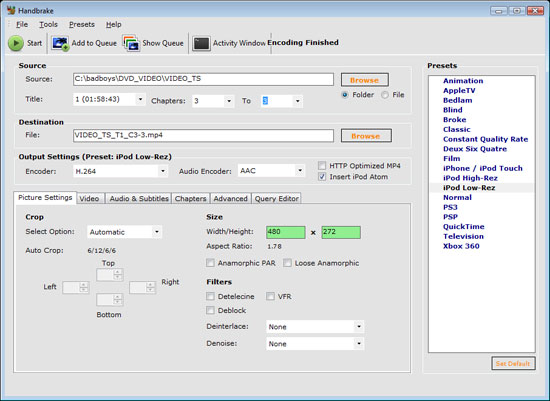
The Handbrake interface is very much like Badaboom’s, except no where nearly as polished. I compared encode quality on a single-pass of the x264 codec to the output from Badaboom using a couple of settings (5Mbps Xbox 360 profile and 1.5Mbps iPhone profile). The image below is taken using a single-pass encode from the x264 codec, hold your mouse over the image to see what Badaboom's encoder can output. Forgive the lack of a pixel-perfect comparison, as I mentioned before Badaboom always seemed to muck with my aspect ratio whenever I was up or downscaling.:

Hold mouse over image to see Badaboom's Image Quality

Hold mouse over image to see Badaboom's Image Quality
The Badaboom output quality is definitely lower than what x264 was able to produce, but it's close enough for our purposes. Since Badaboom can't really deal with Blu-ray content right now preserving maximum quality isn't a top priority for the application, thus the outputted video is close enough to what x264 was able to produce. Let it be very clear though: in motion the x264 codec did output a superior image.

Hold mouse over image to see Badaboom's Image Quality
Originally published at https://www.anandtech.com/show/2586 (Wayback Machine).