
Mobile Buyer's Guide
- Posted in
- Guides
Conclusion
Laptops are one of the fastest growing markets, and it won't be long before mobile PCs begin outselling desktops. There will always be a need for grounded PCs - servers for example wouldn't work well if the admin accidentally carried it home one day - but many people are turning to laptops as a viable alternative to a desktop. This is hardly surprising, considering most applications outside of gaming and high-end computing rarely come close to taxing even a two or three year old PC. With the laptop boom come many choices, and hopefully this guide has provided a bit more insight into what options might make sense.
Putting together this laptop guide ended up being far more difficult than we imagined. Part of the difficulty is that at every price bracket there are numerous options to choose from, all of which make sense for a certain market segment. Some people care most about size, weight, and battery life while others prefer raw performance. This has led to something of a nebulous guide in terms of specific recommendations, influenced by the fact that researching the current offerings from a reasonable number of major vendors became extremely time consuming. Plus you have some large OEMs that separate their laptops into several areas (i.e. home, business, and enterprise), so it's little wonder that we have missed some laptops that are almost certainly equal to the models we explicitly mentioned.
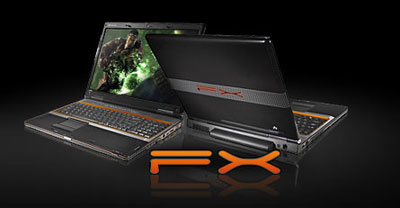
While we may not have reached too many concrete recommendations, we did manage to come up with a pretty good feel for the market, and certain vendors repeatedly showed up in our list. One of the more surprising companies is Gateway, who have some stellar values at everything from the budget through the midrange options. Gateway may not have the best reputation in the industry, but they seem to be making some very aggressive moves into the mobile sector. Not so surprising is that Dell and HP also have plenty of good values, particularly if you steer towards the preconfigured models. Another familiar face is Acer, and though they now own Gateway they continue to sell their own brand of laptops, with a heavy presence on e-tailer sites.
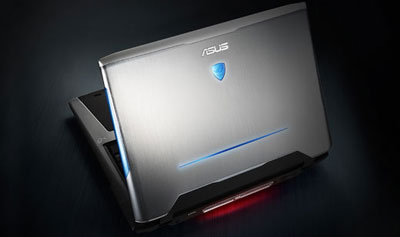
ASUS is making a lot of waves in the budget laptop market with the Eee line, but there are other reasons to consider an ASUS laptop. One area where we have to give ASUS credit is that you can actually purchase replacement parts without breaking the bank. Recently, I had a fan fail on a Gateway laptop that's out of warranty; the best price I could find for the fan unit is $60, and Gateway offered to repair it for $400 if I shipped it to them! Compare that to the $80 I spent to replace the entire casing on an ASUS notebook that was cracked - the hinges wore out, and a few accidental bumps and bruises certainly contributed to the damaged casing. (As a side note, the ASUS CPU fan would have cost $10.) The reason for the price discrepancy is that ASUS has an online store where customers can purchase replacement components, even for laptops that are out of warranty; it would be great if that were an option for other notebook vendors. ASUS also provides a 2-year global warranty on their normal laptops (i.e. not on the Eee), and will pay for 2-day shipping both ways. That may not be as convenient as an on-site warranty, but it's better than paying to ship your laptop out.

The last company that we want to mention is AVADirect. They may not have as extensive a selection of laptops as some of the largest OEMs, but they do have a large number of Intel offerings as well as a few AMD options. They specialize in "whitebook" options, with designs from Clevo, Compal, MSI, ASUS, and Twinhead. What sets them apart is that they offer extensive component choices wherever possible. If you've ever thought it would be nice to build your own laptop the way you can easily build a new desktop, AVADirect comes pretty darn close to doing the dirty work for you without eliminating choice, and they do it at a reasonable price.
Besides all of the features and options to sift through, one area that most customers neglect is the warranty. I posted a blog on this topic a while back that laptop buyers might want to read. Many of the recommendations in the $1000 and above price range mention manufacturer warranties; certainly if you buy a $3000 laptop you should probably get a 3-year warranty. Frankly, we're a little disappointed that the high-end laptops don't all come with at least a 3-year warranty; you'd think that a boutique vendor would use that as one area where they could show a clear advantage over the bulk OEMs. Instead, if you're looking for decent laptops that come with a longer warranty that won't increase the price by several hundred dollars, look at some of the preconfigured business laptops at the major OEMs.
To wrap things up, we know many of you would really like to see some benchmarks to go along with all of the talk. We can try to tell you how much faster or better a midrange notebook is compared to a budget offering, but without concrete numbers things can become murky. We're hard at work benchmarking six laptops, several of which made an appearance in this buyer's guide, plus we have results from previous laptops we've reviewed. While we can't cover every option we should at least be able to provide a better answer to the performance and battery life questions. Stay tuned….
Originally published at https://www.anandtech.com/show/2564 (Wayback Machine).