
ASUS Eee Box Preview & Intel's Atom Benchmarked
- Posted in
- Systems
It’s My Eee in a Box
The Eee Box comes in an extremely sleek form factor; it’s thinner than a Mac mini but has a larger footprint, making it more like an Apple TV or other net appliance despite it being a full PC.
There are three mounting options for the Eee Box:
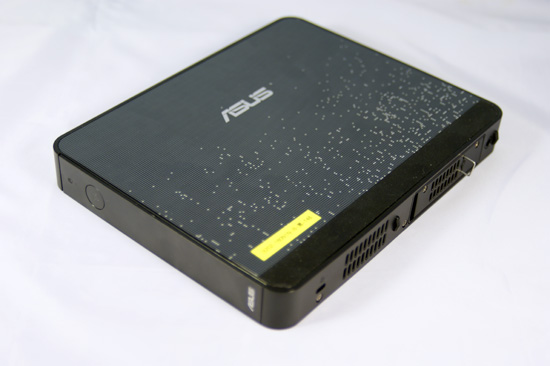
Flat on a table
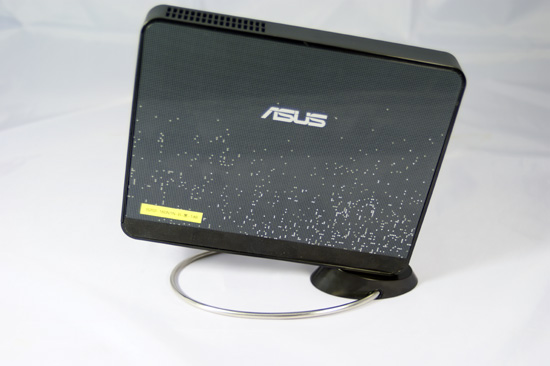
Vertically on its stand
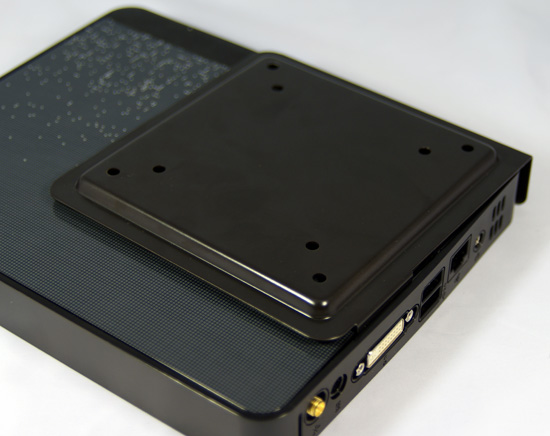
Behind your monitor using the supplied VESA mount
The front of the Eee Box continues the sleek design by covering the power button and front ports with a flip down panel. Unfortunately you can’t actually turn the unit on without flipping down the panel first, so it’s purely an aesthetic thing designed to simplify the front.
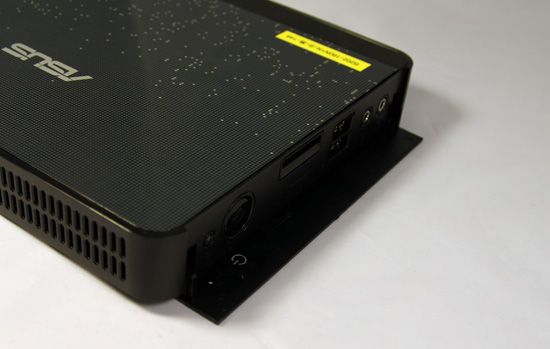
With the front panel flipped down you’ve got a HDD activity LED, power button/LED, two USB ports, a SD card slot, 1/8” audio out and 1/8” mic input. Connecting to any of these ports unfortunately does ruin the look of the device but it is obviously nice to have them there for occasional use.
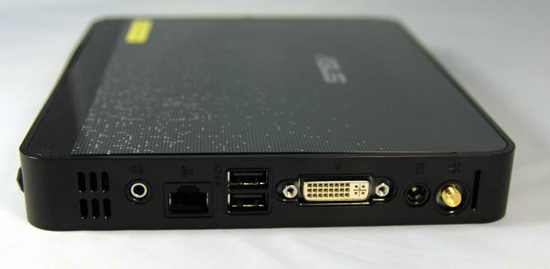
The back of the Eee Box is far less concealed; you’ve got a single 1/8” audio output, 10/100/1000 Ethernet, two more USB ports, DVI out, DC power in and RF in for an external antenna. The Eee Box also supports Bluetooth for a nearly wireless setup. There is no HDMI output nor any way to get digital audio out, but we’ll touch on the implications of that later.
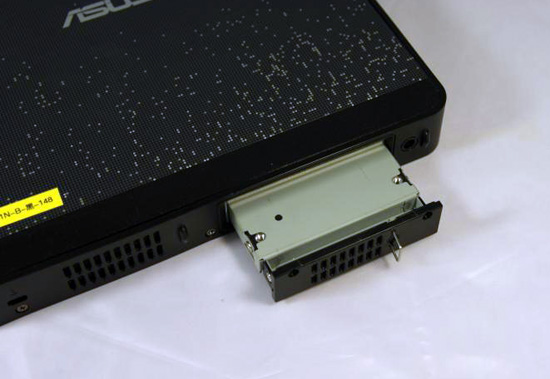
The right side of the machine has a removable drive tray for the single 2.5” SATA drive that ships with the machine.
Inside the Eee Box
Before even starting the review we dissected the Eee Box to get a glimpse at the first "desktop" implementation of Intel's Atom processor, the full gallery is here:


We've seen the Atom processor in the wild a number of times already, but to put it in perspective here it is compared to a standard LGA-775 Core 2 processor:
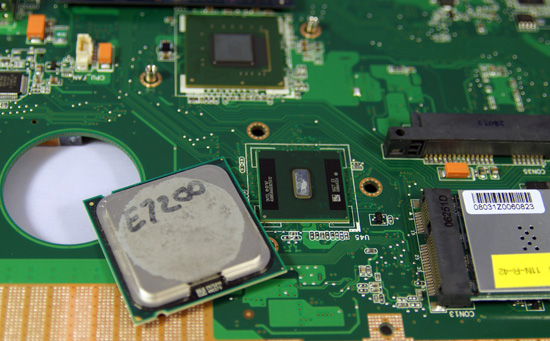
At the top we have the Intel 945GMCH, the sliver of a CPU in the middle is the Atom, to the left of it is a standard Core 2 Duo E7200 and to the right is the 802.11n card. Above the 802.11n card is the sole SATA/power ports on the motherboard.
Originally published at https://www.anandtech.com/show/2537 (Wayback Machine).