
ASUS Eee PC Take 3: The XPerience
- Posted in
- Laptops
"Overclocking"
As we've covered in the past, the Eee PCs from ASUS ship with a 900MHz Celeron M processor underclocked to 630MHz on a 70MHz FSB. We've used quotes with the term overclocking since we are simply restoring the CPU to its rated specification, not really overclocking it. There are a couple of methods for overclocking the Eee. One of those is SetFSB, an application that lets the user modify the FSB from within Windows.
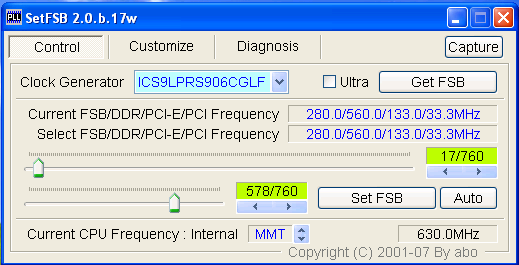
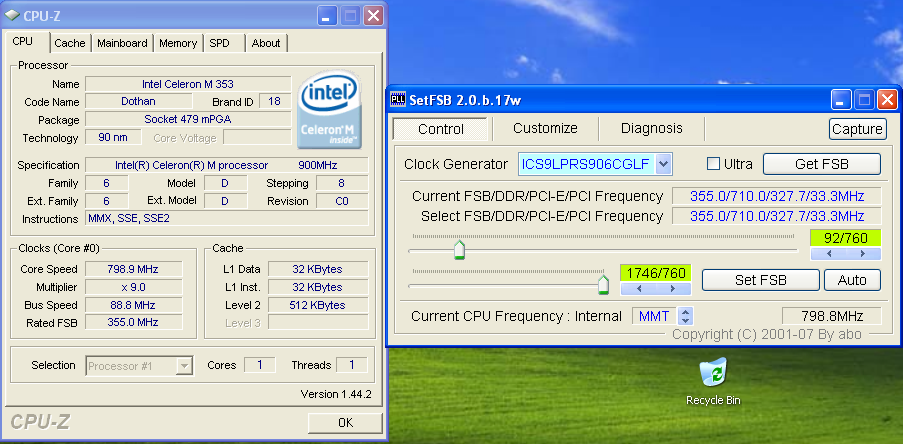
Some users have had good luck hitting 900MHz and beyond with this utility. Our unit would not run above 800MHz, and experienced a crash at this speed after about 5 minutes.
 |
The other option available is a utility called eeectl, which garnered much praise on the eeeuser forums. It's a very simple utility that runs in the taskbar, and rotates between displaying the current temperature and front side bus speed.
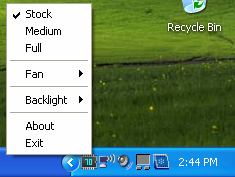
The selections include stock (70MHz FSB), Medium (85MHz FSB), and Full (100MHz FSB), as well as options to manually set the fan speed and the backlight level.
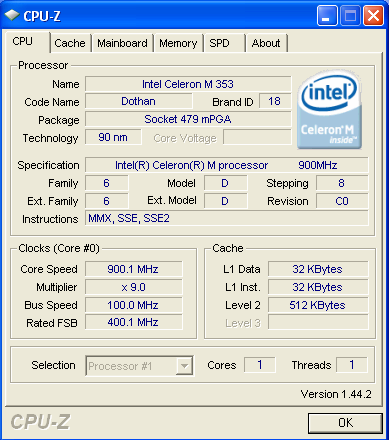
This utility allowed us to hit 900MHz and was rock-solid stable after 1 hour of Prime95 running Large FFTs and numerous games. What does this increase do for us?
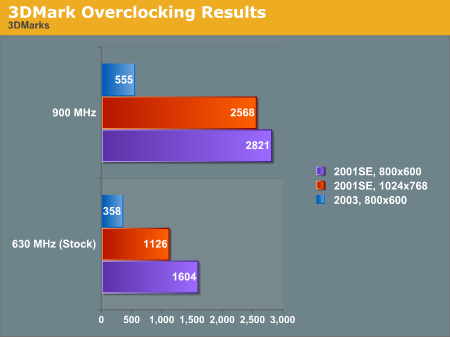
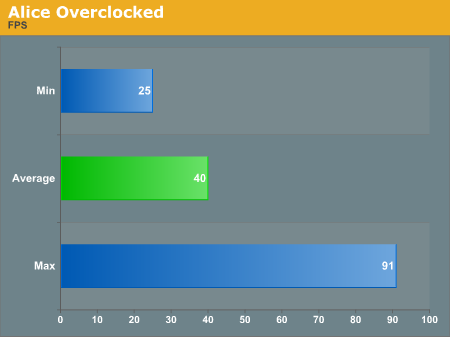
Wow - we see large gains in 3DMark, and Alice's average framerate at stock speed is now the minimum. The average framerate has risen by 60% over stock, and it's now quite playable long term. In addition to more CPU power, recall that the memory is also clocked 1:1 and is seeing a speed increase from the FSB. This in turn equates to video gains, as the GMA 900 is sharing system memory.
Noise/Heat
As we've previously noted, noise with the Eee is usually quite low and very unobtrusive even when the fan kicks to high. Using eeectl, we saw about 43C when idling at stock, and a max of about 68C after prolonged benchmarking periods. That's higher than we'd recommend if long-term functionality is desired, but for short-term speed boosts you should be okay running the CPU at its rated 900MHz.
Originally published at https://www.anandtech.com/show/2509 (Wayback Machine).