
Gateway P-6831 FX: Best Midrange Gaming Notebook Ever
- Posted in
- Laptops
Exterior Overview
The Gateway FX chassis is pretty similar to what you see in most other 17" notebooks, with a few noteworthy exceptions. Besides the exterior styling, the most interesting difference is that the entire unit is "flatter" and perhaps slimmer than most of the other 17" notebooks we've looked at recently. Understandably, notebooks like the Dell XPS M1730 are quite large — they need to be in order to provide adequate cooling for the dual GPUs. The Clevo M570RU chassis is smaller than the Dell, but it has a sloped design so that the back is quite a bit thicker than the front (22mm vs. 44mm). In contrast, the Gateway FX chassis is much flatter: 33 mm thick at the front and 43 mm thick at the back. It also doesn't have any thick "feet" to raise the bottom of the laptop above a flat surface. We generally like the flatter feel of the Gateway chassis, though other opinions may vary.
There's an unfortunate drawback to the design, however. The battery protrudes quite a bit from the back of the notebook, as you can see in the images below. This can make it more than a little difficult to fit in standard 17" notebook carrying cases. What we weren't able to confirm is whether our battery is the standard size, but judging from the other pictures we've seen there's only one battery available. Despite what the website says (Gateway lists a 2600 mAh battery), the actual battery is a 7800 mAh (86.5 Whr) 9-cell design.
 |
 |
 |
 |
 |
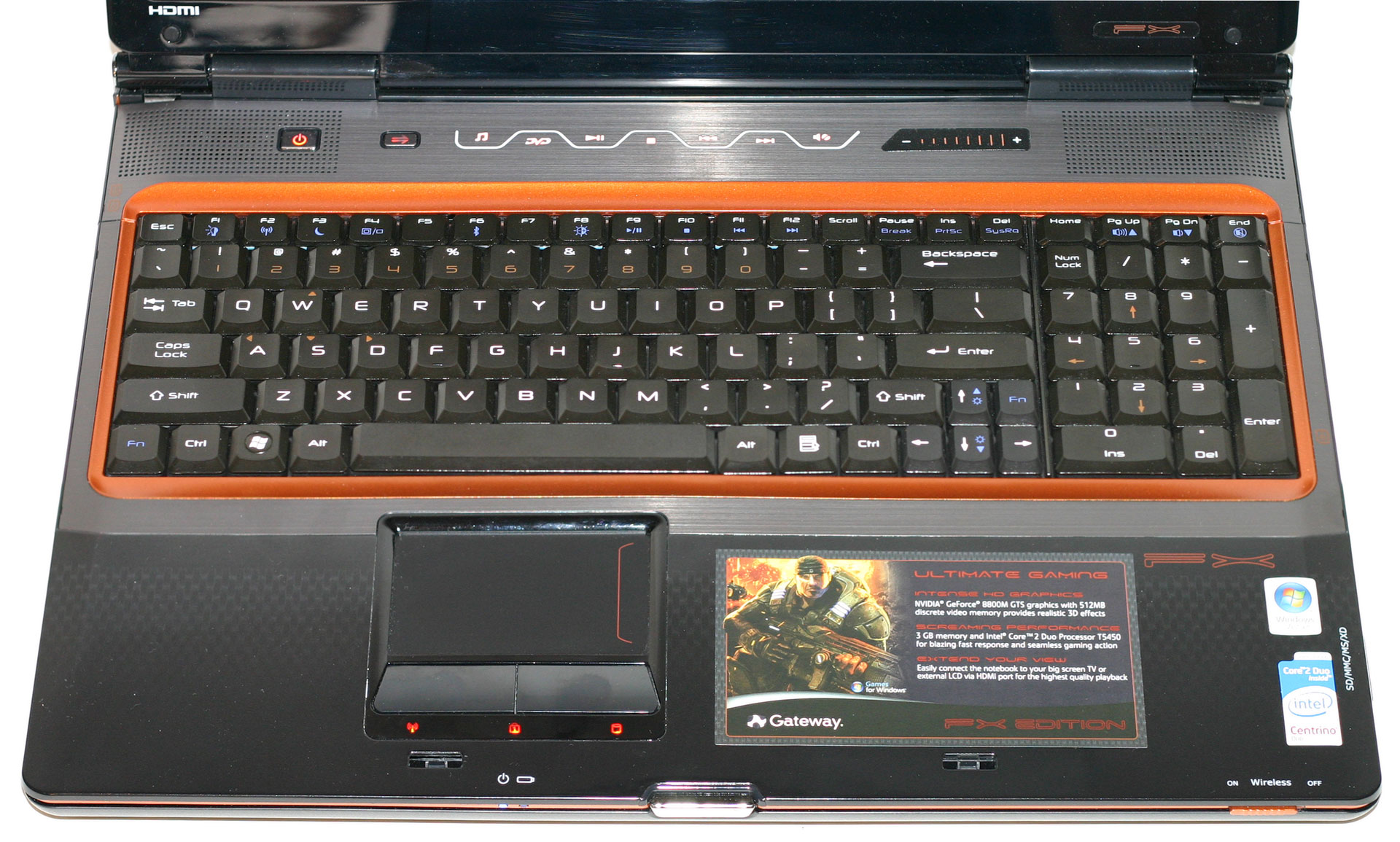 |
We also want to take a moment to comment on the keyboard layout. Gateway got this aspect almost exactly right. You get a full-size number keypad, and all the keys are where you would expect them to be, including large enter and zero keys. The Home/End/PgUp/PgDn keys are above the number keypad, which is not necessarily ideal, but we had no problems adapting to this location after a few hours. (If you try to use multiple notebooks, it can get confusing at times remembering where some of the keys are.) Some people might argue about the placement of the Fn key in the lower left corner. I personally prefer to have my Ctrl key in that location, so I would dock points from the keyboard layout; Anand on the other hand gets upset if the Fn key is not in the bottom left corner. You also get a second Fn key located near the cursor keys, which is unusual but not necessarily bad.
The keyboard on the Dell XPS M1730 is still the gold standard by which I judge all other keyboards. It does everything right, and the LED backlighting option is an added bonus. If the XPS M1730 keyboard earns an A+ grade, the Gateway FX is not far behind, garnering an A or an A- depending on how you feel about the Ctrl/Fn key positioning.
Originally published at https://www.anandtech.com/show/2490 (Wayback Machine).