
Dell XPS M1730: SLI, Penryn, and Overclocking
- Posted in
- Laptops
On the outside Looking In
Getting at the guts of a laptop is often a bit like a jigsaw puzzle. Some are more difficult than others, but XPS M1730 actually comes apart pretty easily. The only potential difficulty is that there are a lot of screws to remove, but once you have taken all of them out the case comes apart with only a little force required. Most users will never have the need to take apart their laptop, other than removing the bottom covers to access the memory and hard drives. However, it is possible to replace the CPU with a bit of effort, and down the road we might actually see Dell sell an upgraded GPU module. There's no promise on the latter, though, so until/unless you hear something official plan on using whatever GPUs your system comes with.
 |
 |
 |
 |
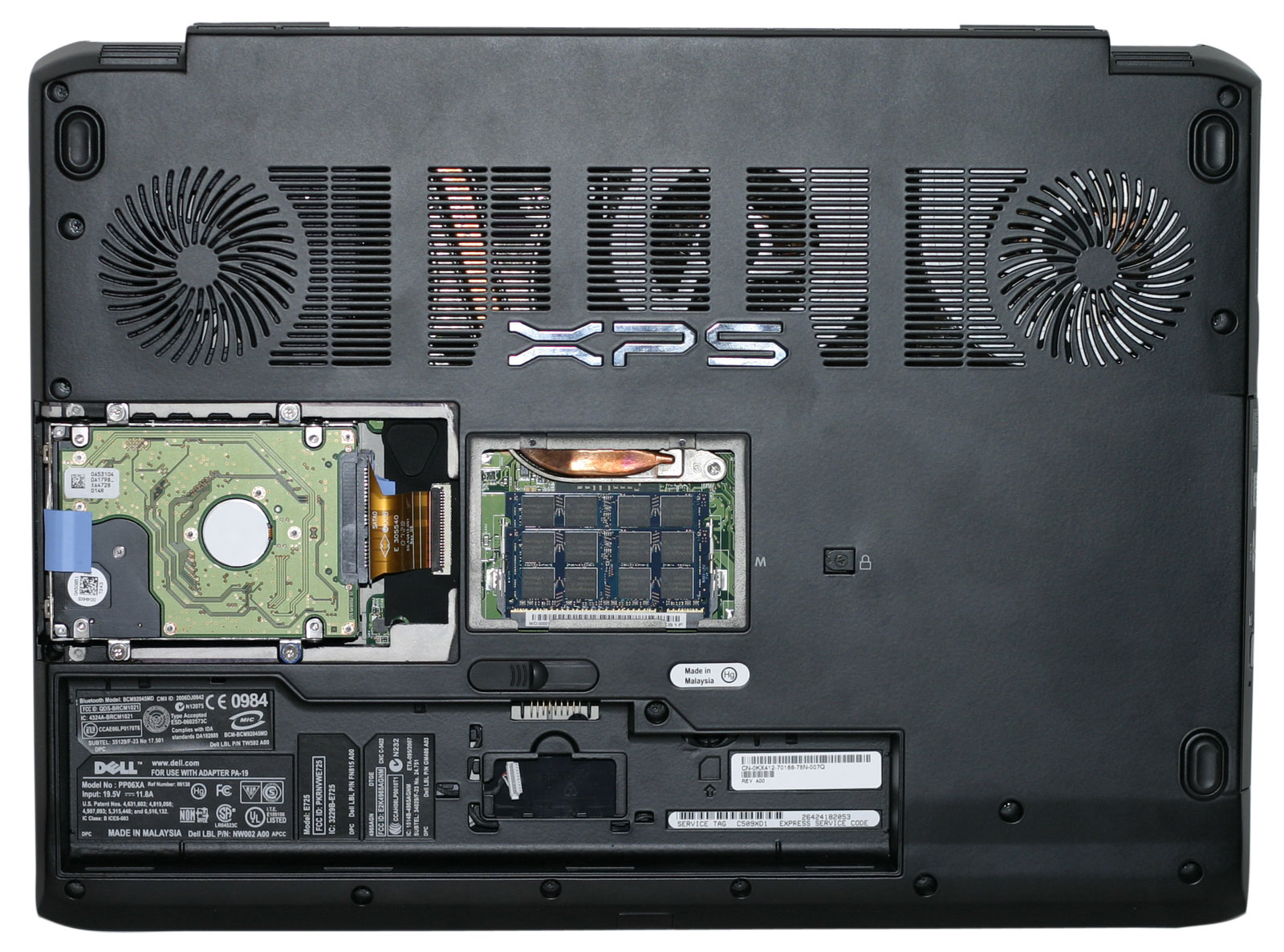
Opening the bottom panels is simple, with the center area providing access to the memory slots. The hard drives are on the left of the unit, in a small cage with rubber grommets acting as shock absorbers/noise dampeners. The laptop is powered by a large 9-cell 85Wh (Watt Hour) battery, and the optional Bluetooth module fits underneath the battery.
 |
Here's a comparison of the (massive!) power brick of the XPS M1730 to the power brick that comes with Clevo M570RU-U GeForce 8800M GTX notebooks. The Clevo model (also used on branded notebooks from WidowPC, AVADirect, Hypersonic, and many other notebooks) is rated at 120W, compared to the 230W M1730 adapter. If you're planning to carry the notebook back and forth between two locations on a daily basis, you might want to seriously consider purchasing a second power brick. The notebook weighs in at around 10.6 lbs; including the cable, the power brick adds another 3 lbs., not to mention it can be rather bulky trying to fit it into a laptop carrying case.
Originally published at https://www.anandtech.com/show/2461 (Wayback Machine).