
abit IP35-Pro: Houston, We Have a Winner
- Posted in
- Motherboards
abit IP35-Pro BIOS Overview and Software Features
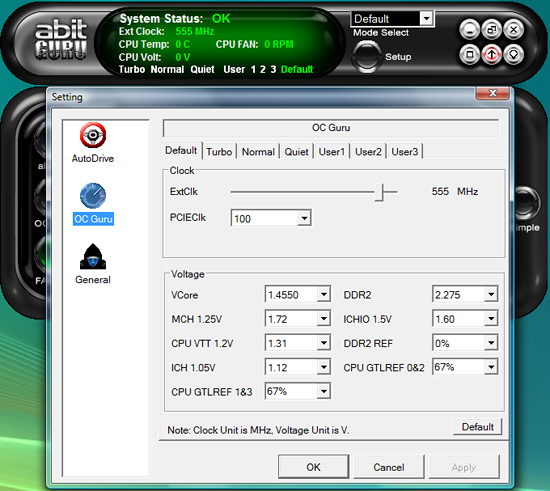
The IP35-Pro board features abit's excellent µGuru technology, which allows the monitoring/control of the system's fan headers and the ability to set voltages and FSB rates on the fly. We have always been enamored of µGuru and consider it the best available platform control application available from the motherboard manufacturers. The application worked extremely well during testing and provided accurate feedback on temperatures and voltages along with the capability to fine tune voltages and FSB rates during overclocking sessions.
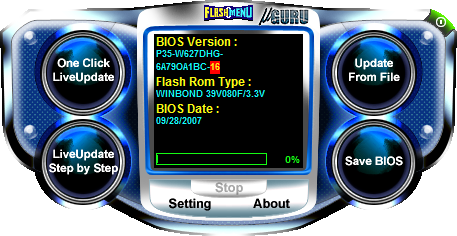
abit includes a BIOS flash utility as part of the µGuru. We still feel flashing via the DOS floppy method is the most reliable way to update your BIOS, but we flashed our board six times with this utility without any problems.
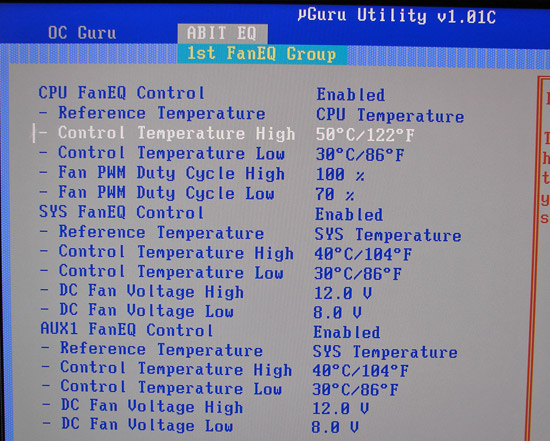
abit allows the monitoring and control of the CPU, System Fan, and Auxiliary fan speeds and voltage settings within the BIOS. Fan control is very extensive with three different monitoring modes available within the BIOS settings.
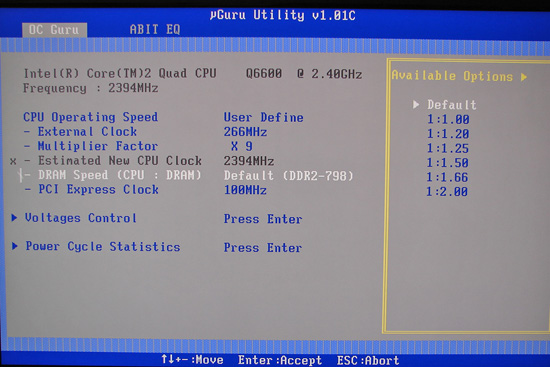
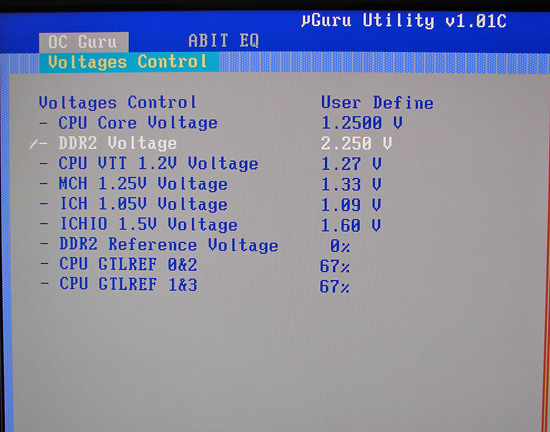
The OC Guru sections contains the standard overclocking options that includes FSB rates, multiplier selection, DRAM ratios, PCI Express clock speeds, and voltage controls. Although not as extensive as the typical DFI enthusiast board, the options are good with the notable exception being the inability to control the FSB Strap settings.
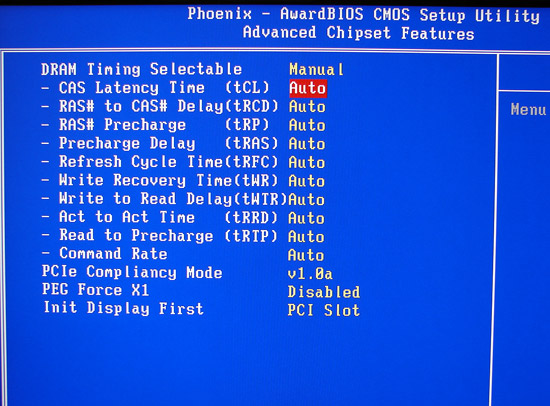
The BIOS offers 8 different memory configuration options and generally utilized the memory SPD settings at a given clock speed if the DRAM timing was set to auto when in manual mode. Although the Clock per Command appears as 1T or 2T, the proper terminology is 1N or 2N on the Intel chipsets this and works differently than the 1T/2T command rates on the AMD chipsets. 1N is generally equivalent to a 1.5T type performance level at this time. It is not possible to adjust tRD manually, but abit typically sets this option at a very aggressive level in order to improve memory latencies.
The IP35-Pro board features abit's excellent µGuru technology, which allows the monitoring/control of the system's fan headers and the ability to set voltages and FSB rates on the fly. We have always been enamored of µGuru and consider it the best available platform control application available from the motherboard manufacturers. The application worked extremely well during testing and provided accurate feedback on temperatures and voltages along with the capability to fine tune voltages and FSB rates during overclocking sessions.
abit includes a BIOS flash utility as part of the µGuru. We still feel flashing via the DOS floppy method is the most reliable way to update your BIOS, but we flashed our board six times with this utility without any problems.
abit allows the monitoring and control of the CPU, System Fan, and Auxiliary fan speeds and voltage settings within the BIOS. Fan control is very extensive with three different monitoring modes available within the BIOS settings.
The OC Guru sections contains the standard overclocking options that includes FSB rates, multiplier selection, DRAM ratios, PCI Express clock speeds, and voltage controls. Although not as extensive as the typical DFI enthusiast board, the options are good with the notable exception being the inability to control the FSB Strap settings.
The BIOS offers 8 different memory configuration options and generally utilized the memory SPD settings at a given clock speed if the DRAM timing was set to auto when in manual mode. Although the Clock per Command appears as 1T or 2T, the proper terminology is 1N or 2N on the Intel chipsets this and works differently than the 1T/2T command rates on the AMD chipsets. 1N is generally equivalent to a 1.5T type performance level at this time. It is not possible to adjust tRD manually, but abit typically sets this option at a very aggressive level in order to improve memory latencies.
Originally published at https://www.anandtech.com/show/2367 (Wayback Machine).