
AMD's DTX Form Factor: Smaller PCs for Everyone?
- Posted in
- Cases/Cooling/PSUs
Differences between BTX and DTX
The BTX specification document is a hefty 32 pages compared to DTX's 10, mainly because the form factor is a more dramatic departure from ATX.
While DTX motherboards fundamentally follow a similar board layout to ATX boards, BTX does some re-arranging of sockets and connectors. The CPU is moved to the front of the chassis, the memory to the left of the chassis and the expansion slots to the right.
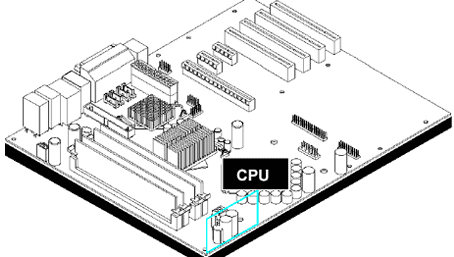
There are four BTX motherboard sizes supported: picoBTX, nanoBTX, microBTX and regular BTX. All BTX motherboards are 10.5" (266.70 mm) deep but vary in width.
| Form Factor | Maximum Board Depth | Maximum Board Width |
| picoBTX | 266.70 mm | 203.20 mm |
| nanoBTX | 266.70 mm | 223.52 mm |
| microBTX | 266.70 mm | 264.16 mm |
| BTX | 266.70 mm | 325.12 mm |
| mini DTX | 170.18 mm | 203.20 mm |
| DTX | 243.84 mm | 203.20 mm |
You can see from the chart above that picoBTX is closest in size to DTX, and there's nothing in the BTX spec that's quite as small as mini-DTX.
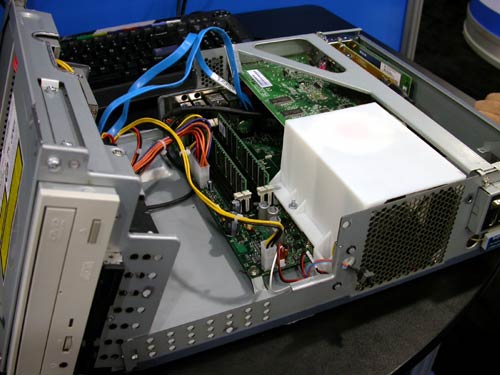
The other major difference between BTX and DTX is the thermal module requirements of BTX. While DTX uses standard heatsink/fan units, BTX calls for an enclosed thermal module to be used at the front of the chassis for cooling the CPU first and then all of the components behind it next.
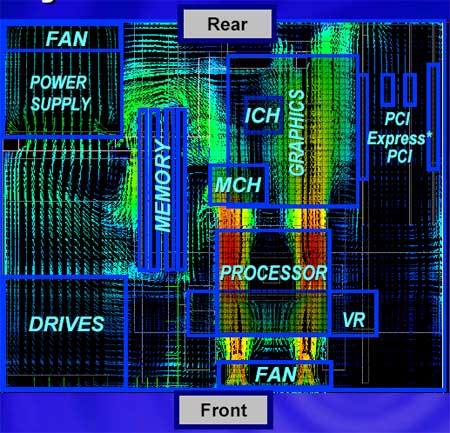
As DTX is an extension of ATX, it only tackles the low power PC markets, leaving the rest to ATX. DTX is designed for 45W or 65W CPUs (coincidentally, the two TDPs that AMD primarily offers), while the larger BTX variants can be used with more power hungry CPUs (and GPUs).
Originally published at https://www.anandtech.com/show/2356 (Wayback Machine).