
A New Kind of Home Computer: Windows Home Server Preview
- Posted in
- Systems
WHS As A Backup Suite
Although Microsoft is offering many features with WHS, it's WHS as a backup suite that is the single biggest feature of the OS. For Microsoft, this is more or less breaking new ground on an industry that is underdeveloped. At the corporate level there are numerous competting backup suites, but at the consumer level that WHS is targeting there's a handful of packages and Windows' own built-in backup system.
What does exist in the consumer space right now either does backups to the local disk, or if it's designed to do remote backups it does so via making whole copies of a disk, neither of which come close to what corporate software can do. WHS's backup abilities as a result are Microsoft's attempts to bring corporate features down to a home user, in line with the entire theme of WHS being a home's first server.
Central to the backup feature of WHS is the WHS Connector package, which serves as both the backup client for the machine and the key piece of software that integrates a machine into a WHS server. Once a new client is connected, the console can be used to configure the backup settings for that individual machine; out of the box all clients are set to backup between 12am and 6am, and most users will only need to enable backups for the new client. The client also has some control over the backup process without using the administrative console, and can initiate a backup at any time. Finally, the connector software allows WHS to keep track of the general health of each client and report on problems such as missing updates.
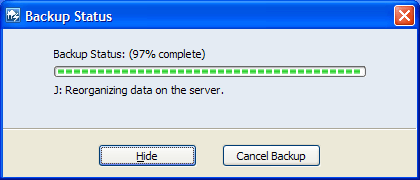
On the server side, anyone familiar with corporate backup software will undoubtedly find themselves at home with WHS. Along with scheduling backup times and triggering backups, administrators can exclude folders (but not files or file types) on a per-machine basis, view a list of backups, and manually purge old backups. To that extent WHS will also purge old backups automatically based on retention settings. All of this past the first backup is done incrementally to minimize space used and data transferred.
Furthermore, as the developer of Windows, Microsoft gets a strong ace up their sleeve in backup management: the volume shadow copy ability. We've previously talked about this in our Vista review as Microsoft is using it to run Vista's Previous Version feature, and on a server this ability is much more potent. Because WHS can back up the entire contents of a system (including the OS) it will back up a lot of redundant files; with a 10 client limit that's potentially 10 copies of Windows that need to be stored. Volume shadow copy can recognize the redundant clusters making up all those files and only store a single copy, so in a completely homogenous environment WHS will only need to store a single copy of Windows for the entire house.
The benefits of this further extend to user data, as any other duplicate files (e.g. music) will also only be stored a single time. The incremental backups that WHS does further benefit from the cluster level identification as WHS will only need to store the cluster changes of a file whenever a file is changed. Finally all of this is compressed to squeeze out whatever last bit of space savings can be found. All of these abilities due to volume shadow copy results in WHS backups being exceptionally efficient and making it possible to back up several machines with a drive much smaller than their combined drive space.
Originally published at https://www.anandtech.com/show/2312 (Wayback Machine).