
Intel P35: Intel's Mainstream Chipset Grows Up
- Posted in
- CPUs
Gigabyte GA-P35-DQ6 Basic Features
| Gigabyte GA-P35-DQ6 | |
| Market Segment: | Enthusiast - $229.99~$249.99 |
| CPU Interface: | Socket T (Socket 775) |
| CPU Support: | LGA775-based Pentium 4, Celeron D, Pentium D, Pentium EE, Core 2 Duo, Core 2 Extreme |
| Chipset: | Intel P35 MCH and Intel ICH9R |
| Bus Speeds: | Auto, 200 ~ 750 in 1MHz increments |
| Memory Ratio: DDR2 | Auto, 2.00, 2.40, 2.50, 3.0, 3.20, 3.33, 4.0 |
| PCIe Speeds: | Auto, 90MHz~150MHz in 1MHz Increments |
| Core Voltage: | Normal, .00625V ~ 2.35000V in 0.00500V increments |
| PCIe Voltage: | Normal, +.05V ~+.35V in +.05V increments |
| FSB Voltage: | Normal, +.05V ~+.35V in +.05V increments |
| CPU Clock Multiplier: | Auto, 6x-16x in 1X increments if CPU is unlocked, downwards unlocked, Core 2 Duo |
| DRAM Voltage: DDR2 | Normal, +.05V ~ +1.55V in +.05V increments |
| DRAM Timing Control: | Auto, 12 DRAM Timing Options |
| Performance: | Standard, Turbo, Extreme |
| NB Voltage: | Normal, +.025V ~ +.375V |
| FSB Voltage: | Normal, +.05V ~ +.35V |
| Memory Slots: | Four 240-pin DDR2 DIMM Slots Dual-Channel Configuration Regular Unbuffered Memory to 8GB Total |
| Expansion Slots: | 2 - PCIe X16 (1x16, 1x4 electrical for CrossFire or Multi-GPU) 3 - PCIe x1 2 - PCI Slot 2.2 |
| Onboard SATA/RAID: | 6 SATA 3Gbps Ports - ICH9R (RAID 0,1, 10, 5) 2 SATA 3Gbps Port - JMicron JMB363 - RAID 0, 1 |
| Onboard IDE: | 1 ATA133/100/66 Port (2 drives) - JMicron JMB363 |
| Onboard USB 2.0/IEEE-1394: | 12 USB 2.0 Ports - 4 I/O Panel - 8 via Headers 3 Firewire 400 Ports by TI TSb43AB23 - 1 I/O Panel, 2 via Header |
| Onboard LAN: | Realtek RTL8111B PCIe Gigabit Ethernet controller |
| Onboard Audio: | Realtek ALC889A - 8-channel HD audio codec |
| Power Connectors: | ATX 24-pin, 8-pin EATX 12V, 4-pin Molex connector |
| I/O Panel: | 1 x PS/2 Keyboard 2 x PS/2 Mouse 1 x Parallel Port 1 x Serial Port 1 x S/PDIF Coaxial/Optical - Out 1 x IEEE 1394a 1 x Audio Panel 1 x RJ45 4 x USB 2.0/1.1 |
| BIOS Revision: | v.F4 |
| Board Revision: | v1.00 |
Gigabyte has provided a very comprehensive BIOS that is enthusiast oriented in the latest F4 release. In our opinion, Gigabyte continues to annoy the crowd that will buy this board by insisting on using the Ctrl-F1 sequence to open up the additional performance oriented BIOS settings. We were able to match most BIOS settings on the ASUS P5K when tuning the board. The most important option to change is the Performance Enhance setting from Normal to Turbo. This will improve memory performance in much the same way as the Transaction Booster from ASUS, although the level of fine tuning does not match the ASUS board. We found the Extreme setting to be just that, extremely on the edge as we could not complete our benchmarks when using it. We measured Vcore droop to be around .03V under load testing with our QX6700.
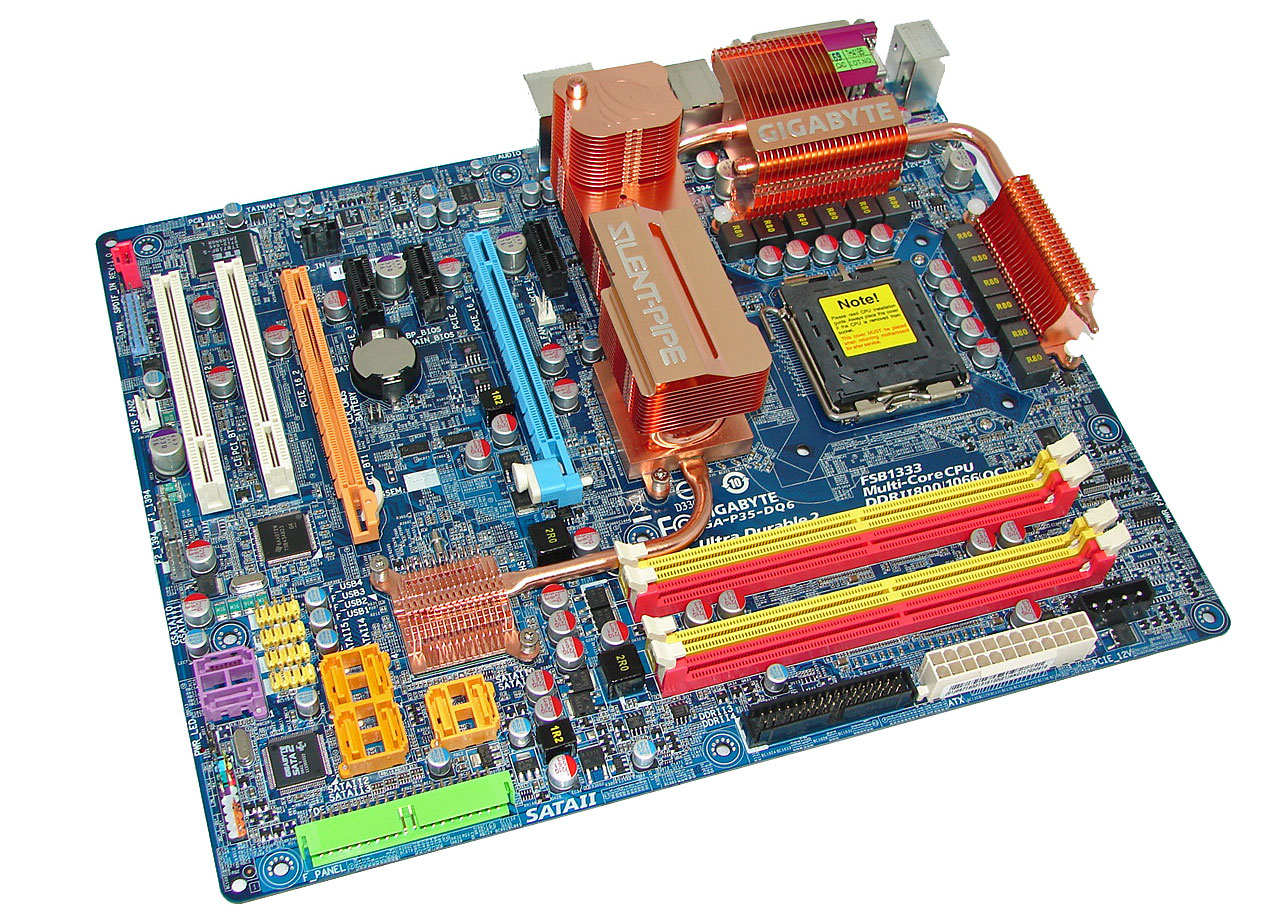
Gigabyte GA-P35-DQ6 Board Layout and Features
 |
| Click to enlarge |
Gigabyte provides the user with a good layout considering the massive heatsink system employed on this board. This board features a twelve-phase power regulation system and 100% use of conductive polymer aluminum capacitors that provided excellent stability during testing at stock and overclocked speeds. During our overclocking tests we found the massive heatpipe system worked well but additional airflow was required to ensure stability during overclock testing. However, our larger heatsinks such as the Scythe Infinity barely fit and were difficult to install. The cooling backplate on the bottom of the board requires removal or the use of longer screws to attach coolers that require a backplate mount.
The P35-DQ6 installed easily into our Cooler Master CM Stacker 830 case and cable management was very good for power, optical, and hard drives although the 8-pin ATX connector was a tight fit due to the heatpipe system. Unlike the ASUS P5K series, Gigabyte took a more legacy approach with the rear panel options. The standard PS/2 mouse and keyboard ports, parallel, and serial ports are included compared to ASUS only including a PS/2 keyboard port.
Originally published at https://www.anandtech.com/show/2236 (Wayback Machine).