
ATI TV Wonder Digital Cable Tuner: AMD and Dell Bring CableCARD to PCs
- Posted in
- GPUs
OCUR as a QAM Tuner
You don't have to have CableCARD for the TV Wonder DCT to be useful, as it also functions as both an analog and digital QAM tuner. Working as a regular SDTV tuner is nothing special, but being able to tune QAM channels broadcast over cable networks is quite intriguing.
For those of you that don't know, CableCARD is only necessary to tune to encrypted digital channels on a cable network. Just like some channels can be received using an ATSC tuner "over the air", there are other unencrypted digital channels (including HD channels) that are sent over the cable network; a QAM tuner is necessary to receive these channels. Generally these unencrypted channels are digital versions of local channels, which works for those who only want to watch prime time television shows in HD that air on local stations to begin with. Not all cable networks send this content unencrypted, so your mileage may vary, but in our case using the ATI TV Wonder DCT as a QAM tuner gave us access to all digital local stations.
To configure the TV Wonder DCT to handle QAM channels simply go through the TV signal setup process but inform Vista that you don't have a CableCARD. Doing so will enable you to tune analog channels just fine, but to find QAM channels you need to select the Scan for Additional Services option under TV setup.
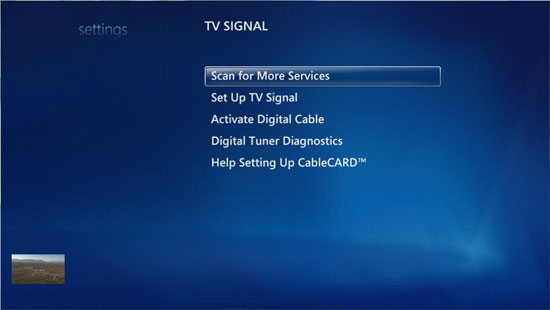
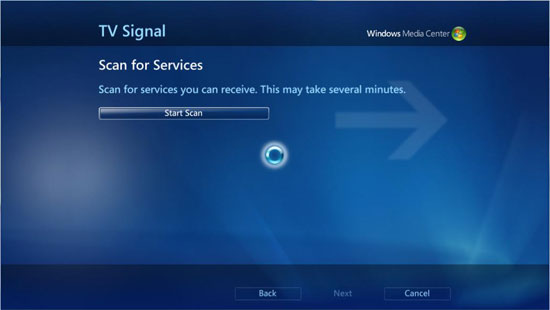
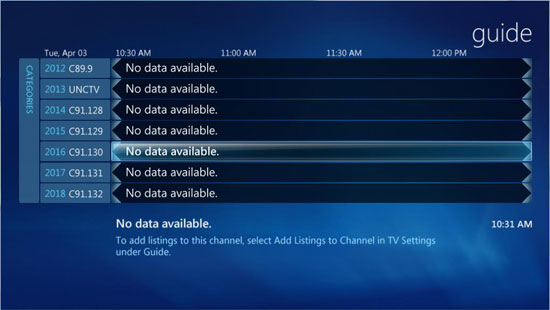
After we did that, our program guide was full of sub-channels (e.g. 5.2) that gave us access to all available QAM channels. All of the other media center features (recording, scheduling, etc...) worked the same once we populated the channel list and guide. Unfortunately, dealing with the sub-channels is still rather annoying, as we discussed in a previous look at a couple QAM tuners.
Originally published at https://www.anandtech.com/show/2203 (Wayback Machine).