
Apple TV - Part 1: Unboxed and Dissected
- Posted in
- Mac
Motherboard: Spotted
With the drive disconnected we're left with the following sight:

Click to Enlarge - The bottom plate of the Apple TV unit

We can't get the motherboard out quite yet though, first we have to tackle the power supply which is the white bar to the left in the picture above:

With the power supply out of the way, we've got to move inwards and unscrew the wireless card:

To the left of the first antenna terminal on the card is a T8 torx screw, removing it lets you pull out the wireless card:

There's ample yellow tape used inside the Apple TV to keep cables in place, we had to peel some of it off to push the wireless card to the side.

We've got two more screws to remove before we can lift the motherboard out of the case, both of which are located around the metal bar that the fan is taped to (see above):
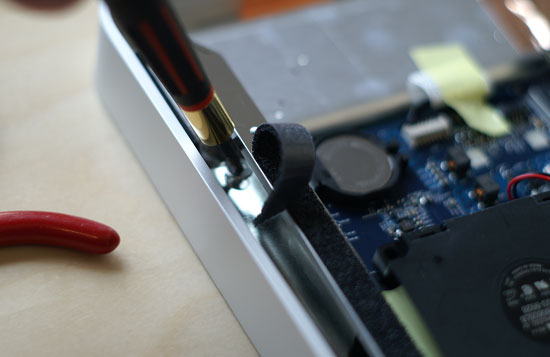
This first one is a bit of a pain to get to; if you've got a thin and long enough torx bit (T8) you can get to it pretty easily, but if you don't you'll have to go at an angle like we did as you can see from the picture above.
The final screw is actually an even larger torx mount that one of the T10 screws screwed into:

Originally published at https://www.anandtech.com/show/2195 (Wayback Machine).