
NVIDIA and ATI HDCP Compatible Graphics Cards Roundup
- Posted in
- GPUs
Playing a Blu-ray Movie
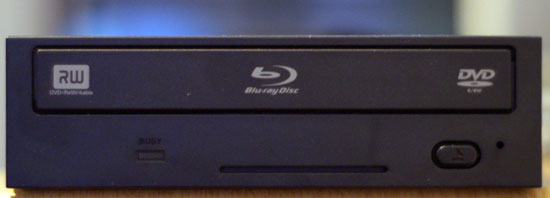
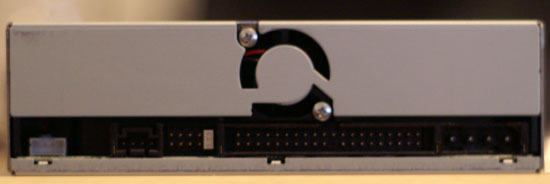
Before we look at the cards, we want to talk a little bit about our test platform for our HDCP testing in this review. Our Blu-ray drive we have for testing is the Pioneer BDR-101A Bluray player.
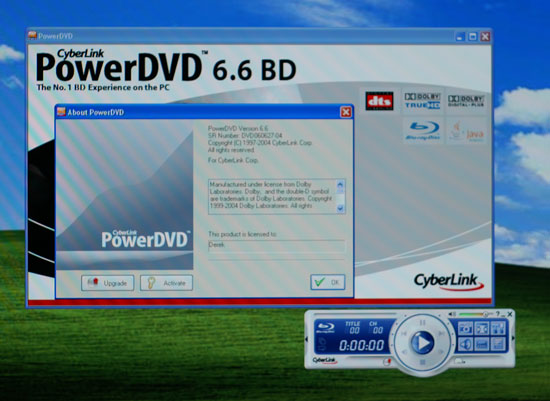
Just like watching a regular DVD, in order to watch a Blu-ray movie you'll need a Blu-ray player software. Cyberlink provided us with a version of its Power DVD software that has Blu-ray support (you'll currently need a different version of the player if you have a HD-DVD drive instead). Note that in order to play movies from your Blu-ray or HD-DVD drive over a digital connection, your playback software must have HDCP support or the movie won't play, but most manufacturers should include HDCP compatible software with their Blu-ray or HD-DVD drives.
With the graphics card as the next step in the HDCP chain, not only must the GPU and card be HDCP compatible, but the graphics drivers must have HDCP support as well. Up until very recently, NVIDIA and ATI's public drivers did not include support for HDCP, but this has been added as of their latest Catalyst and ForceWare driver releases.

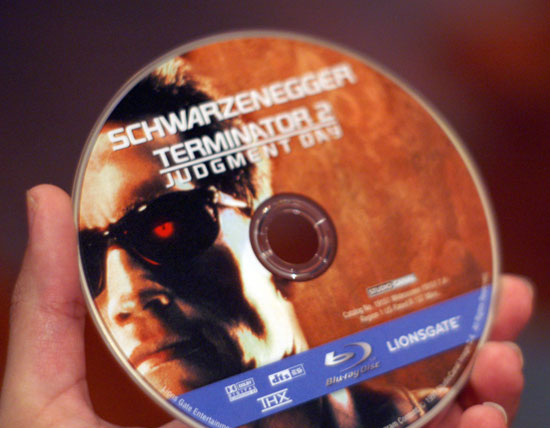
The last link in the HDCP chain is the display, and an HDCP compatible monitor or TV is required to play our Blu-ray movie. The TV we chose for this is a Westinghouse lvm-42w2, which fully supports HDCP and is a native 1080p display. Of course, you will need a Blu-ray or HD-DVD movie to make use of an HDCP setup to begin with, and the one we have for our testing is the movie "Click" which was one of the first 50GB Blu-ray discs available.

If any one of your hardware or software components within this chain does not support HDCP, then your Blu-ray or HD-DVD movie will not play. Most of the time an error message will pop up and give you an idea of what is wrong; If the graphics card is not HDCP compatible, PowerDVD gave us an error message saying, "fail to enable HDCP. Please switch to analog output (VGA, D-Sub) and try again." If the graphics drivers were incompatible, we got an error message along the lines of "please make sure your graphics drivers support HDCP." These are both fairly straightforward error messages, and for the most part, we were able to tell where the chain was failing whenever we had problems.
If the graphics card itself didn't properly support HDCP the result was a bit more in your face. For instance, we had a X1600 Pro sample with an HDMI port from Sapphire which was listed as being HDCP compatible, but we tried to play our Blu-ray movie we were greeted with a screen full of static.
For the most part, if the card you're using supports HDCP and you've got the right drivers and player, then you're good to go. It's also worth noting that not all outputs on the cards we looked at support HDCP, but where there are limitations we've done our best to point them out in the individual card sections.
Before we look at the cards, we want to talk a little bit about our test platform for our HDCP testing in this review. Our Blu-ray drive we have for testing is the Pioneer BDR-101A Bluray player.
Just like watching a regular DVD, in order to watch a Blu-ray movie you'll need a Blu-ray player software. Cyberlink provided us with a version of its Power DVD software that has Blu-ray support (you'll currently need a different version of the player if you have a HD-DVD drive instead). Note that in order to play movies from your Blu-ray or HD-DVD drive over a digital connection, your playback software must have HDCP support or the movie won't play, but most manufacturers should include HDCP compatible software with their Blu-ray or HD-DVD drives.
With the graphics card as the next step in the HDCP chain, not only must the GPU and card be HDCP compatible, but the graphics drivers must have HDCP support as well. Up until very recently, NVIDIA and ATI's public drivers did not include support for HDCP, but this has been added as of their latest Catalyst and ForceWare driver releases.
The last link in the HDCP chain is the display, and an HDCP compatible monitor or TV is required to play our Blu-ray movie. The TV we chose for this is a Westinghouse lvm-42w2, which fully supports HDCP and is a native 1080p display. Of course, you will need a Blu-ray or HD-DVD movie to make use of an HDCP setup to begin with, and the one we have for our testing is the movie "Click" which was one of the first 50GB Blu-ray discs available.
If any one of your hardware or software components within this chain does not support HDCP, then your Blu-ray or HD-DVD movie will not play. Most of the time an error message will pop up and give you an idea of what is wrong; If the graphics card is not HDCP compatible, PowerDVD gave us an error message saying, "fail to enable HDCP. Please switch to analog output (VGA, D-Sub) and try again." If the graphics drivers were incompatible, we got an error message along the lines of "please make sure your graphics drivers support HDCP." These are both fairly straightforward error messages, and for the most part, we were able to tell where the chain was failing whenever we had problems.
If the graphics card itself didn't properly support HDCP the result was a bit more in your face. For instance, we had a X1600 Pro sample with an HDMI port from Sapphire which was listed as being HDCP compatible, but we tried to play our Blu-ray movie we were greeted with a screen full of static.
For the most part, if the card you're using supports HDCP and you've got the right drivers and player, then you're good to go. It's also worth noting that not all outputs on the cards we looked at support HDCP, but where there are limitations we've done our best to point them out in the individual card sections.
Originally published at https://www.anandtech.com/show/2120 (Wayback Machine).