
Apple's Mac Pro - Upgrading CPUs, Memory & Running XP
- Posted in
- Mac
Installing Windows XP, the Right Way
When we first reviewed the Mac Pro, we of course tried to install Windows XP on it.
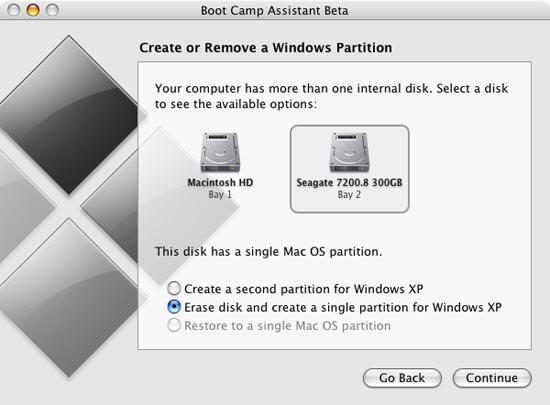
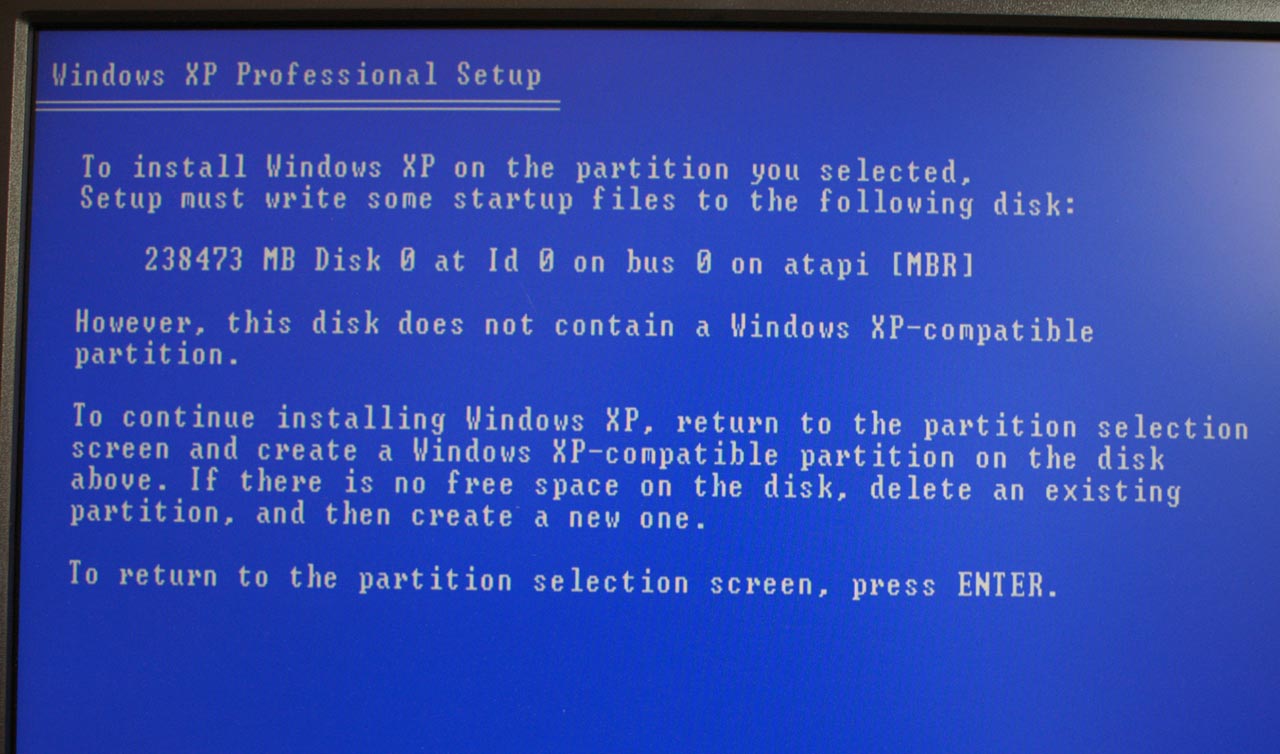
Although Apple's Bootcamp beta now allows you to install Windows on a separate hard drive, you'll need to physically remove your OS X boot drive before beginning the install process otherwise you'll be greeted with the following error:
Even with Apple's updated Bootcamp 1.1 beta release, we encountered serious performance issues with SATA drives under XP; the fastest transfer rate attainable, regardless of drive used, was only 3.9MB/s, which obviously made the system very slow. Video and CPU performance was fine, but with I/O performance so low the system was a very poor performer in most applications.

Thankfully, some clever OS X/XP users figured out the cause of the problem: the Intel 5000X drivers must be slipstreamed into the Windows XP SP2 install CD and loaded during Windows setup, not after, in order to avoid the problem. We couldn't find a reason why this was true, but after following the instructions posted here (and later mirrored here) our SATA problems went away.
The fix is simple; you need to download and extract the Intel chipset drivers for the 5000X, as well as the SATA drivers, and use a tool such as nLite to slipstream the drivers into your XP SP2 install CD.
If you've done it correctly, your SATA drives should now operate in Multi-Word DMA Mode 2 instead of PIO Mode when viewed in Device Manager.
With Windows XP now working at full speed on the Mac Pro, we run into another hurdle in making the Mac Pro the perfect XP/OS X workstation: the video card. Apple only offers three video card options for the Mac Pro: a GeForce 7300 GT, Quadro FX 4500 and a Radeon X1900 XT. The problem is that the first option is a fairly low end GPU, and the remaining two are fairly expensive upgrades at $499 and $399 respectively. It would be much nicer if we could simply use a PC video card in the system, as it would greatly expand the possibilities for upgrades and do so at much better prices.
PC video cards will actually work in the Mac Pro under Windows XP, they will not however work under OS X or during any of the pre-boot period of starting the machine (e.g. you will not be able to see the startup disk selection screen if you hold down the Option key while the system starts). If you install a PC video card in the Mac Pro you'll simply get a black screen until Windows starts loading, at which point everything will look normal. We used this fact to our benefit by running all of our Windows XP game tests with a regular ATI Radeon X1900 XTX. Interestingly enough, when we tried to use a Radeon X1900 XT 256MB, we got a lot of display corruption as you can see from the screenshot below:
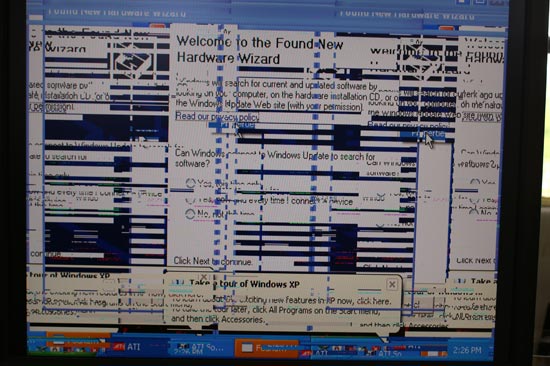
We couldn't do anything to get rid of the corruption, and aren't sure why it happened only with the 256MB X1900 XT.
On the OS X side, if you try to boot with a PC video card you'll simply get a black screen from start to finish. We've tried ATI's Radeon X1900 XT as well as the new GeForce 7900 GS (the GPU supports OS X, but the cards themselves do not) and had no luck in OS X. As soon as Mac versions of these cards are readily available, users should be able to rip the firmware off of one and work on putting it onto a PC card. Until then, your video card selection for the Mac Pro is going to be quite limited.
Originally published at https://www.anandtech.com/show/2079 (Wayback Machine).